Rated 5 star on

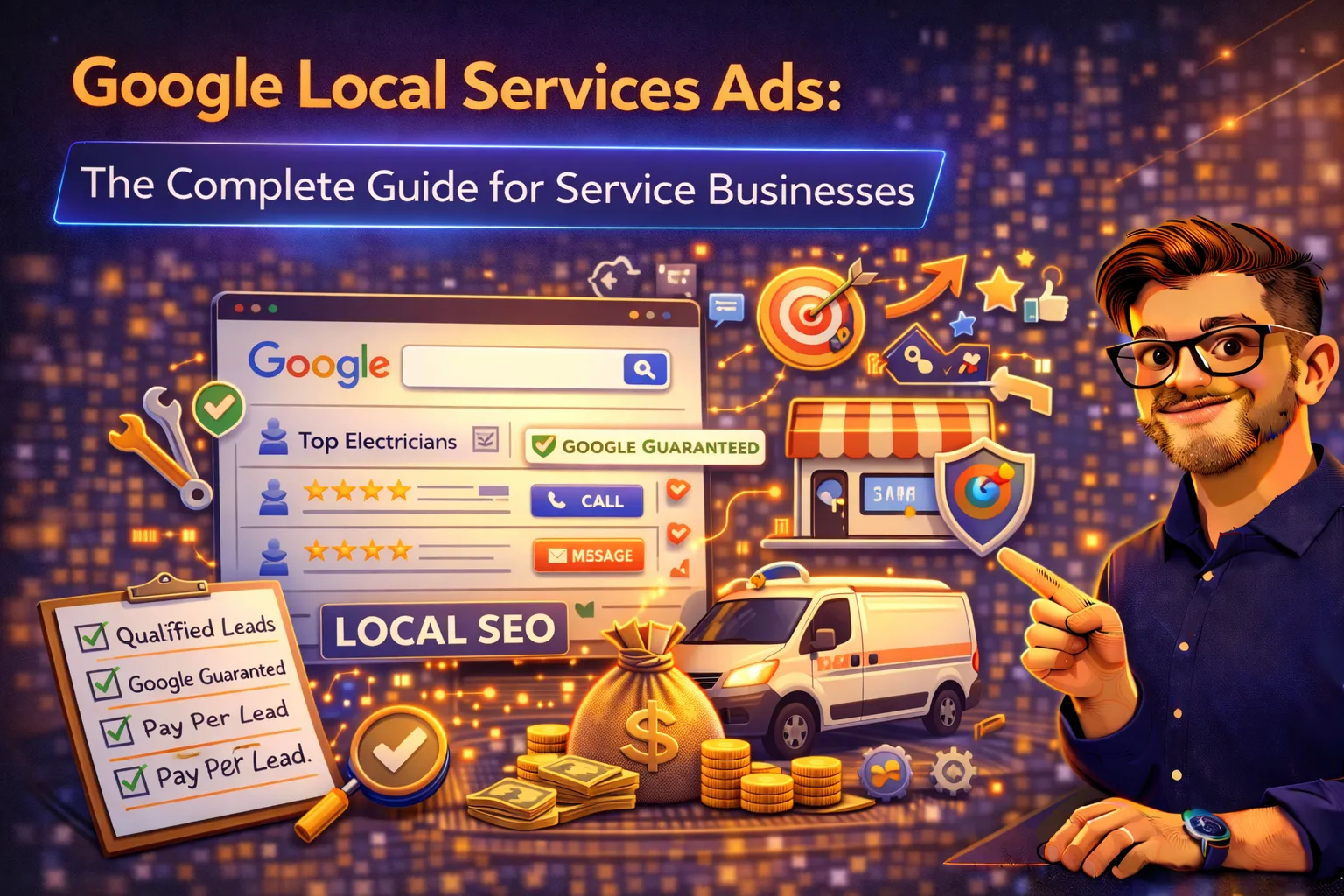
Google Local Services Ads: The Complete Guide for Service Businesses
How Local Services Ads work, what they cost, how to get verified, the ranking factors that determine your visibility, and a step-by-step setup guide for service businesses ready to capture high-intent local leads.
Published: March 5, 2026 | Reading Time: ~12 minutes | Category: PPC & Paid Media
When a homeowner in Miami searches “plumber near me” at 11 p.m. on a Saturday, the first thing they see is not an organic result, not a traditional Google Ad, and not a local map listing. They see Google Local Services Ads—a row of verified service providers with star ratings, review counts, and a single tap to call. (Boomcycle), even when those businesses also rank well in organic search and the local map pack. If you are a service business and you are not running LSAs, you are invisible to the majority of high-intent local searchers.
Google Local Services Ads (LSAs) operate on an entirely different model than traditional pay-per-click advertising. You do not pay for clicks—you pay only when a potential customer actually contacts you through the ad. The average cost per lead ranges from $6 to $100 depending on industry and market (WebFX/Housecall Pro), with home services averaging $25–85 per lead (Mediagistic/Home Service Direct). For comparison, traditional Google Search Ads now average $57.42 per cost-per-action in 2026, with home services at $94.18 and legal at $143.27 (LocaliQ). LSAs consistently deliver a lower cost per qualified lead because the model filters out non-converting clicks entirely.
This guide covers everything a service business needs to know: how LSAs work, which industries are eligible, what the verification process looks like, the ranking factors that determine your placement, cost benchmarks by industry, and a step-by-step setup guide.
How Google Local Services Ads Work
LSAs appear at the very top of Google Search results—above traditional paid ads, above the local map pack, and above organic results. They are the first thing a searcher sees, and they are designed for immediate action: a phone call, a message, or a direct booking.
The process works as follows:
1. A Customer Searches for a Local Service
When someone searches for “HVAC repair near me,” “dentist accepting new patients,” or “personal injury lawyer Miami,” Google identifies that the query has local service intent and triggers LSA results.
2. Google Matches the Search to Verified Providers
Google matches the query to businesses that have been verified, serve the searcher’s area, and offer the relevant service type. The algorithm considers proximity, reviews, responsiveness, and bid amount to determine which two or three businesses appear in the top positions.
3. The Searcher Sees Verified Businesses With Trust Signals
Each LSA displays the business name, Google Verified badge, star rating, review count, years in business, operating hours, and service areas. This is significantly more trust-building information than a standard text ad, which is why LSAs convert at higher rates.
4. The Customer Contacts You Directly
The searcher can call, message, or book directly from the ad. Google routes the call through its own tracking number and uses AI to analyze the conversation—evaluating whether the lead was qualified, whether the business responded appropriately, and whether the interaction was a genuine service match (Boomcycle). You are only charged for valid leads.
5. You Pay Per Lead, Not Per Click
Unlike traditional PPC where every click costs money regardless of outcome, LSAs charge only for actual leads. If someone calls and it is a wrong number, a spam call, or a request for a service you do not offer, Google’s automated credit system reviews the lead and issues a credit when warranted. This system replaced the manual dispute process in mid-2024 (Coalmarch).
LSAs vs. Traditional Google Ads: Key Differences
| Feature | Local Services Ads | Traditional Google Search Ads |
|---|---|---|
| Pricing model | Pay per lead (call, message, or booking) | Pay per click (regardless of conversion) |
| SERP position | Very top—above all other ad types | Below LSAs, above organic results |
| Keyword control | None—Google matches based on service type and area | Full keyword targeting and negative keywords |
| Trust signals | Google Verified badge, star rating, review count | Ad extensions (callouts, sitelinks, etc.) |
| Landing page | Not required—leads go directly to call/message | Required—clicks go to your landing page |
| Average CPL | $6–$100 ($25–$85 for home services) | $57–$143+ CPA depending on industry |
| Conversion rate | 31% lead-to-customer (contractors) | 12% lead-to-customer average (PPC) |
| Verification required | Yes—background checks, licensing, insurance | No verification required |
The critical difference for service businesses: (Home Service Direct). That is nearly three times the conversion rate, at a lower cost per lead, with prime placement above every other result on the page.
Eligible Industries
Google currently supports LSAs for more than 70 service categories across eight major industry groups (Google Ads). The most common categories for service businesses include:
| Industry Group | Example Categories |
|---|---|
| Home Services | HVAC, plumbing, electrical, roofing, painting, landscaping, pest control, garage door, flooring, fencing, handyman, moving |
| Business / Professional | Lawyers, accountants, real estate agents, financial planners, home inspectors, tax services |
| Health | Dentists, optometrists, primary care, chiropractors, veterinarians |
| Wellness & Beauty | Personal trainers, yoga studios, massage therapists, hair stylists, aestheticians |
| Automotive | Mechanics, auto body shops, auto glass, towing |
| Learning & Care | Tutoring, preschools, child care, pet care, pet training |
If your business falls within an eligible category, you can check your specific eligibility and location at Google’s official Local Services Ads portal. Google continues to expand the list of eligible industries, so even if your category was not supported previously, it may be now.
The Ranking Factors That Determine Your LSA Visibility
Unlike traditional Google Ads where bidding is the primary ranking factor, LSAs use a multi-factor algorithm. Understanding these factors is the difference between appearing in the top positions and being buried.
1. Reviews: The Single Most Influential Factor
Your review score is the strongest ranking signal in LSAs. Google evaluates review quantity, recency, average rating, and how you respond to feedback (Boomcycle). Industry benchmarks suggest that maintaining at least a 4.8-star average is necessary for competitive placement. Businesses with steady, recent review flow stay visible; those that let reviews go stale see lead volume drop. The Google Verified badge (formerly Google Guaranteed/Google Screened) increases trust and click-through rates by approximately 210% (Home Service Direct).
2. Responsiveness
Google tracks how quickly you respond to leads—and it directly affects your ranking. Instant responses are rewarded; slow responses are penalized. If you consistently miss calls or take hours to reply to messages, Google begins routing leads to competitors who respond faster. This applies to both phone calls and message requests.
3. Proximity to the Searcher
The closer your business location is to the person searching, the more likely you are to appear. This is why accurate service area settings matter—if you claim too broad an area, you may not rank well for any specific location within it.
4. Business Hours and Availability
Google prioritizes businesses that are open at the time of the search. If a customer searches for emergency plumbing at 2 a.m., businesses with 24/7 availability will rank above those with standard hours, all other factors being equal (Boomcycle). Setting extended or emergency hours in your LSA profile can significantly increase visibility during off-peak times.
5. Bid Amount
While not the only factor, higher bids do win better placement. Google recommends using the “Maximize Leads” bid strategy rather than setting a manual maximum per lead, as manual caps often limit the algorithm’s ability to capture high-value leads (Boomcycle). Monitor your budget—if you consistently hit your daily limit before noon, you are invisible for the rest of the day while competitors continue capturing leads.
6. Job Types and Service Coverage
If you do not enable a particular job type in your LSA backend, you are invisible for those searches regardless of your bid or reviews. Google will not assume you offer a service just because it appears on your website. Every service you provide must be explicitly selected in your LSA profile (Boomcycle).
Cost Per Lead by Industry
| Industry / Trade | Average LSA Cost Per Lead | Traditional PPC CPA Comparison |
|---|---|---|
| HVAC | $45–$85 | $94+ (home services avg.) |
| Plumbing | $40–$75 | $94+ (home services avg.) |
| Electrical | $35–$70 | $94+ (home services avg.) |
| Roofing | $50–$95 | $94+ (home services avg.) |
| Painting / General Contracting | $30–$55 | $94+ (home services avg.) |
| Legal (Personal Injury) | $75–$150+ | $143+ (legal avg.) |
| Dental | $40–$80 | Varies widely by market |
| Landscaping / Cleaning | $15–$40 | Lower-competition verticals |
Sources: Home Service Direct, Mediagistic, The Media Captain, Housecall Pro, LocaliQ 2026 Benchmark Report.
The ROI Math: An HVAC company paying $65 per LSA lead with a 31% lead-to-customer conversion rate spends roughly $210 to acquire a new customer. If the average HVAC service job is worth $1,200–$3,500, the return on ad spend ranges from 5.7x to 16.7x. Compare that to the same company’s traditional PPC campaigns converting at 12% with a $94+ CPA—the LSA advantage is dramatic.
The Google Verified Badge: What Changed in 2025
In October 2025, Google replaced the former “Google Guaranteed” green checkmark and “Google Screened” badges with a unified “Google Verified” blue checkmark (Coalmarch/WordStream). The verification requirements remain the same—background checks, license verification, and insurance documentation—but the visual badge has changed. All LSA advertisers now display the same Google Verified badge regardless of industry.
To earn and maintain Google Verified status, your business must: pass background checks for the business owner and all field workers, provide proof of current licenses required for your trade and jurisdiction, maintain valid general liability insurance, and keep an active Google Business Profile that matches your LSA profile information.
The verification process typically takes two to four weeks. Google partners with third-party screening providers to complete background checks and license verification. Once verified, maintaining your status requires keeping insurance and licenses current—letting them lapse can pause your ads automatically.
Step-by-Step LSA Setup Guide
Step 1: Confirm Eligibility
- Visit Google’s Local Services Ads portal and check that your business type and location are eligible.
- Ensure you have a Google Business Profile set up and that your business information (name, address, phone number) matches exactly across all platforms.
Step 2: Create Your LSA Profile
- Set up your Local Services Ads account (this is separate from your Google Ads account).
- Enter your business details: name, address, phone number, service areas, business hours, and the specific job types you service.
- Select every service type you offer—do not leave any out, as you will be invisible for unlisted services.
Step 3: Complete Verification
- Submit required documentation: business licenses, insurance certificates, and employee/owner information for background checks.
- Allow two to four weeks for the verification process to complete.
- Address any issues promptly—incomplete or mismatched information is the most common cause of delays.
Step 4: Set Your Budget and Bidding
- Set a weekly budget based on how many leads you want. Google recommends a minimum budget targeting at least 10 leads per week (Google Ads).
- Start with Google’s “Maximize Leads” bid strategy rather than setting manual per-lead caps—this lets the algorithm optimize for lead volume.
- You can adjust your budget at any time. Start conservatively and increase as you validate lead quality and ROI.
Step 5: Optimize Your Profile
- Add high-quality photos of your team, vehicles, completed work, and office.
- Write a compelling business description that highlights your experience, specialties, and service areas.
- Ensure your business hours are accurate—especially if you offer emergency or extended-hour service.
Step 6: Launch and Manage
- Go live and respond to every lead immediately. Google tracks response time and rewards fast responders.
- Ask every satisfied customer to leave a Google review—review volume and recency directly impact your ranking.
- Monitor your leads dashboard weekly. Review which lead types convert best and adjust your service types and areas accordingly.
- Track your cost per lead, conversion rate, and cost per acquired customer. Compare these to your other marketing channels.
Common Mistakes That Waste LSA Budget
Not Responding to Leads Quickly
Google penalizes slow responders by reducing their visibility. If you cannot answer calls during business hours or respond to messages within minutes, either assign a dedicated team member or integrate AI-powered lead intake to handle initial responses.
Claiming Too Broad a Service Area
Selecting every zip code in your metro area dilutes your visibility. Focus on the areas where you can actually serve customers quickly and competitively. You can expand later as lead volume justifies it.
Leaving Job Types Unselected
Every service you offer must be explicitly enabled in your LSA profile. If you are an HVAC company that also does ductwork and indoor air quality, those must be separate selections—Google will not infer them from your main category.
Neglecting Reviews
LSA ranking is heavily review-driven. A business with 150 reviews and a 4.9 rating will consistently outrank a competitor with 20 reviews and a 5.0. Build a systematic process for requesting reviews after every completed job.
Hitting Budget Caps Too Early
If your daily budget runs out by noon, you are invisible for afternoon and evening searches—often the highest-intent times for emergency services. Monitor when your ads stop showing and adjust your budget to cover the full day.
LSAs as Your Primary Lead Generation Channel
For service businesses in eligible industries, Google Local Services Ads should not be an afterthought or an experiment—they should be a primary lead generation channel. They occupy the most valuable real estate on the search results page, they charge only for actual leads, they convert at nearly three times the rate of traditional PPC, and they carry Google’s verification badge that builds instant trust with customers.
The competitive window is still open but narrowing. In 2021, only about 28% of contractors ran LSAs. By 2026, that number is approaching 70% in most markets (Home Service Direct). The businesses that established strong review profiles and consistent response times early hold significant advantages that late entrants must work harder to overcome.
Start with the fundamentals: get verified, set your budget, respond to every lead instantly, and build your review volume systematically. The data consistently shows that LSAs deliver the lowest cost per acquired customer of any paid channel for local service businesses—and the businesses that optimize them well see returns that compound month over month.
References
The following sources informed this article:
- Boomcycle (2026). "Google Local Service Ads Ranking Factors (2026 Update)."
- Coalmarch Marketing (2025). "Google Local Services Ads Updates 2024–2025: What Changed."
- Google Ads (2026). "Reach Local Customers with Local Service Ads." Official LSA Portal.
- Home Service Direct (2025). "Local Service Ads for Contractors: Complete Guide."
- Housecall Pro (2025). Google Local Services Ads Cost Estimates.
- LocaliQ (2026). Annual Google Ads Benchmark Report—CPA Data by Industry.
- Mediagistic (2024). "Google Local Services Ads for Contractors."
- PPC.io (2024). "Google Local Service Ads Guide [+ Cost Per Lead]."
- PrimeLSA.ai (2026). "Google Local Services Ads Eligible Categories (2026)."
- The Media Captain (2025). "Local Service Ads Stats & Cost Per Lead Data for 11 Industries."
- WebFX (2025). "50 Google Ads Statistics to Know in 2026 and Beyond."
- WordStream (2026). "The Ultimate Guide to Google Local Services Ads."