 Rated 5 star on

AI Automation: Removing the Work That Repeats
Quick answer
AI automation identifies work that repeats identically, describes it precisely, and hands it to software that runs it under rules for what it may decide alone. A third to half of administrative hours in most companies qualify. The description is the real work: anything that cannot be written down step by step cannot yet be automated.
Walk through any growing company and count the hours spent on work that is the same every time. Copying a lead into the CRM. Chasing an approval stuck in an inbox. Sending the same confirmation message. Rekeying an invoice. Asking whether anyone followed up. In most companies, that is a third to half of every administrative hour.
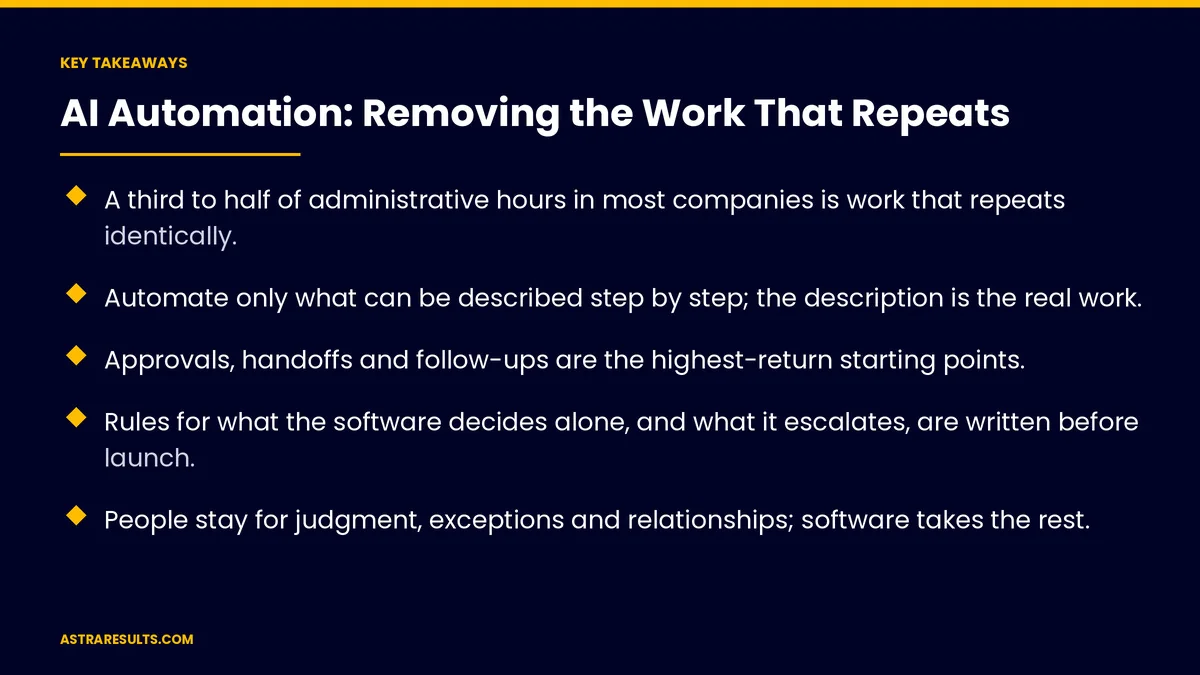
Key Takeaways
- A third to half of administrative hours in most companies is work that repeats identically.
- Automate only what can be described step by step; the description is the real work.
- Approvals, handoffs and follow-ups are the highest-return starting points.
- Rules for what the software decides alone, and what it escalates, are written before launch.
- People stay for judgment, exceptions and relationships; software takes the rest.
- Measure hours returned and errors removed, not "tasks automated."
Published: September 2, 2026 | Reading Time: ~14 minutes | Category: AI Automation
AI automation is the discipline of identifying that work, describing it precisely, and handing it to software that runs it — with rules for what it may decide alone and a person who owns the result. This is the complete guide: what qualifies, how to sequence it, where people stay, and how to know it paid off. Put plainly: automate the work that repeats, keep the people for the work that does not.
Guidance for owners and operators. Nothing here is legal, employment, financial or technical advice. Any automation touching customer, employee or financial data is subject to privacy, consent and sector rules that vary by jurisdiction and must be confirmed with counsel.
In This Playbook
- What automation is and is not
- The work that qualifies
- Where to start: approvals, handoffs, follow-ups
- The mechanics, plainly
- Where people stay
- Rules before launch
- What it costs and what it returns
- Common failures
- The first three months
- Astra's part in it
What automation is and is not
- What it is. Software that watches for a trigger, follows a described sequence, makes the decisions it has been authorized to make, and hands anything else to a person. The AI layer lets it handle inputs that are not perfectly structured — a messy email, a photo of an invoice, a voice message — that older automation could not.
- What it is not. A chatbot bolted onto a website. A single tool that "does AI." Replacing a department. Automating a process nobody has written down.
- The prerequisite. Readiness: a describable process, connected data, an owner, written rules, and a pilot that can fail safely, the mechanics of which are in the readiness conditions. Automation without readiness is how companies conclude AI does not work.
- The frame. Think of it as a very fast, very literal new hire who never forgets a step and never gets bored. What would you hand that hire first?
The work that qualifies
Not everything repetitive should be automated. The good candidates share four traits.
- Frequent. Daily or many times a week. A monthly task rarely pays back the setup.
- Rule-based, with describable exceptions. The person doing it can say what they do and what they do when something is off. If every case is a judgment call, it is not a candidate yet.
- Data-available. The inputs exist somewhere the software can reach — an inbox, a form, a system, a shared drive. If they live on paper in a filing cabinet, the first project is getting them off paper.
- Costly when done badly. Late follow-ups lose deals. Rekeying errors cost money. Missed approvals stall work. The cost of the current way is what funds the automation.
- The quick inventory. Ask each team member to list the five things they do every day that a smart intern could do with written instructions. That list is the backlog.
Where to start: approvals, handoffs, follow-ups
Three categories return the most, fastest.
- Approvals. Quotes above a threshold, time off, expenses, discounts, purchase orders. Today they wait in an inbox. Automated, they route to the right approver with the context attached, escalate if not answered, and record the decision. Nothing stalls waiting to be chased.
- Handoffs. Marketing to sales, sales to operations, operations to billing. Each seam loses information and time. Automated, the handoff carries everything the next person needs, creates their task, and confirms receipt.
- Follow-ups. The quote sent Tuesday. The invoice due Friday. The customer who has not been contacted in ninety days. Automated, these happen on schedule, in the right tone, and stop the moment the person replies.
- Why these first. They are frequent, describable, data-available and costly when missed. And they are invisible until automated, which means nobody is attached to doing them by hand.
The mechanics, plainly
- Triggers. An email arrives. A form is submitted. A date passes. A field changes. A document lands in a folder. The automation starts when its trigger fires.
- Reading the input. The AI layer extracts what matters — who, what, how much, when — from inputs that are not neatly structured. An invoice photo becomes fields. A rambling email becomes a categorized request.
- Decisions within authority. Route to the right person. Match to a customer record. Apply a rule. Draft a reply. Each decision is one the business authorized in advance.
- Actions. Create the CRM record. Send the message. Book the slot. Update the spreadsheet. File the document. Notify the owner.
- Escalation. Anything outside authority, anything with low confidence, anything flagged as sensitive goes to a named person with the context attached.
- Logging. Every run recorded: what came in, what was decided, what was done, who was told. This is how the owner audits the system and how problems get caught.
Where people stay
Automation done well moves people toward the work only they can do.
- Judgment. The quote that needs a human read of the customer. The exception that does not fit the rules. The decision with reputational weight.
- Relationships. The call that matters. The account review. The apology.
- Exceptions. The automation handles the eighty percent that follows the rules and hands the twenty percent that does not to a person, with the context already gathered.
- Oversight. Someone owns each automated workflow, reviews its log, and decides whether it is doing the job, discussed in the workflow owner.
- The direct version. Automation changes jobs. In most companies it removes the parts of jobs people liked least and did worst. The company decides what to do with the hours returned, and that decision is a leadership question, not a technical one.
Rules before launch
- The decide-alone list. What the software may do without a person. Confirming an appointment that is in the calendar. Routing a document to a category. Sending a templated reminder on schedule.
- The escalate list. What it must hand to a person. Anything involving a refund, a complaint, a price outside a range, a legal or regulatory matter, a customer marked as sensitive.
- Confidence thresholds. When the AI is not sure what it read, it asks rather than guesses.
- The kill switch. One action stops the workflow. Tested before launch. Known to more than one person.
- The review cadence. Weekly for the first month, monthly after, by the owner, from the log.
What it costs and what it returns
- Costs. The process documentation, which is real work. The integration with existing systems. The AI tooling, a modest monthly cost per workflow. The owner's time reviewing logs. The occasional exception that a person has to untangle.
- Returns. Hours returned, measured. Errors removed, counted. Speed gained — follow-ups that happen in minutes instead of days, approvals that clear in hours instead of weeks. Deals not lost to slow response, according to speed to lead.
- The payback pattern. A well-chosen first workflow typically pays back within a few months. Later workflows pay back faster because the data connections and the discipline already exist.
- What not to expect. Headcount reduction on day one. The return arrives as capacity: the same team handles more, faster, with fewer errors.
Common failures
- Automating a broken process. The software faithfully executes the wrong steps at scale. Fix the process first.
- No owner. The workflow drifts, nobody notices degraded output, and it gets switched off in frustration.
- Too much autonomy too soon. Customer-facing actions with no human review, before the system has earned trust.
- Skipping the log. No record of what was decided means no way to catch a problem or defend a decision.
- Tool-first thinking. Buying a platform and then looking for something to automate. The backlog comes first; the tool is chosen for the backlog.
The first three months
Days 1–30: inventory and describe
Each team lists its daily repetitive work. Candidates scored for frequency, describability, data availability and cost of failure. The top workflow — an approval, handoff or follow-up — documented step by step with exceptions. The owner named.
Days 31–60: rules and build
Decide-alone and escalate lists written. Confidence thresholds set. Kill switch built and tested. Data connections made for that workflow. The automation built and run in parallel with the manual process for two weeks, with the log reviewed daily.
Days 61–90: launch and measure
Manual process retired for that workflow. Hours returned and errors removed measured against the before-number. The log reviewed weekly. The second workflow chosen from the backlog.
Astra's part in it
Astra Results Marketing starts with the inventory, not the tool: the repetitive work across teams scored and ranked, the first workflow documented with its exceptions, and the rules for what the software decides alone written with the client before anything runs. The build connects to the systems the business already uses, runs in parallel before it replaces anything, and reports hours returned and errors removed against a recorded baseline.
One team owns the automation alongside the marketing and intake systems it feeds, so the handoffs between them are designed rather than discovered. Engagements begin with an automation inventory through our business consulting team.
Related reading
Frequently asked questions
What kind of work should be automated first?
Work that is frequent, rule-based with describable exceptions, has its inputs available to software, and is costly when done badly. Approvals, handoffs and follow-ups fit all four and are invisible until automated, so nobody is attached to doing them by hand. The quick inventory is asking each team member for the five daily things a smart intern could do with written instructions.
What is the difference between AI automation and older automation?
The AI layer handles inputs that are not perfectly structured — a messy email, a photo of an invoice, a voice message — extracting who, what, how much and when. Older automation needed clean fields in a fixed format. The rest is the same discipline: a trigger, a described sequence, decisions within authorized limits, actions, escalation for everything else, and a log of every run.
Where do people stay?
Judgment, relationships, exceptions and oversight. The automation handles the eighty percent that follows the rules and hands the twenty percent that does not to a person with the context already gathered. Someone owns each workflow, reviews its log and decides whether it is doing the job. In most companies automation removes the parts of jobs people liked least; what the company does with the returned hours is a leadership decision.
What rules need to exist before launch?
A decide-alone list — what the software may do without a person, such as confirming a calendared appointment or sending a scheduled reminder — and an escalate list — refunds, complaints, prices outside a range, legal or regulatory matters, sensitive customers. Plus confidence thresholds so it asks rather than guesses, a kill switch tested and known to more than one person, and a review cadence from the log.
What does automation cost and return?
Costs are the process documentation, the integration with existing systems, modest monthly tooling per workflow, and the owner's review time. Returns are hours returned and errors removed, both measured against a recorded baseline, plus speed — follow-ups in minutes, approvals in hours — and deals not lost to slow response. A well-chosen first workflow typically pays back within months. The return arrives as capacity, not day-one headcount cuts.
Why do automation projects fail?
Automating a broken process so the software executes the wrong steps at scale. No owner, so the workflow drifts and gets switched off in frustration. Too much autonomy too soon, with customer-facing actions before the system earned trust. Skipping the log, so problems cannot be caught or decisions defended. And tool-first thinking — buying a platform and then hunting for something to automate.
READY TO HAND OFF THE WORK THAT REPEATS? Astra Results Marketing inventories the repetitive work across your teams, documents the first workflow with its exceptions, writes the rules with you, and measures hours returned against a real baseline. Astra Results Marketing · 1101 Brickell Ave, Miami, FL 33131 · +1 (786) 321-2866 · sales@astraresults.com Find us on Google · Yelp ▸ CALL (786) 321-2866 · ▸ REQUEST YOUR CONSULTATION





