 Rated 5 star on

Replacing Spreadsheets With a Custom Internal Tool
Quick answer
A spreadsheet should be replaced once it runs daily work and shows warning signs. Those include competing versions, broken formulas, no access control and one person who understands it. A custom internal tool adds checked entries, roles, change history and approvals. Start with one workflow, migrate clean data and run both systems briefly.
Almost every growing business runs something important on a spreadsheet: quotes, schedules, inventory, job tracking or commissions. It starts as a smart shortcut. Years later, it has twelve tabs, three versions, formulas nobody dares touch and one person who understands it. At that point, the spreadsheet is the riskiest system in the business.
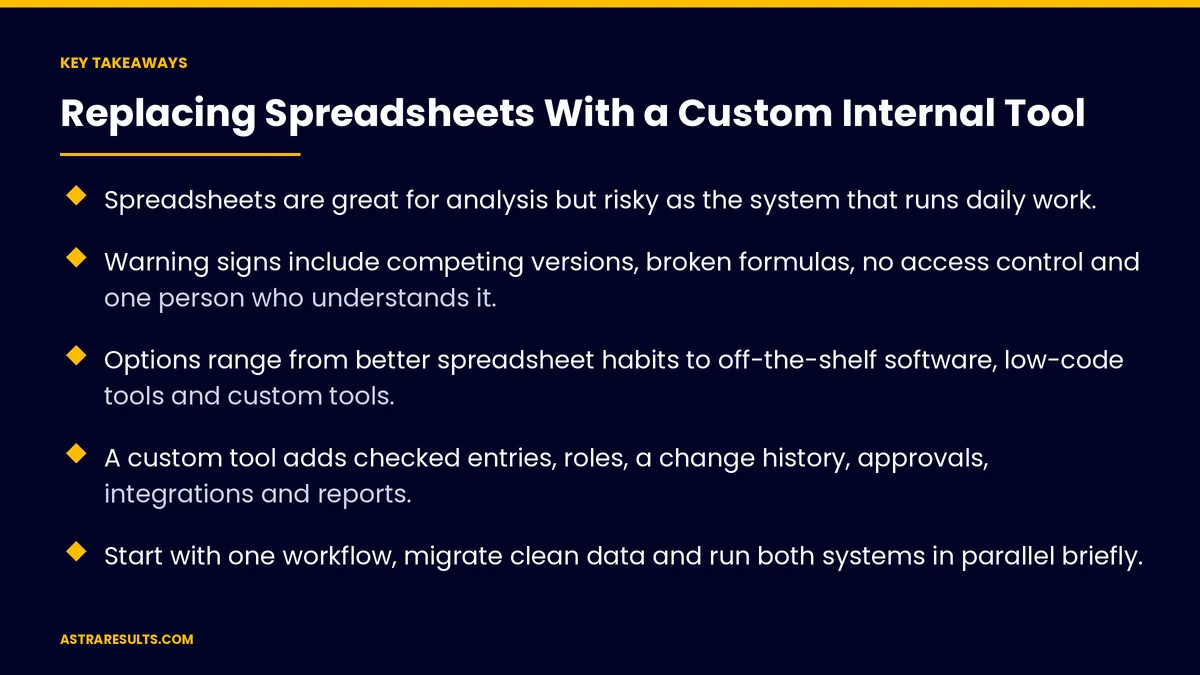
Key Takeaways
- Spreadsheets are great for analysis but risky as the system that runs daily work.
- Warning signs include competing versions, broken formulas, no access control and one person who understands it.
- Options range from better spreadsheet habits to off-the-shelf software, low-code tools and custom tools.
- A custom tool adds checked entries, roles, a change history, approvals, integrations and reports.
- Start with one workflow, migrate clean data and run both systems in parallel briefly.
- Keep easy exports, so people can still analyze data in a spreadsheet.
Published: October 19, 2026 | Reading Time: ~9 minutes | Category: Custom Software
This guide covers how to tell when a spreadsheet has outgrown its job, the options for replacing it, what a custom internal tool adds and how to switch without losing data or disrupting work. Put plainly: keep spreadsheets for analysis, and move daily operations into a tool built for them.
In This Playbook
- Signs your spreadsheet has outgrown its job
- The options
- What a custom internal tool adds
- Mapping the spreadsheet first
- Switching without disruption
- Keep spreadsheets where they help
- Costs and ownership
- What should we measure after replacing a spreadsheet?
- The first three months
Signs your spreadsheet has outgrown its job
Competing versions. "Final_v3_updated" sits next to "Final_v4" in someone's inbox.
Broken formulas. One wrong edit changes numbers across the sheet.
No access control. Everyone can see and change everything, including pay or pricing.
Copying between files. Data is typed into one sheet, then copied into another.
One person knows it. When they're away, work slows or stops.
No history. Nobody can tell who changed what, or when.
The options
Better spreadsheet habits. Locked cells, shared files and clear owners can buy time for small teams.
Off-the-shelf software. If a product fits your process, it's often the fastest choice.
Low-code tools. Build simple apps on a platform, suited to straightforward workflows, as weighed in no-code, low-code or custom.
A custom internal tool. Built around your exact process, when nothing else fits, as covered in when off-the-shelf stops fitting.
What a custom internal tool adds
One source of truth. Everyone works from the same live data.
Checked entries. Forms that require the right information in the right format.
Roles and permissions. People see and edit only what their job needs.
A change history. Every edit recorded with who made it and when.
Workflows and approvals. Requests move to the right person automatically.
Integrations. Data flows to and from other systems, such as a CRM and booking system, as in connecting your CRM to your booking system.
Reports. Live dashboards instead of manual summaries.
Mapping the spreadsheet first
Tabs become records. Each tab usually represents a kind of record: jobs, customers, products.
Formulas become rules. Calculations are written down and checked with the people who use them.
Colors and notes mean something. Find out what each color or comment represents.
Find the workarounds. Hidden columns and side sheets reveal needs nobody mentioned.
A short discovery phase. The approach is covered in custom software discovery.
Switching without disruption
Start with one workflow. Replace the most painful part first, not everything at once.
Clean the data. Fix duplicates, gaps and old entries before moving them.
Run in parallel briefly. Use both for a short period to check results match.
Train in short sessions. Show people their daily tasks, not every feature.
Retire the spreadsheet. Make it read-only once the tool is trusted, so nobody slips back.
Keep spreadsheets where they help
Easy exports. Let people download data for their own analysis.
Analysis stays flexible. Spreadsheets are still great for one-off questions.
Operations stay in the tool. Daily work happens in one controlled place.
Feed other systems. Clean data can flow on to reporting, as covered in data pipelines explained.
Costs and ownership
Build and run costs. Design, development, hosting and ongoing support, as covered in what custom software costs over five years.
Compare against the hidden cost. Hours spent copying data, fixing errors and waiting on one person.
Own the code and accounts. Keep them in your business's name.
Plan for changes. Your process will evolve, and the tool should too.
What should we measure after replacing a spreadsheet?
Hours saved. Time no longer spent copying, checking and fixing.
Errors. Mistakes in quotes, schedules or billing, before and after.
Speed. Time from request to completion for the workflow you replaced.
Access incidents. Changes made by people who shouldn't have.
Adoption. Whether the team uses the tool instead of side spreadsheets.
The first three months
Days 1–30: map and decide
List the spreadsheets that run daily work and the problems each causes. Map the most painful one: tabs, formulas, colors and workarounds. Compare off-the-shelf, low-code and custom options.
Days 31–60: build the first workflow
Build the tool for one workflow, with checked forms, roles, change history and the reports people need. Clean and migrate the data.
Days 61–90: switch and expand
Run both systems briefly, train the team and make the old spreadsheet read-only. Measure hours saved and errors, then plan the next workflow.
How Astra replaces spreadsheets
Astra Results Marketing replaces the spreadsheets that run daily operations with custom internal tools. We map how your spreadsheet works, including its formulas and workarounds, then build a tool with checked forms, roles, a change history, approvals and integrations.
We start with one workflow, migrate clean data and keep easy exports for analysis. Engagements begin with a spreadsheet and workflow review through our custom software team.
Related reading
Frequently asked questions
When should we replace a spreadsheet?
When it runs daily work and shows warning signs: competing versions, broken formulas, no access control, copying between files, no change history or only one person who understands it.
Should we buy software or build a custom tool?
If off-the-shelf software fits your process, it's often faster. Low-code tools suit simple workflows. A custom tool makes sense when your process is distinctive or nothing else fits.
What does a custom internal tool add?
One source of truth, forms that check entries, roles and permissions, a change history, workflows and approvals, integrations with other systems and live reports.
How do we switch without disrupting work?
Start with one workflow, clean the data before moving it, run both systems briefly, train in short sessions and make the old spreadsheet read-only once the tool is trusted.
Can we still use spreadsheets?
Yes, for analysis. Keep easy exports so people can explore data, while daily operations run in the tool.
What does a custom internal tool cost?
It depends on the workflows involved. Compare build and running costs against the hours spent copying data, fixing errors and depending on one person.
Ready to move daily work out of the spreadsheet? Astra Results Marketing replaces risky operational spreadsheets with custom internal tools that check entries, control access, record changes and connect to your other systems. ▸ CALL (786) 321-2866 · ▸ REQUEST YOUR CONSULTATION





