 Rated 5 star on


Data Pipelines Explained for Owners
Quick answer
A data pipeline automatically collects data from business systems, cleans it and stores it in one place for reports. A business needs one when reports take days, numbers disagree or key data lives in spreadsheets. Daily updates suit most decisions. Start with one question you cannot answer today, and add quality checks and alerts.
You ask a simple question: how much did we make from last month's ads? Someone exports reports from the ad platform, the CRM and accounting, then spends a day matching them. Next month they do it again, and the numbers don't quite agree. A data pipeline does that work automatically, every day, the same way.
Key Takeaways
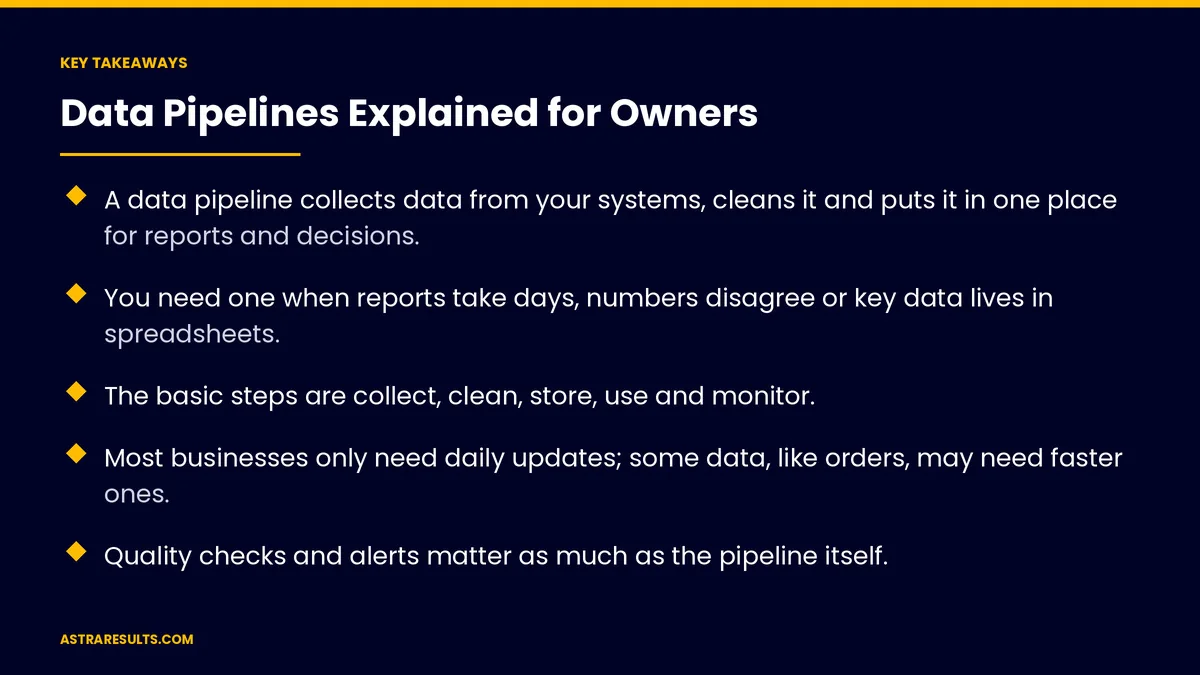
- A data pipeline collects data from your systems, cleans it and puts it in one place for reports and decisions.
- You need one when reports take days, numbers disagree or key data lives in spreadsheets.
- The basic steps are collect, clean, store, use and monitor.
- Most businesses only need daily updates; some data, like orders, may need faster ones.
- Quality checks and alerts matter as much as the pipeline itself.
- Start with one question you can't answer today, and build the pipeline that answers it.
Published: October 8, 2026 | Reading Time: ~9 minutes | Category: Data Engineering
This guide explains data pipelines in plain terms for business owners: what they do, the signs you need one, how the parts fit together, what it costs and how to start small. Put plainly: a data pipeline moves your numbers from the systems that create them to one place where you can trust them.
In This Playbook
- What a data pipeline does
- Signs you need one
- How the parts fit together
- How often it should run
- Quality is the hard part
- Who can see what
- What it costs
- Start small
- Signs the pipeline pays off
- The first three months
What a data pipeline does
Collects. It pulls data from your systems: CRM, accounting, ads, store, booking tool, spreadsheets.
Cleans. It fixes formats, removes duplicates and matches records, so one customer is one customer.
Combines. It joins data from different systems, so you can see ad spend, leads and revenue side by side.
Stores. It puts the result in one central place, often called a data warehouse.
Feeds. Dashboards, reports, forecasts and AI tools read from that central place.
Repeats. It runs on a schedule, so the numbers stay current without anyone exporting anything.
Signs you need one
Reports take days. Someone spends hours every week or month building the same report.
Numbers disagree. Sales says one revenue figure, accounting says another.
Spreadsheets hold critical data. Key numbers live in files that one person maintains.
You can't answer simple questions. Which ads bring paying customers? Which services are most profitable?
AI projects stall. Tools need clean, connected data, which is why the foundation every AI project needs starts here.
How the parts fit together
Sources. The systems where data is created. Each has its own format and way of sharing data.
Connectors. The links that pull data out, often through each system's API, as covered in API integration.
Cleaning and matching rules. Written rules for formats, duplicates and which record wins when systems disagree.
The warehouse. One central database built for reports, separate from the systems you run daily.
Reports and dashboards. The views people use, built on the warehouse instead of exports.
Monitoring. Checks that the pipeline ran, the data arrived and the numbers look right.
How often it should run
Daily is enough for most. Revenue, leads and ad results updated every morning cover most decisions.
Faster where it matters. Orders, inventory or live operations may need updates every few minutes.
Match speed to need. Faster updates cost more to build and run. Don't pay for minutes when hours will do.
Know how fresh the data is. Every report should show when its data was last updated.
Quality is the hard part
Check every run. Did the data arrive? Are row counts normal? Are key fields filled in?
Catch duplicates. The same customer entered twice in two systems should become one record.
Agree on definitions. What counts as a lead, a customer, revenue? Write it down so every report uses the same rules.
Alert someone. When a check fails, a named person is notified, not left to discover it in a meeting.
Fix at the source. If bad data keeps arriving from one system, fix how it's entered there.
Who can see what
Limit access. Not everyone needs every number. Give access by role.
Protect sensitive data. Customer details, salaries and health information need extra care, with access logged. The principles match agent security.
Keep it in your accounts. The warehouse and pipeline tools should be registered to your business.
What it costs
Tools. Connectors, storage and processing, usually priced by data volume and usage.
Building. Setting up connectors, writing cleaning rules and building the first reports.
Running. Monitoring, fixing broken connections and updating as systems change.
Compare with today. The hours spent building reports by hand, and the cost of decisions made on wrong numbers.
Choose the right tools. Simple connector tools suit small, standard needs; custom work suits complex or high-volume ones, as weighed in integration platforms vs custom API work.
Start small
Pick one question. For example, which marketing channels bring paying customers, and at what cost?
Connect only what that question needs. Usually two or three systems.
Agree the definitions. What counts as a lead, a customer and revenue.
Build one report and use it. Prove the numbers match reality before adding more.
Then grow. Add the next question and the next source once the first one is trusted. Attribution is often the first win, as in attribution across every channel.
Signs the pipeline pays off
Hours saved. Time no longer spent building reports by hand, counted the way automation KPIs are counted.
Data freshness. How current the numbers are when people look at them.
Pipeline failures. How often runs fail, and how fast they're fixed.
Quality issues caught. Duplicates and errors found by checks before reaching reports.
Questions answered. Decisions made on numbers that were unavailable before.
The first three months
Days 1–30: one question, clear rules
Pick the one question you most need answered. List the systems that hold the data. Agree on definitions for leads, customers and revenue. Check data quality in each source.
Days 31–60: build the first pipeline
Connect the sources, write cleaning and matching rules, load the warehouse and build one report. Add run checks, quality checks and alerts. Compare the report with known numbers.
Days 61–90: use, trust and grow
Use the report in real decisions and fix any gaps. Measure hours saved and pipeline failures. Choose the next question and source to add.
Where Astra fits in
Astra Results Marketing builds data pipelines that start with a business question, not a technology. We connect the systems that hold the answer, agree definitions with your team, clean and match the data, and build one trusted report before adding more.
Every pipeline has quality checks, alerts and clear access rules, and runs in accounts your business owns. Engagements begin with a data and reporting review through our data engineering team.
Related reading
Frequently asked questions
What is a data pipeline?
An automated process that collects data from your business systems, cleans and combines it, stores it in one central place and keeps it updated on a schedule, so reports and decisions use the same trusted numbers.
Does a small business need a data pipeline?
If reports take hours to build by hand, numbers from different systems disagree or key data lives in spreadsheets, a simple pipeline usually pays for itself. If one system already answers your questions, you may not need one yet.
What is a data warehouse?
A central database built for reports and analysis, separate from the systems you run daily. The pipeline fills it with cleaned, combined data from your CRM, accounting, ads and other tools.
How often should data update?
Daily is enough for most business decisions. Orders, inventory and live operations may need updates every few minutes. Faster updates cost more, so match speed to need.
What makes a pipeline trustworthy?
Quality checks on every run, agreed definitions for key numbers, duplicate matching, alerts to a named person when something fails, and fixing bad data at its source.
How should we start?
With one question you can't answer today. Connect only the systems that question needs, agree definitions, build one report, confirm it matches reality, then add the next question.
Ready to stop building reports by hand? Astra Results Marketing builds data pipelines around the questions you need answered, connecting your systems, cleaning and matching the data, and delivering trusted reports with quality checks and alerts in accounts you own. ▸ CALL (786) 321-2866 · ▸ REQUEST YOUR CONSULTATION





