 Rated 5 star on

No-Code, Low-Code or Custom for Your MVP
Quick answer
The right MVP approach depends on what you need to learn and how fast. No-code tools can launch a working product in days. Low-code adds some programming for flexibility. Custom development fits exactly and scales, but costs more upfront. Check data export, security and compliance before choosing, and plan for a possible rebuild.
The fastest MVP isn't always the best one, and the most flexible isn't always worth the wait. No-code tools can put a working product in front of customers in days. Custom code takes longer but fits exactly and grows without limits. Low-code sits between them. The right choice depends on what you need to learn, and how fast.
Key Takeaways
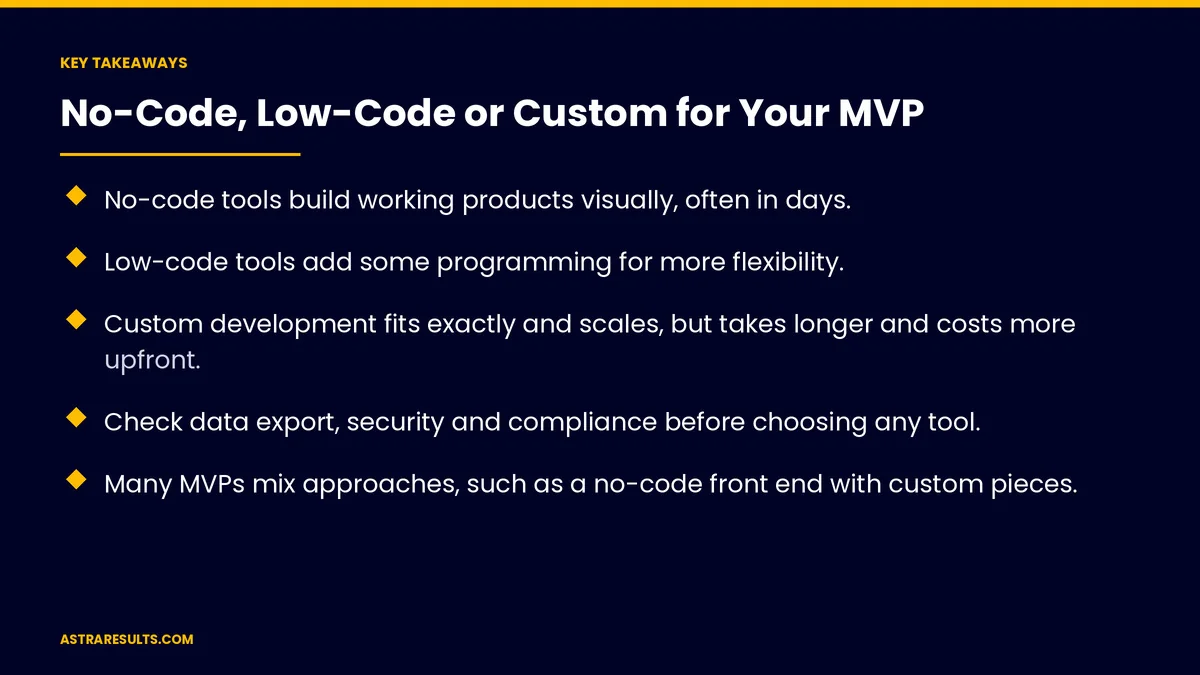
- No-code tools build working products visually, often in days.
- Low-code tools add some programming for more flexibility.
- Custom development fits exactly and scales, but takes longer and costs more upfront.
- Check data export, security and compliance before choosing any tool.
- Many MVPs mix approaches, such as a no-code front end with custom pieces.
- Plan the path forward if the MVP succeeds, including a possible rebuild.
Published: October 20, 2026 | Reading Time: ~9 minutes | Category: MVP Development
This guide compares no-code, low-code and custom development for a minimum viable product: what each means, the trade-offs in speed, cost, flexibility, data ownership and compliance, when each fits, hybrid options and how to plan for growth. Put plainly: choose the fastest way to learn what you need to know, with a plan for what comes next.
In This Playbook
- What each approach means
- Which way of building an MVP is fastest and cheapest?
- Flexibility and limits
- Data ownership and lock-in
- Security and compliance
- When each approach fits
- Hybrid approaches
- Planning for growth
- What to measure
- The first three months
What each approach means
No-code. Visual builders where you drag, drop and configure without writing code.
Low-code. Visual tools plus the option to add code for custom logic or connections.
Custom. Software written by developers for your exact needs.
The goal of an MVP. Learn whether customers want the product, with the least effort, as covered in launching the smallest useful product.
Which way of building an MVP is fastest and cheapest?
No-code is fastest. Often days to a working product, with low upfront cost.
Low-code is close behind. Fast for standard features, slower for unusual ones.
Custom takes longer. Weeks or months, with higher upfront cost.
Ongoing costs differ. No-code and low-code tools charge subscriptions that can grow with users. Custom has hosting and maintenance costs. Budgets are covered in MVP timelines and budgets.
Flexibility and limits
No-code hits walls. Unusual features, complex logic or specific designs may be impossible.
Low-code stretches further. Custom code fills some gaps.
Custom has no platform limits. Anything you can specify can be built.
Performance at scale. Some tools slow down with many users or large data.
Data ownership and lock-in
Can you export your data? Check before you build.
Can you move the product? Many no-code products can't be moved to another platform, so growth may mean a rebuild.
Who owns the account? Keep it in your business's name.
Pricing changes. Platforms can raise prices or change terms.
Security and compliance
Regulated data needs care. Health, financial or children's data has extra rules.
Check the platform. Some tools offer compliance features and agreements; others don't.
Health data example. Medical products may need vendors that sign business associate agreements under HIPAA, as covered in HIPAA-aware marketing.
Custom gives control. You decide how data is stored and protected.
When each approach fits
No-code fits when you're testing demand, the features are standard and speed matters most.
Low-code fits when you're building internal tools or simple workflows, as weighed in replacing spreadsheets with a custom internal tool.
Custom fits when the product's core is unique technology, data is regulated or you expect fast growth.
Manual behind the scenes. Some MVPs use simple tools on the front and people doing the work behind them, to test demand before automating.
Hybrid approaches
No-code front, custom back. A visual builder for screens, with custom code for core logic.
Connector tools. Link no-code apps to other systems, as covered in integration platforms vs custom API work.
Start no-code, rebuild later. A common path once demand is proven.
AI coding tools. They can speed up custom development, but code still needs review and testing.
Planning for growth
Decide what success looks like. The signs that would justify a bigger build.
Know your limits. The user count or feature that would push you off the platform.
Keep data portable. So a rebuild doesn't mean starting from zero.
Budget for the next stage. Long-term costs are covered in what custom software costs over five years.
Cut scope either way. The smallest product teaches fastest, as covered in scoping an MVP.
What to measure
Time to first users. How fast real customers can try it.
Learning. Whether the MVP answers your key questions.
Cost to date. Build and subscription costs.
Platform limits hit. Features you couldn't build.
User signals. Signups, use and willingness to pay.
The first three months
Days 1–30: decide
List what the MVP must prove, the must-have features and any regulated data. Compare no-code, low-code and custom on speed, cost, limits, data export and compliance. Choose an approach and set success measures.
Days 31–60: build and launch
Build the smallest version that answers your key question, with accounts in your name and data export confirmed. Launch to real users.
Days 61–90: learn and plan
Measure signups, use and willingness to pay. Note platform limits you've hit, and decide whether to keep building, switch approach or rebuild.
How Astra helps choose and build MVPs
Astra Results Marketing helps founders and businesses choose the right way to build an MVP. We compare no-code, low-code and custom options against what you need to learn, check data export, security and compliance, and build the smallest version that answers your key questions.
Accounts stay in your name, and you get a plan for what comes next if the MVP works. Engagements begin with an MVP planning review through our MVP development team.
Related reading
Frequently asked questions
What's the difference between no-code and low-code?
No-code tools build products visually without programming. Low-code tools add the option to write code for custom logic or connections, giving more flexibility.
Is no-code good enough for an MVP?
Often, yes, especially for testing demand with standard features. Check data export, security and platform limits first.
When should an MVP be custom built?
When the product's core is unique technology, data is regulated, or you expect fast growth that would quickly outgrow a platform.
Will we have to rebuild later?
Possibly. Many teams start with no-code and rebuild once demand is proven. Keeping data portable makes that easier.
Can no-code tools handle health or financial data?
Some offer compliance features and agreements; many don't. Check each platform's terms, and for health data, whether vendors will sign business associate agreements under HIPAA.
Can AI tools build our MVP?
AI coding tools can speed up custom development, but the code still needs review, testing and security checks.
Ready to choose the fastest way to learn? Astra Results Marketing helps you choose between no-code, low-code and custom for your MVP, checks data, security and compliance, and builds the smallest version that answers your key questions. ▸ CALL (786) 321-2866 · ▸ REQUEST YOUR CONSULTATION





