 Rated 5 star on

Retail Agents: Inventory Transfers Between Stores
Quick answer
AI agents help retail chains fix stock that sits in the wrong store by comparing stock and sales speed across locations every day. The agent suggests transfers weighing demand, distance, cost, season and size mix. It drafts transfer orders, and managers approve them. Measure stockouts, markdowns avoided and transfer costs.
In many chains, one store has shelves full of an item while another nearby has sold out. The first store marks it down; the second loses sales. Managers rarely have time to check other stores. An AI agent can watch inventory across stores, suggest transfers that make sense and prepare the paperwork for managers to approve.
Key Takeaways
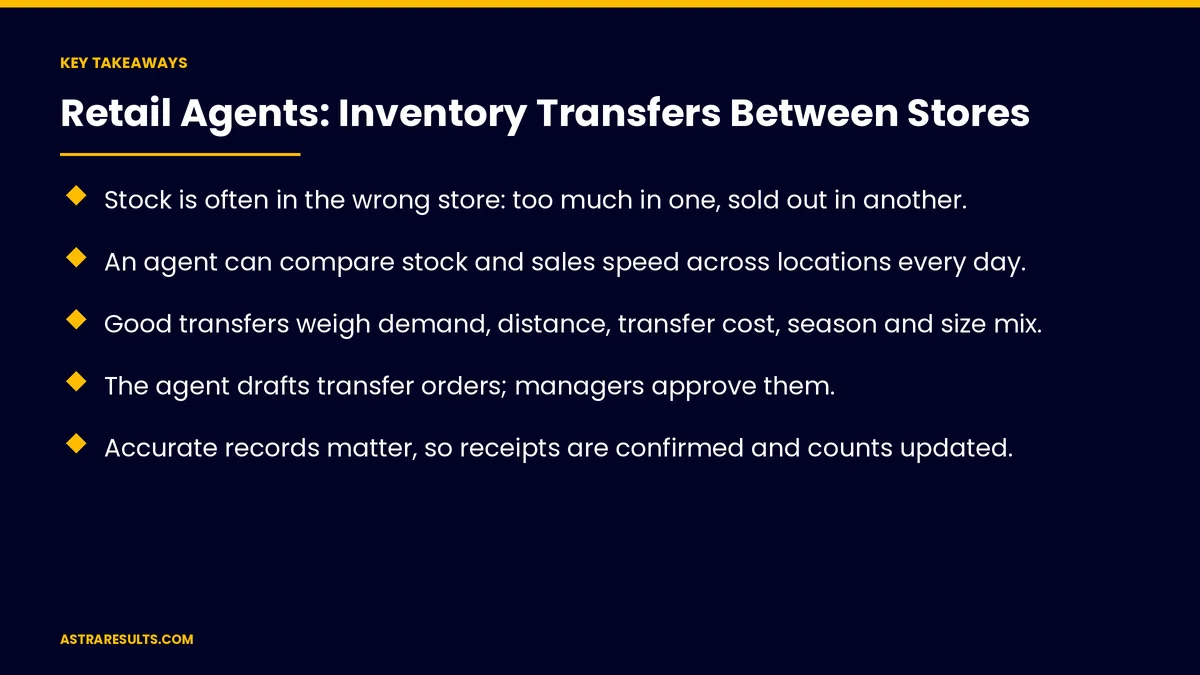
- Stock is often in the wrong store: too much in one, sold out in another.
- An agent can compare stock and sales speed across locations every day.
- Good transfers weigh demand, distance, transfer cost, season and size mix.
- The agent drafts transfer orders; managers approve them.
- Accurate records matter, so receipts are confirmed and counts updated.
- Measure stockouts, markdowns avoided and transfer costs.
Published: October 29, 2026 | Reading Time: ~9 minutes | Category: Custom AI Agents
This guide covers how retail chains use AI agents for inventory transfers between stores: finding excess and shortages, deciding which transfers are worth it, drafting transfer orders, approvals, moving stock, keeping records accurate, connecting to online orders, guardrails and what to measure. Put plainly: move stock to where it sells, and keep managers approving every move.
In This Playbook
- Why does retail stock end up in the wrong store?
- What the agent watches
- Deciding which transfers are worth it
- Drafting transfer orders
- Approvals
- Moving the stock
- Keeping records accurate
- Connecting to online orders
- Guardrails
- Which metrics show a transfer agent is working?
- The first three months
Why does retail stock end up in the wrong store?
Forecasts miss. Demand varies by neighborhood, weather and events.
Allocation is rough. Initial shipments are based on averages.
Managers lack time. Checking other stores' stock is slow.
Records drift. Counts in the system don't always match the shelf, as covered in retail vision.
What the agent watches
Stock by store. Units on hand and on order.
Sales speed. How fast each item sells at each location.
Days of supply. How long current stock will last.
Upcoming demand. Promotions, seasons and local events.
How agents work is covered in AI agents that do the work.
Deciding which transfers are worth it
Demand at the receiving store. Will it sell there soon?
Distance and cost. Transfer costs should be lower than the value of the sale or markdown avoided.
Season and timing. Moving winter stock late in the season may not pay off.
Size and color mix. Fill gaps in the sizes and colors customers want.
Minimum quantities. Batch small transfers to keep costs sensible.
Drafting transfer orders
Suggested transfers. Item, quantity, from which store, to which store and why.
Ready for approval. The agent prepares the order in your inventory system.
Clear reasons. Each suggestion explains the demand and stock behind it.
Grouped by route. Combine transfers that share a delivery run.
Approvals
Managers decide. Sending and receiving managers approve or adjust.
Thresholds. Larger or costlier transfers need higher approval.
Automatic only for routine moves. Small, low-cost transfers may run automatically once trusted, as covered in the action layer.
Learn from changes. When managers adjust suggestions, the reasons improve future ones.
Moving the stock
Schedule pickups. On existing delivery routes where possible, with dispatch tools like those in logistics AI.
Pick and pack lists. Sent to the sending store's team.
Track in transit. Know where stock is between stores.
Keeping records accurate
Confirm receipt. The receiving store scans or confirms arrival.
Update counts. Inventory records change at both stores.
Flag mismatches. Shortages or damage noted on arrival.
Connecting to online orders
Show accurate store stock. Shoppers see what's really available, as in retail chain apps.
Ship or pick up from store. Transfers can fill online orders from the nearest location.
Seasonal plans. Transfers support seasonal campaigns, as covered in seasonal creative at scale.
Guardrails
Limited access. The agent can draft orders, not change prices or approve large moves.
Logs. Every suggestion, approval and transfer recorded.
A stop button. Pause the agent quickly, as covered in agent security.
Start small. One region or category first, the same approach used for construction submittal agents.
Which metrics show a transfer agent is working?
Stockouts. By store and item, before and after.
Markdowns avoided. Items sold at full price after transfer.
Transfer cost. Against the value gained.
Sell-through. Share of stock sold by store.
Approval rate. Share of suggestions managers accept.
The first three months
Days 1–30: data and rules
Connect stock, sales and delivery route data for a group of stores. Agree on transfer rules: minimum quantities, cost limits and approval thresholds. Record current stockouts and markdowns.
Days 31–60: suggestions and approvals
Start daily transfer suggestions with reasons, drafted as orders for managers to approve. Track approvals, adjustments and transit times.
Days 61–90: measure and expand
Compare stockouts, markdowns and transfer costs with the baseline. Automate small routine transfers once trusted, then add more stores or categories.
How Astra builds retail transfer agents
Astra Results Marketing builds AI agents that help retail chains move stock to where it sells. Our agents watch stock and sales across stores, suggest transfers with clear reasons and draft orders for managers to approve.
Receipts are confirmed, counts stay accurate and every action is logged. Engagements begin with an inventory and store review through our custom AI agent development team.
Related reading
Frequently asked questions
What does an inventory transfer agent do?
It compares stock and sales speed across stores, suggests transfers from stores with extra stock to stores running short and drafts transfer orders for managers to approve.
How does it decide which transfers to suggest?
By weighing demand at the receiving store, distance and transfer cost, season and timing, size and color gaps, and minimum quantities.
Do managers still decide?
Yes. Managers approve or adjust suggestions. Small, routine transfers may run automatically once the team trusts them.
How are records kept accurate?
The receiving store confirms arrival, counts update at both stores and any shortages or damage are flagged.
Can transfers help with online orders?
Yes. Accurate store stock lets online orders ship from or be picked up at the nearest store with stock.
Where should we start?
With one region or product category, clear transfer rules and approval thresholds, then expand once results hold.
Ready to move stock to where it sells? Astra Results Marketing builds retail agents that spot excess and shortages across stores, suggest transfers with clear reasons and keep managers approving every move. ▸ CALL (786) 321-2866 · ▸ REQUEST YOUR CONSULTATION





