 Rated 5 star on


Store Search and Filters That Help Shoppers Buy
Quick answer
Store search and filters drive sales directly, because shoppers who search usually know what they want. Add suggestions, typo tolerance and synonyms so imperfect searches still find products. Turn no-results pages into alternatives, not dead ends. Filters only work with complete, consistent product data. Keep low-value filter combinations out of search engine indexes.
Shoppers who use a store's search box usually know what they want. When search shows nothing for a simple typo, or filters don't include the size or color they need, many leave for a competitor. Yet search and filters are often left on default settings, and a few fixes go a long way.
Key Takeaways
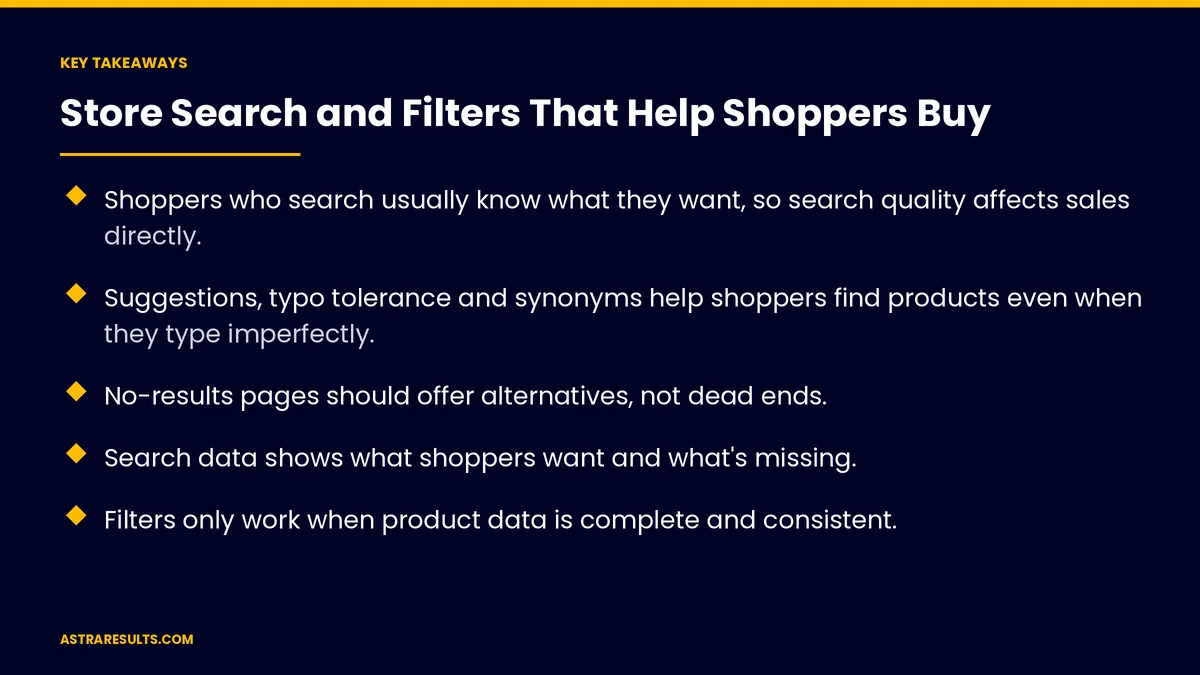
- Shoppers who search usually know what they want, so search quality affects sales directly.
- Suggestions, typo tolerance and synonyms help shoppers find products even when they type imperfectly.
- No-results pages should offer alternatives, not dead ends.
- Search data shows what shoppers want and what's missing.
- Filters only work when product data is complete and consistent.
- Filtered page combinations need SEO care so search engines don't index thousands of near-duplicates.
Published: October 25, 2026 | Reading Time: ~9 minutes | Category: E-Commerce Stores
This guide covers how online stores improve search and filters: search suggestions, typo tolerance and synonyms, no-results pages, using search data, promoting products, filters, clean product data, mobile filter design, sorting, accessibility and keeping filtered pages from hurting SEO. Put plainly: understand what shoppers type, and make the right product a few taps away.
In This Playbook
- Why search and filters matter
- Better search
- No-results pages
- Using search data
- Promoting products in results
- Filters that help
- Clean product data
- Filters on mobile
- Which sorting options should an online store offer?
- Accessibility
- Keeping filtered pages SEO-safe
- How do we measure store search performance?
- The first three months
Why search and filters matter
Searchers know what they want. They're often ready to buy.
Bad results send them away. A blank results page feels like "we don't sell that."
Filters narrow choices. Large catalogs need easy ways to find the right size, color or fit.
The rest of the page matters too. Once found, products need strong pages, as covered in product pages that convert.
Better search
Suggestions as shoppers type. Products, categories and popular searches.
Typo tolerance. "Snekers" should still find sneakers.
Synonyms. "Couch" and "sofa," or "tenis" and "sneakers" for Spanish-speaking shoppers.
Search across fields. Names, descriptions, brands, model numbers and attributes.
Understanding everyday phrasing. Newer search tools can handle questions like "waterproof boots for kids."
No-results pages
Never a dead end. Suggest similar products, popular categories or spelling corrections.
Offer help. Chat, phone or a request form.
Track every no-result search. These show gaps in your catalog or data.
Using search data
Top searches. What shoppers want most.
Searches with no results. Products to add or synonyms to fix.
Searches with no clicks. Results that don't match what shoppers meant.
Seasonal trends. Plan stock and promotions around what people search.
Promoting products in results
Boost best sellers. Popular and well-reviewed items near the top.
Pin products for key searches. Show the right product for important terms.
Hide out-of-stock items, or move them down. Don't frustrate shoppers.
Don't overdo it. Results should still match what shoppers searched.
Filters that help
The right filters for each category. Size and color for clothing; compatibility for parts.
Common filters. Price, brand, availability, ratings and features.
Show counts. How many products each filter option includes.
Avoid empty results. Hide options that would return nothing.
Clean product data
Filters depend on data. If sizes or colors are missing or inconsistent, filters fail.
Consistent values. "Navy" or "dark blue," but not both for the same color.
Complete attributes. Every product has the details shoppers filter by.
Catalog tools help. AI can help fill and clean attributes, with people checking, as covered in catalog, support and returns.
Filters on mobile
Easy to open. A clear filter button, often opening a panel from the bottom.
Apply once. Let shoppers choose several filters, then apply.
Show active filters. With easy ways to remove them.
Keep it fast. Results update quickly, as covered in conversion-focused design.
Which sorting options should an online store offer?
Useful options. Best selling, newest, price low to high and top rated.
A smart default. Relevance for searches, best selling for categories.
Accessibility
Keyboard-friendly filters. Usable without a mouse.
Clear labels. Screen readers announce filter options and results.
Readable contrast. For filter buttons and selected states.
Keeping filtered pages SEO-safe
Filter combinations multiply. Size, color and price together can create thousands of pages.
Guide search engines. Use canonical tags or noindex on low-value combinations.
Index the valuable ones. Category pages people search for, such as "women's running shoes."
Plan during migrations. As covered in migrating to Shopify without losing orders or SEO.
How do we measure store search performance?
Search conversion rate. Orders from shoppers who searched.
No-result searches. Share and top terms.
Filter use. Which filters shoppers use most.
Search exits. Shoppers who leave right after searching.
Revenue from search. Share of total sales.
The first three months
Days 1–30: review data
Pull top searches, no-result searches and filter use. Check product data for missing or inconsistent attributes in your top categories.
Days 31–60: fix the basics
Turn on suggestions and typo tolerance, add synonyms, improve no-results pages and clean product data. Set the right filters for each category.
Days 61–90: refine and protect
Improve mobile filters and sorting, boost best sellers for key searches and set SEO rules for filtered pages. Compare search conversion and no-result rates with the baseline.
How Astra improves store search
Astra Results Marketing improves search and filters for online stores. We review search data, add suggestions, typo tolerance and synonyms, fix no-results pages, clean product data and design mobile-friendly filters.
We protect SEO for filtered pages and measure revenue from search. Engagements begin with a search and catalog review through our e-commerce stores team.
Related reading
Frequently asked questions
Why does store search matter so much?
Shoppers who search usually know what they want and are often ready to buy. Poor results send them to competitors.
What makes store search better?
Suggestions as shoppers type, typo tolerance, synonyms including Spanish terms, searching across product details and helpful no-results pages.
What should a no-results page do?
Suggest similar products, popular categories or spelling corrections, and offer help through chat, phone or a request form.
Why don't our filters work well?
Usually because product data is incomplete or inconsistent. Filters depend on every product having the right sizes, colors and attributes.
How should filters work on mobile?
A clear filter button, a panel that lets shoppers choose several filters and apply once, visible active filters and fast results.
Can filters hurt SEO?
They can if every filter combination becomes an indexed page. Use canonical tags or noindex on low-value combinations, and keep valuable category pages indexable.
Ready for search and filters that help shoppers buy? Astra Results Marketing improves store search with suggestions, synonyms and better no-results pages, cleans product data for filters and keeps filtered pages SEO-safe. ▸ CALL (786) 321-2866 · ▸ REQUEST YOUR CONSULTATION





