 Rated 5 star on


Migrating to Shopify Without Losing Orders or SEO
Quick answer
A Shopify migration keeps its rankings and orders when every step is planned before the switch. Inventory all products, customers, orders and URLs first. Redirect every old URL to its new Shopify address, and carry over titles and descriptions. Customer passwords cannot move, so plan reactivation emails. Test orders end to end, then launch quietly.
Moving a store to Shopify can cut costs and make the business easier to run. Done carelessly, it can also lose search rankings built over years, confuse returning customers and break the links between the store and the rest of the business. Most of those losses come from a few skipped steps, and all of them can be planned for.
Key Takeaways
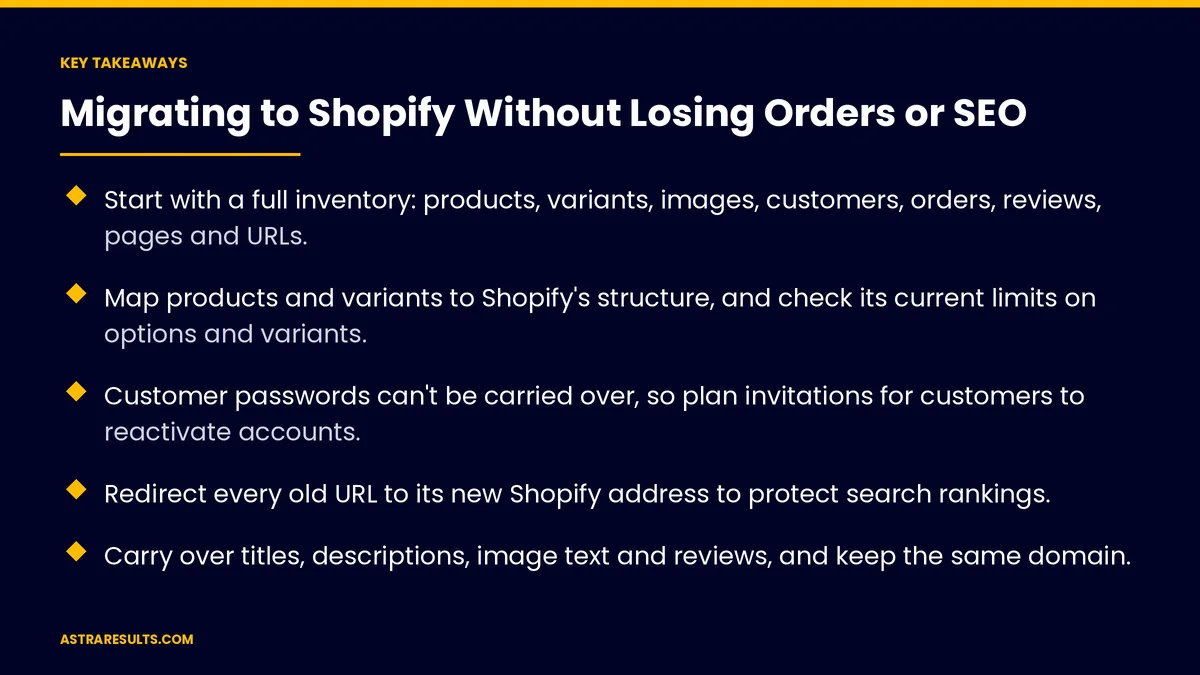
- Start with a full inventory: products, variants, images, customers, orders, reviews, pages and URLs.
- Map products and variants to Shopify's structure, and check its current limits on options and variants.
- Customer passwords can't be carried over, so plan invitations for customers to reactivate accounts.
- Redirect every old URL to its new Shopify address to protect search rankings.
- Carry over titles, descriptions, image text and reviews, and keep the same domain.
- Test orders, payments, taxes and emails end to end, then launch at a quiet time.
Published: October 8, 2026 | Reading Time: ~10 minutes | Category: E-Commerce Stores
This guide walks through a careful migration to Shopify: taking inventory, mapping products and customers, redirecting every old address, carrying over SEO details, testing and launching. Put plainly: list everything you have, give every old page a new home, and test every order path before you switch.
Shopify's features and limits change. Check its current documentation for product, variant and import details before you plan.
In This Playbook
- Take inventory first
- Map products to Shopify
- Customers and accounts
- Redirects protect your rankings
- Which SEO details should move to Shopify?
- Payments, taxes, shipping and apps
- Test before you switch
- Launch and watch
- Migration numbers to watch
- The first three months
Take inventory first
Products and variants. Every product, option, price, SKU, weight and stock level.
Images and media. Product photos, videos and their descriptions.
Customers. Names, emails, addresses and marketing consent.
Order history. Past orders, if you want them visible in Shopify.
Reviews, discounts and gift cards. Often forgotten, often valued by customers.
Content. Pages, blog posts, policies and FAQs.
Every URL. A full list of current product, category, page and blog addresses.
Map products to Shopify
Products and variants. Decide how options like size and color map to Shopify's product structure.
Check current limits. Shopify sets limits on options and variants per product. Confirm them before mapping large catalogs.
Collections. Rebuild categories as collections, automatic or manual.
Metafields. Store extra product details your old platform held in custom fields.
Clean while you move. Fix duplicate products, missing images and weak descriptions now, not later.
Customers and accounts
Import customer records. With marketing consent carried over accurately.
Passwords don't transfer. Customers need to reactivate their accounts. Plan a clear email inviting them to set a new password.
Order history. Import past orders if returning customers expect to see them.
Email lists. Move subscribers with their consent status, so you don't email people who opted out.
Redirects protect your rankings
New URL patterns. Shopify uses its own address structure for products, collections, pages and blogs, so most old addresses will change.
Redirect every old URL. Each old product, category, page and post points to its closest new page with a permanent redirect.
Don't send everything to the homepage. Redirect to the matching page, or the closest category.
Test the redirect list. Check every important old address before and after launch.
Which SEO details should move to Shopify?
Page titles and descriptions. Moved over, not left to defaults.
Image text. Descriptions for product images.
Headings and content. Keep the product and category text that ranked well.
Reviews on product pages. Preserved and visible.
Same domain. Keep your existing domain so search engines recognize the site.
Sitemap and Search Console. Shopify generates a sitemap; submit it and watch for errors. The wider strategy is in SEO for growth companies.
Payments, taxes, shipping and apps
Payments. Set up and test each method customers use.
Taxes and shipping. Rates and rules matching your current setup.
Apps and connections. Replace old plugins with Shopify apps or built-in features, and reconnect inventory, accounting and fulfillment, as planned in planning an integration.
Marketing tools. Email, reviews and analytics reconnected, following the setup in the e-commerce stack.
Test before you switch
Place test orders. Every payment method, shipping option and discount.
Check emails. Order confirmations, shipping updates and account invitations.
Check on phones. Most customers will shop on mobile.
Check tracking. Purchases recorded in analytics and ad platforms.
Run old and new side by side. Compare products, prices and stock before launch.
Launch and watch
Pick a quiet time. Avoid holidays, big sales and peak season.
Freeze changes. Pause product edits on the old store in the final days, so nothing is lost.
Switch the domain. Point the domain to Shopify and confirm the site loads securely.
Watch closely for two weeks. Broken links, missing redirects, checkout errors and sales by day.
Fix fast. Most problems show up in the first days. A week-by-week launch plan is covered in website development timelines.
Migration numbers to watch
Organic traffic. Compared with the weeks before launch.
Broken links and missing pages. Falling to zero quickly.
Conversion rate. Overall and on mobile.
Account reactivations. Returning customers who set new passwords.
Order accuracy. Correct prices, taxes, shipping and inventory.
The first three months
Days 1–30: inventory and map
List every product, customer, order, review, page and URL. Map products and variants to Shopify, check current limits, and plan collections, metafields and the redirect list.
Days 31–60: build and test
Import and clean data, set up payments, taxes, shipping and apps, and carry over SEO details. Place test orders for every path and check emails, phones and tracking.
Days 61–90: launch and stabilize
Launch at a quiet time, switch the domain, send account invitations and watch traffic, redirects and checkout daily. Fix issues fast and compare results with the pre-launch baseline.
How Astra migrates stores
Astra Results Marketing moves stores to Shopify without losing what you've built. We inventory everything, map products and customers, redirect every old address, carry over SEO details and reviews, and reconnect your apps and systems.
We test every order path before launch, switch at a quiet time and watch the first weeks closely. Engagements begin with a migration review through our e-commerce stores team.
Related reading
Frequently asked questions
Will we lose search rankings when moving to Shopify?
Not if you redirect every old URL to its matching new page, carry over titles, descriptions and content, keep the same domain, and watch Search Console closely after launch.
Can customer passwords be moved to Shopify?
No. Customer records can be imported, but passwords can't. Plan an email inviting customers to reactivate their accounts and set a new password.
Should we import old orders?
If returning customers expect to see their history, or your team needs it for support, yes. Otherwise, keep an export of past orders for reference.
How do redirects work in a Shopify migration?
Shopify uses its own URL patterns, so most old addresses change. Create a permanent redirect from each old product, category, page and post to its closest new page.
When is the best time to switch?
During a quiet period, away from holidays, big sales and peak season, with product changes frozen on the old store in the final days.
What should we check after launch?
Organic traffic, broken links and missing redirects, conversion rate, checkout errors, account reactivations and order accuracy, watched closely for the first two weeks.
Ready to move to Shopify without losing what you've built? Astra Results Marketing inventories your store, maps products and customers, redirects every old URL, carries over SEO details and reviews, tests every order path and launches at a quiet time. ▸ CALL (786) 321-2866 · ▸ REQUEST YOUR CONSULTATION





