 Rated 5 star on

Cameras vs Sensors for Monitoring
Quick answer
Use a sensor when one measurement answers the question, and a camera when you need context. Sensors measure temperature, doors, motion, weight or vibration cheaply and precisely. Cameras with computer vision see many things at once but raise privacy questions. Combining both works well, with a sensor triggering a camera check. Count running costs for both.
Businesses that want to watch their operations automatically face a basic choice: cameras with computer vision, or simple sensors that measure one thing. Cameras can see a whole scene, but they bring privacy questions, lighting problems and more data to manage. Sensors are cheap and precise, but each knows only one fact.
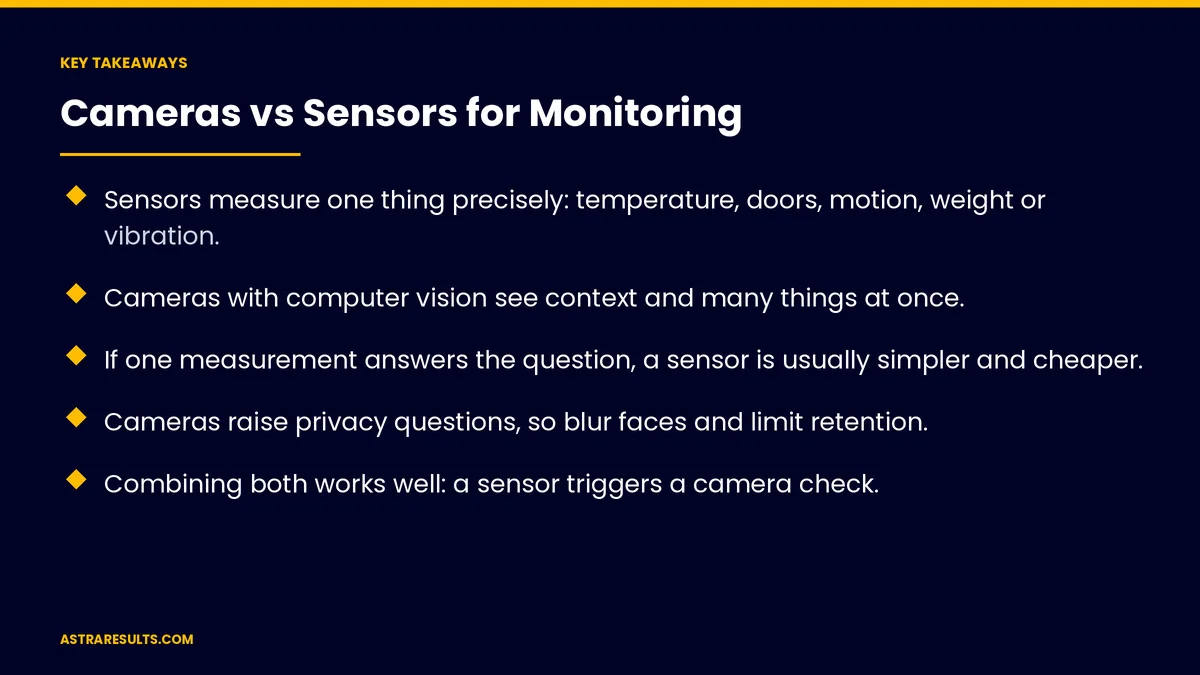
Key Takeaways
- Sensors measure one thing precisely: temperature, doors, motion, weight or vibration.
- Cameras with computer vision see context and many things at once.
- If one measurement answers the question, a sensor is usually simpler and cheaper.
- Cameras raise privacy questions, so blur faces and limit retention.
- Combining both works well: a sensor triggers a camera check.
- Count hardware, installation, connectivity, maintenance and review time.
Published: October 12, 2026 | Reading Time: ~8 minutes | Category: Computer Vision
This guide compares cameras and sensors for monitoring: what each does well, the question that decides between them, combining both, examples by situation, costs, privacy, maintenance and what to measure. Put plainly: use a sensor when one measurement answers the question, and a camera when you need to see what's happening.
In This Playbook
- What sensors do well
- What cameras do well
- The deciding question
- Combining both
- Examples by situation
- Costs
- Privacy
- Maintenance
- What to measure
- The first three months
What sensors do well
One precise measurement. Temperature, humidity, door open or closed, motion, weight or vibration.
Cheap and simple. Low cost per sensor and small amounts of data.
Few privacy concerns. No images of people.
Long battery life. Many run for months or years.
What cameras do well
See context. Who, what and where, in one view.
Many things at once. One camera can check shelves, aisles and safety zones.
Flexible. New checks can often be added without new hardware.
The basics are covered in computer vision.
The deciding question
Does one measurement answer it? "Is the freezer too warm?" Use a sensor.
Do you need to see what's happening? "Is the shelf empty, or is the aisle blocked?" Use a camera.
Is the answer a pattern? Counting people or spotting unsafe behavior usually needs a camera.
Combining both
A sensor triggers a camera check. A door alarm prompts a look at the camera view.
A camera confirms a sensor. Vibration spikes checked against what the camera shows.
Fewer false alarms. Two signals agreeing are more reliable than one.
Fits alert-based monitoring. As covered in intelligent monitoring.
Examples by situation
Cold storage. Temperature sensors with alerts, as in South Florida logistics agents.
Retail shelves. Cameras for empty spots and layout, as covered in retail vision.
Machines. Vibration and temperature sensors for early warnings of wear.
Loading docks. Cameras for damage and activity, as in damage detection at the dock.
Construction sites. Cameras for progress, as in construction vision.
Rooms and spaces. Simple occupancy sensors often beat cameras for counting use.
Costs
Hardware and installation. Sensors cost less each; cameras cover more per unit.
Connectivity and power. Wi-Fi, cellular or wired, plus batteries or power lines.
Processing. Video needs more computing, on site, on devices or in the cloud.
Review time. People checking alerts and confirming findings.
Privacy
Cameras capture people. Blur faces where possible and focus on the work.
Audio recording. Florida requires all-party consent to record private conversations, so most monitoring cameras should not record audio.
Clear notice and limited retention. As covered in privacy in computer vision.
Sensors avoid most of this. Another reason to use them when they can answer the question.
Maintenance
Sensors. Battery changes, calibration and occasional replacement.
Cameras. Cleaning lenses, adjusting angles and updating software.
Check data regularly. Silent failures mean missed alerts.
On-device options. Some analysis can run on tablets or cameras, as in iPad + industry AI.
What to measure
Alerts that matter. Real problems caught.
False alarms. Alerts that turned out to be nothing.
Time to respond. From alert to action.
Total cost per location. Hardware, connectivity, maintenance and review.
Device uptime. Sensors and cameras working as expected.
The first three months
Days 1–30: list the questions
List what you want to monitor and why. For each, decide whether one measurement answers it or you need to see what's happening.
Days 31–60: pilot
Install sensors where one measurement works and cameras where context matters, at one location. Set up alerts and privacy rules.
Days 61–90: measure and expand
Track real alerts, false alarms and response times, combine signals where it reduces false alarms and expand what works.
How Astra designs monitoring systems
Astra Results Marketing helps businesses choose between cameras and sensors, and combine them where it helps. We match each monitoring question to the simplest tool, set up alerts, build privacy in and measure real problems caught against false alarms.
Engagements begin with a monitoring review through our computer vision team.
Related reading
Frequently asked questions
When should we use sensors instead of cameras?
When one measurement answers the question, such as temperature, a door opening, weight or vibration. Sensors are cheaper, simpler and avoid most privacy concerns.
When are cameras the better choice?
When you need to see what's happening: empty shelves, blocked aisles, damage, progress or unsafe behavior.
Can cameras and sensors work together?
Yes. A sensor can trigger a camera check, or a camera can confirm a sensor alert, which reduces false alarms.
What privacy rules apply to monitoring cameras?
Blur faces where possible, give clear notice and limit retention. Florida requires all-party consent to record private conversations, so avoid recording audio.
Which costs more to run?
Cameras usually cost more in processing, storage and review, though one camera can cover many checks. Count hardware, connectivity, maintenance and review time for both.
How do we start?
List what you want to monitor, match each question to a sensor or a camera and pilot at one location with alerts and privacy rules.
Ready to monitor your operation with the right tools? Astra Results Marketing matches each monitoring question to sensors, cameras or both, with alerts that matter, privacy built in and costs kept in check. ▸ CALL (786) 321-2866 · ▸ REQUEST YOUR CONSULTATION





