 Rated 5 star on


Computer Vision: Teaching Software to See Your Operation
Quick answer
Computer vision turns the cameras a business already owns into sensors that report rather than simply record. Four jobs are reliable today: inspecting quality, counting and tracking, reading text and labels, and monitoring conditions. It needs consistent lighting, a fixed viewpoint and labelled examples, and the privacy questions have to be answered before any camera points at a person.
Most businesses already have cameras. They record, someone reviews the footage after something goes wrong, and the rest is storage cost. Meanwhile people spend hours doing things a camera could do continuously: checking whether a part is defective, counting what arrived, reading a label, noticing that a shelf is empty or a door was propped open.
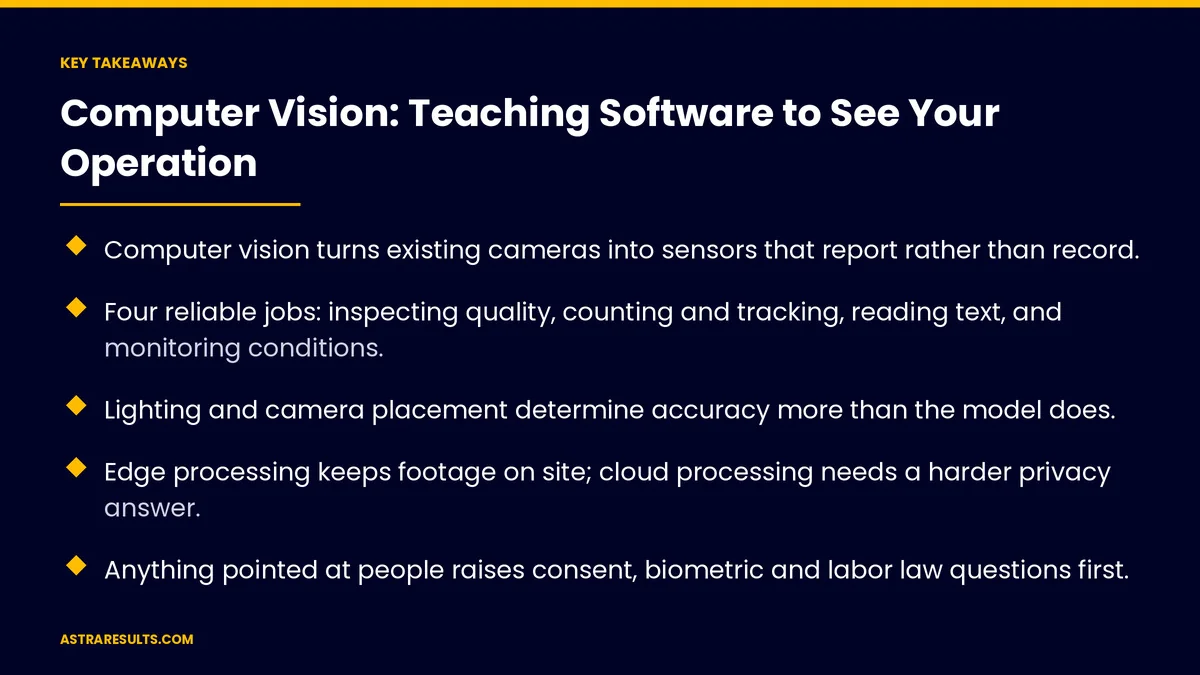
Key Takeaways
- Computer vision turns existing cameras into sensors that report rather than record.
- Four reliable jobs: inspecting quality, counting and tracking, reading text, and monitoring conditions.
- Lighting and camera placement determine accuracy more than the model does.
- Edge processing keeps footage on site; cloud processing needs a harder privacy answer.
- Anything pointed at people raises consent, biometric and labor law questions first.
- Measure detection rate and false alarms, and design for the cheaper mistake.
Published: September 9, 2026 | Reading Time: ~13 minutes | Category: Computer Vision
Computer vision is the work of turning those cameras from a recording device into a sensor that reports. This guide covers what it does reliably, what it needs to work, where it fails, what it costs, and the privacy questions that have to be answered before a single camera is pointed at a person. Stated simply: a camera that reports is worth more than a camera that records.
Guidance for owners and operators. Nothing here is legal or technical advice. Video recording, biometric data, employee monitoring and footage retention are governed by privacy, labor and biometric laws that differ sharply by jurisdiction and must be reviewed with counsel before deployment.
In This Playbook
- What computer vision does reliably
- Job one: visual inspection
- Job two: counting and tracking
- Job three: reading
- Job four: monitoring conditions
- What it actually needs
- Edge or cloud
- Privacy, consent and employee monitoring
- What it costs and returns
- A 90-day plan
- Astra's part in it
What computer vision does reliably
- Inspects. Compares what it sees to what it should see. Defects, damage, missing components, wrong labels, incorrect assembly.
- Counts and tracks. How many arrived, how many are on the shelf, how many people are in the space, how long a vehicle waited.
- Reads. Text, numbers, barcodes, labels, meters, documents, plates — optical character recognition, now reliable on real-world conditions rather than clean scans.
- Monitors conditions. A door left open, a spill, a blocked exit, a machine in an unusual state, a person in an area they should not be.
- What it does not do. Understand intent. Know why something happened. Replace judgment about people. Anything presented as "AI that knows what your employees are doing" should be treated with suspicion, legally and practically.
Job one: visual inspection
The highest-value use in manufacturing, logistics and anywhere physical goods are handled.
- What it catches. Surface defects, dimensional errors, missing parts, wrong components, damaged packaging, label errors, seal failures.
- Why it beats human inspection for repetitive checks. It never gets tired, never speeds up under pressure, checks every unit rather than a sample, and records what it saw for every one.
- Where humans stay. The judgment calls, the unusual defects it has not seen, and the decision about what to do with a flagged unit.
- What it needs. Consistent positioning and lighting, and examples of both good and defective units to learn from. A few hundred examples of each common defect is a workable starting point.
- The measurement. Defects caught versus defects that reached the customer, and false rejections, which cost real money when good product is scrapped.
Job two: counting and tracking
Knowing what is where, continuously.
- Receiving and shipping. Counting units on a pallet, verifying against the manifest, flagging discrepancies at the dock rather than at month end, set out in catching errors early.
- Inventory on shelves. Whether a facing is empty, whether the planogram is followed, without a person walking the aisle with a clipboard.
- Occupancy and flow. How many people are in a space, where queues form, how long a wait is — counted without identifying anyone.
- Vehicle and asset tracking. What is in the yard, how long it has been there, which bay is free.
- The privacy distinction. Counting people is not identifying people. Systems can be built either way, and the difference matters enormously to the legal analysis. Counting-only is the default unless there is a specific, lawful reason otherwise.
Job three: reading
Optical character recognition has quietly become dependable outside the lab.
- Documents in the field. Delivery notes, proof of delivery, damage reports photographed on a phone and turned into records, according to document extraction.
- Labels and serials. Reading part numbers, batch codes and serials on a line, verifying them against the order.
- Meters and gauges. Analog readings captured from a camera where retrofitting sensors is impractical.
- Plates and containers. Vehicle and container identification at gates. Heavily regulated in many jurisdictions; the legal question comes before the technical one.
- Handwriting. Improved, still the weakest case. Structured forms with clear fields work; free handwriting on a crumpled page remains a human job with assistance.
Job four: monitoring conditions
Watching for states that matter, and alerting a person.
- Safety. Missing protective equipment in a zone that requires it, a blocked exit, a spill, an unsafe proximity between people and equipment.
- Security. A door propped open, an after-hours presence in a restricted area, a vehicle in a fire lane.
- Process. A machine stopped, a queue longer than the threshold, a station unmanned, a temperature display out of range.
- The alert, not the dashboard. Monitoring is only useful if someone is told. A named person, a fast channel, and the clip attached so they can judge in seconds.
- The false alarm problem. A system that cries wolf gets ignored within a week. Tuning thresholds so alerts are rare and meaningful is most of the work.
What it actually needs
The model is rarely the hard part. The physical setup is.
- Lighting. Consistent, adequate, without glare or shadows that change through the day. More projects fail on lighting than on algorithms.
- Camera placement. Fixed position, right angle, right distance, right resolution for the smallest thing it must see. A camera that was placed for security is rarely placed correctly for inspection.
- Consistency. The more the scene varies — position, orientation, background — the more examples the system needs and the less reliable it is.
- Examples. Images of what it should detect, including the awkward cases. Businesses that start photographing defects now have a dataset in three months.
- Connectivity and compute. Enough of both to process where processing happens, which leads to the next decision.
Edge or cloud
Where the images get processed is a cost, latency and privacy decision at once.
- Edge. Processing on a device at the site. Footage never leaves the premises. Works without internet. Lower latency, so a line can stop in milliseconds. Higher hardware cost, harder to update.
- Cloud. Processing on a server elsewhere. Easier to build and update, more powerful models, lower hardware cost. Requires reliable connectivity and, critically, sending images off site.
- The privacy weight. Anything with people in frame is easier to defend when processed at the edge and never stored. Cloud processing of identifiable footage needs a much stronger legal and contractual answer.
- The common pattern. Edge for anything real-time or people-adjacent, cloud for batch analysis of images that contain no people.
Privacy, consent and employee monitoring
This is the section to read twice.
- Recording people is regulated. Notice requirements, consent requirements, restrictions on audio, restrictions on certain areas, and retention limits vary by jurisdiction and are stricter than owners assume.
- Biometric identification is a separate category. Face recognition and similar techniques carry specific, sometimes severe legal requirements in many places, and in some contexts are prohibited. Treat any vendor pitching it as a decision requiring counsel, not a feature.
- Employee monitoring has its own rules. Labor law, works councils and employment agreements may restrict what can be monitored, how, and with what notice. The practical dimension matters too: a workforce that learns it is being watched by AI without being told will respond accordingly.
- The defensible posture. Count rather than identify. Process at the edge. Retain the minimum. Post clear notice. Tell employees before deployment, not after. Document the business purpose for each camera.
- The working rule. Counsel reviews any deployment involving people before a camera is installed, not after a complaint.
What it costs and returns
- Costs. Cameras and mounting where existing ones will not do. Lighting, underestimated. Edge devices or cloud processing. The labeling of example images. Integration so detections become alerts and records. Ongoing tuning.
- Returns. Defects caught before shipping. Shrinkage and receiving errors found at the dock. Hours of manual checking returned. Safety incidents prevented. Disputes resolved with a timestamped image.
- Where it pays back fastest. High-volume repetitive inspection, receiving verification at busy docks, and safety monitoring in environments where an incident is expensive.
- Where to be skeptical. Any pitch promising productivity insight from watching workers. Any system whose accuracy claim is not demonstrated on the business's own images, in its own lighting.
A 90-day plan
Days 1–30: choose and assess
The candidate use cases listed with the cost of the current method. The physical site assessed for lighting, camera positions and connectivity. Privacy and labor questions mapped with counsel for anything involving people. Example images collected.
Days 31–60: pilot one camera
One position, one job, running alongside the current method. Detection rate and false alarm rate measured on the business's own conditions, not a vendor demo. Lighting corrected where it is the limiting factor.
Days 61–90: tune and decide
Thresholds tuned toward the cheaper mistake. Alerts routed to a named person with the clip attached. The before-and-after numbers compared. Expand, adjust or stop, on those numbers.
Astra's part in it
Astra Results Marketing starts with the physical reality: what the camera would have to see, whether the lighting and placement allow it, and whether people are in frame. Anything involving people goes to counsel before hardware is ordered, and the default design counts rather than identifies, processes at the edge and retains the minimum.
Pilots run on the business's own images in its own conditions, measured on detection and false alarm rates against the current method. Engagements begin with a site and use-case assessment through our business consulting team.
Related reading
Frequently asked questions
What can computer vision do reliably today?
Four jobs: inspecting quality against a standard, counting and tracking objects or people, reading text and codes including in field conditions, and monitoring for conditions like a blocked exit or a stopped machine. What it does not do is understand intent or replace judgment about people, and any pitch promising AI that knows what employees are doing deserves suspicion both legally and practically.
Why do computer vision projects fail?
Usually on lighting and camera placement rather than on the model. Inconsistent lighting, glare, shadows that change through the day, a camera positioned for security rather than inspection, or a scene that varies too much all reduce accuracy more than any algorithm choice. The second common failure is false alarms: a system that cries wolf is ignored within a week.
Should processing happen at the edge or in the cloud?
Edge processing keeps footage on site, works without internet and responds in milliseconds, at higher hardware cost. Cloud processing is easier to build and update with more powerful models, but requires sending images off site. The common pattern is edge for anything real-time or involving people, cloud for batch analysis of images with no people in frame.
What are the privacy requirements?
Recording people is regulated, with notice, consent, audio, area and retention rules that vary by jurisdiction and are often stricter than owners assume. Biometric identification such as face recognition is a separate category with specific and sometimes severe requirements, and is prohibited in some contexts. Employee monitoring adds labor law. Counsel reviews any deployment involving people before a camera is installed.
What is the difference between counting and identifying people?
Counting measures how many people are present, where queues form or how long a wait is, without determining who anyone is. Identifying attaches an identity to a person. The difference is enormous legally, and counting-only should be the default unless there is a specific lawful reason otherwise. Most business value — occupancy, flow, wait times, safety — comes from counting.
Where does computer vision pay back fastest?
High-volume repetitive inspection, where it checks every unit rather than a sample and never tires; receiving verification at busy docks, where discrepancies get caught at the dock rather than at month end; and safety monitoring where an incident is expensive. Be skeptical of any accuracy claim not demonstrated on the business's own images in its own lighting.
READY TO TURN CAMERAS INTO SENSORS THAT REPORT? Astra Results Marketing assesses the physical reality first — lighting, placement, people in frame — routes anything involving people through counsel, and pilots on your own images in your own conditions. Astra Results Marketing · 1101 Brickell Ave, Miami, FL 33131 · +1 (786) 321-2866 · sales@astraresults.com Find us on Google · Yelp ▸ CALL (786) 321-2866 · ▸ REQUEST YOUR CONSULTATION





