 Rated 5 star on

Intelligent Monitoring Without Watching Screens
Quick answer
Intelligent monitoring uses video analytics to alert people to specific events, so nobody has to watch camera feeds. Common uses include after-hours intrusions, safety risks, queues and dock doors. Alerts arrive with short clips for quick confirmation. Many systems work with existing cameras. Watch for events rather than identities, and keep audio off in Florida.
Most businesses have cameras, and almost nobody watches them. Footage gets reviewed after something goes wrong: a break-in, a forklift incident or a blocked fire exit noticed by an inspector. Intelligent monitoring flips that around. Software watches for specific events and sends an alert with a short clip, so the right person can act while it still matters.
Key Takeaways
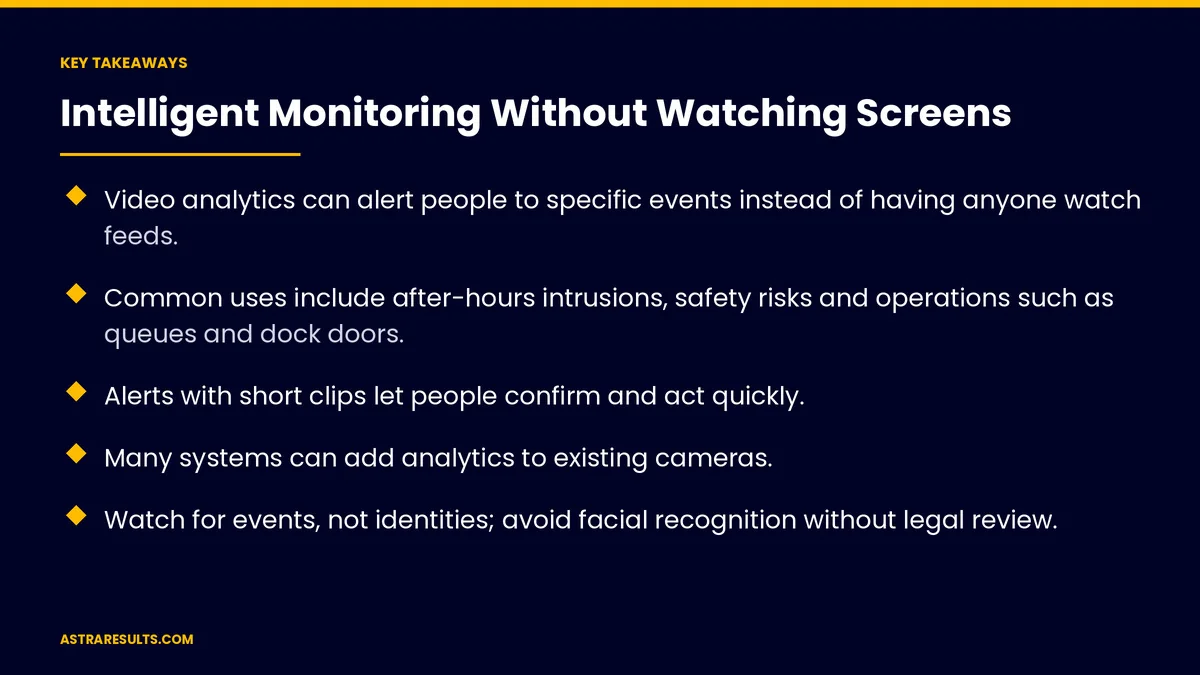
- Video analytics can alert people to specific events instead of having anyone watch feeds.
- Common uses include after-hours intrusions, safety risks and operations such as queues and dock doors.
- Alerts with short clips let people confirm and act quickly.
- Many systems can add analytics to existing cameras.
- Watch for events, not identities; avoid facial recognition without legal review.
- Turn audio off: Florida requires every party's consent to record private conversations.
Published: October 10, 2026 | Reading Time: ~9 minutes | Category: Computer Vision
This guide covers how businesses use video analytics for safety, security and operations: what events to watch for, how alerts work, using existing cameras, tuning out false alarms, protecting privacy and measuring results. Put plainly: watch for events, not people, and send the right alert to the right person.
In This Playbook
- Why watching screens doesn't work
- Which events should video monitoring watch for?
- How alerts work
- Using existing cameras
- Tuning out false alarms
- Privacy and the law
- Safety culture, not surveillance
- What to measure
- The first three months
Why watching screens doesn't work
Nobody has time. Staff can't watch dozens of feeds all day.
Attention fades. Even dedicated monitors miss events after a short time.
Footage is reviewed too late. After the incident, not during it.
Events get missed. Near misses and early warning signs go unnoticed. How cameras become useful data is covered in teaching software to see your operation.
Which events should video monitoring watch for?
Security. Movement in restricted areas after hours, doors propped open or vehicles in closed zones.
Safety. Missing protective gear in marked zones, people too close to forklifts, blocked fire exits and spills.
Operations. Long checkout queues, crowded areas, dock doors left open and trucks waiting.
Stock and shelves. Empty shelves, as covered in retail vision.
Freight. Damage at the dock, as covered in damage detection at the dock.
How alerts work
A rule for each event. Where and when to look, and what counts as the event.
A short clip. Sent to a phone or monitoring screen, so people can confirm quickly.
The right person. Security for intrusions, supervisors for safety and managers for queues.
Escalation. If nobody responds, the alert goes to the next person.
Actions too. An alert can create a task or work order, as covered in the action layer.
Using existing cameras
Often possible. Many analytics tools work with existing network cameras.
Check angles and lighting. Some areas may need repositioned or added cameras.
Process nearby or in the cloud. On-site processing keeps video local and reduces bandwidth.
Start with a few cameras. Prove value before expanding.
Tuning out false alarms
Narrow the zones. Watch only the area that matters.
Set schedules. After-hours rules shouldn't fire during business hours.
Set thresholds. A queue alert at a sensible length, not one person waiting.
Learn from feedback. People mark false alarms, and rules are adjusted.
Pilot first. As covered in AI pilots that fail safely. Then build the case for expanding, as in making the business case for predictive analytics.
Privacy and the law
Watch events, not identities. Detect that someone is in a zone, not who they are.
Avoid facial recognition without legal review. Several states regulate biometric data, and the risks are significant.
Turn audio off. Florida requires every party's consent to record private conversations, and many cameras record sound by default.
No cameras in private spaces. Never in restrooms, locker rooms or changing areas.
Post notices and tell staff. Explain what cameras capture and why.
Limit retention and access. Keep clips only as long as needed, and log who views them. The full approach is covered in privacy in computer vision.
Safety culture, not surveillance
Focus on hazards. Use safety alerts to fix conditions, not to punish people.
Share trends. Show teams where near misses happen so layouts and procedures improve.
Involve staff. Workers often know where the real risks are.
What to measure
Response time. From event to action.
Incidents. Break-ins, injuries and near misses, before and after.
False alarm rate. Alerts that weren't real events.
Operations. Queue length, dock door open time and truck wait times.
Hours saved. Time no longer spent reviewing footage.
The first three months
Days 1–30: choose events and cameras
Pick two or three events that matter most, such as after-hours intrusion and blocked exits. Check camera angles, turn off audio and set privacy rules, notices and retention.
Days 31–60: pilot and tune
Set zones, schedules and thresholds, send alerts with clips to the right people and track false alarms. Adjust rules weekly.
Days 61–90: measure and expand
Compare response times, incidents and false alarms with the baseline. Add events and cameras where results hold, and share safety trends with staff.
How Astra builds intelligent monitoring
Astra Results Marketing builds video analytics that alert the right person to the events that matter. We choose events with you, work with existing cameras where possible, tune zones and thresholds and send alerts with short clips.
Systems watch events rather than identities, audio stays off and retention and access are limited. Engagements begin with a site and camera review through our computer vision team.
Related reading
Frequently asked questions
What is intelligent video monitoring?
Software that watches camera feeds for specific events, such as after-hours movement or blocked exits, and sends alerts with short clips so people can act quickly.
Can it use our existing cameras?
Often, yes. Many analytics tools work with existing network cameras, though some areas may need better angles, lighting or added cameras.
How do we avoid false alarms?
Narrow zones to the areas that matter, set schedules and sensible thresholds, and let people mark false alarms so rules can be adjusted.
Should we use facial recognition?
Avoid it unless counsel approves. Several states regulate biometric data. Most safety and operations uses only need to detect events, not identify people.
Can cameras record audio?
Many can, but in Florida recording private conversations generally requires every party's consent. Turn audio off unless counsel confirms otherwise.
Where should we start?
With two or three events that matter most, a few well-placed cameras, clear privacy rules and a pilot to tune alerts before expanding.
Ready for alerts instead of hours of footage? Astra Results Marketing builds video analytics that send the right alert to the right person for safety, security and operations events, with audio off and privacy rules built in. ▸ CALL (786) 321-2866 · ▸ REQUEST YOUR CONSULTATION





