 Rated 5 star on


Construction Vision: Site Progress From Photos
Quick answer
Computer vision can turn the site photos crews already take into progress tracking. It compares photos from phones, 360-degree cameras, drones and fixed cameras with the schedule to estimate work in place. Reports for owners and lenders get faster and better documented. Superintendents still verify the results, and workers' faces should be blurred.
Construction sites generate thousands of photos, but most sit in phones and folders, never organized or compared with the schedule. Meanwhile, owners ask how far along the job is, and supers spend hours on reports. Computer vision can turn the photos crews already take into progress tracking, so reports are faster and backed by evidence.
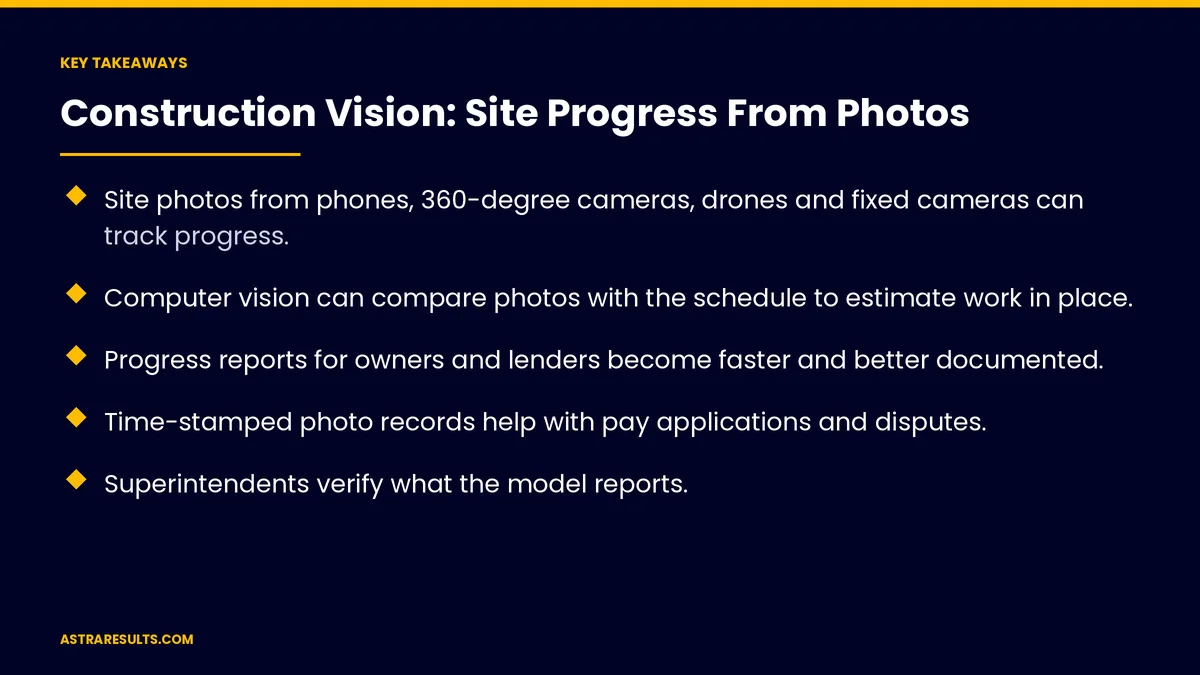
Key Takeaways
- Site photos from phones, 360-degree cameras, drones and fixed cameras can track progress.
- Computer vision can compare photos with the schedule to estimate work in place.
- Progress reports for owners and lenders become faster and better documented.
- Time-stamped photo records help with pay applications and disputes.
- Superintendents verify what the model reports.
- Blur workers' faces, and follow FAA rules for commercial drone flights.
Published: October 4, 2026 | Reading Time: ~9 minutes | Category: Computer Vision
This guide covers how contractors use computer vision for site progress: photo sources, comparing work with the schedule, reports, pay support, time-stamped records, safety, privacy, drone rules and what to measure. Put plainly: let cameras document the work, and let superintendents confirm what they show.
In This Playbook
- Where do construction progress photos come from?
- Comparing work with the schedule
- Progress reports
- Supporting pay applications
- Time-stamped records
- Safety observations
- Privacy and drone rules
- People stay in charge
- On the tablet
- What should construction progress tracking measure?
- The first three months
Where do construction progress photos come from?
Phones. Crews and superintendents already take photos daily.
360-degree camera walks. Weekly walks capture the whole site in a consistent way.
Drones. Aerial views of large sites and roofs.
Fixed cameras. Time-lapse views of key areas.
Organized automatically. Photos sorted by date, location and area.
Comparing work with the schedule
Recognize what's in place. Framing, drywall, piping, windows and other elements.
Compare with the plan. Match observed work with scheduled activities and plans.
Estimate progress. Approximate percent complete by area or trade.
Flag delays. Areas falling behind the schedule.
The basics of computer vision are covered in teaching software to see your operation.
Progress reports
Faster reports. Draft weekly reports with photos and progress estimates.
Clear for owners and lenders. Visual evidence instead of long descriptions.
Consistent format. The same structure every week.
Reviewed before sending. Superintendents check and adjust.
Supporting pay applications
Evidence of work in place. Photos that back up progress claims.
Faster reviews. Owners and lenders see the work, not just numbers.
People decide amounts. Pay applications follow your contract and approval process.
Time-stamped records
A visual history. What the site looked like on each date.
Helpful in disputes. Records of conditions, sequence and completed work.
Linked to documents. Connect photos with submittals and RFIs, as covered in construction submittal agents.
Safety observations
Spot hazards. Missing guardrails, blocked exits or materials in walkways.
Protective gear in marked zones. Flag where gear may be missing.
Fix conditions, not blame. Use observations to improve safety, as covered in intelligent monitoring.
Privacy and drone rules
Blur workers' faces. Focus on the work, not individuals.
Limit retention. Keep images for the project and required records, then delete as agreed.
Commercial drone rules. Commercial drone flights generally require an FAA-certified remote pilot and compliance with Part 107 rules.
Neighbors and public areas. Respect privacy beyond the site.
The full approach is covered in privacy in computer vision.
People stay in charge
The model estimates; supers verify. Progress and issues are confirmed on site.
Easy corrections. Mark wrong findings so the model improves.
Actions with approval. Delays can trigger tasks for review, as covered in the action layer.
On the tablet
Field review. Superintendents check findings on iPads, as covered in construction iPad apps.
Offline analysis. Some checks can run on the device, as covered in iPad + industry AI.
What should construction progress tracking measure?
Report time. Hours to produce weekly progress reports.
Schedule variance caught. Delays spotted early.
Pay application review time. From submission to approval.
Disputes resolved with photo evidence. Over the project.
Safety observations fixed. And how quickly.
The first three months
Days 1–30: set up capture
Choose one project. Set a photo routine, such as weekly 360-degree walks, organize photos by area and connect the schedule. Agree on privacy rules and drone flight procedures.
Days 31–60: progress tracking
Start comparing photos with the schedule, draft weekly reports and have superintendents verify findings and correct mistakes.
Days 61–90: reports and expansion
Share photo-backed reports with owners and lenders, add safety observations and compare report time and delay detection with the baseline. Expand to more projects.
How Astra builds construction vision
Astra Results Marketing builds computer vision that turns site photos into progress tracking. We organize photos, compare work with schedules, draft photo-backed reports and add safety observations.
Superintendents verify every finding, faces are blurred and drone flights follow FAA rules. Engagements begin with a project and photo review through our computer vision team.
Related reading
Frequently asked questions
Can computer vision track construction progress?
Yes. It can compare site photos with the schedule and plans to recognize installed work, estimate progress by area and flag delays, with superintendents verifying.
What photos work best?
Consistent ones: weekly 360-degree walks, regular phone photos of key areas, drone flights for large sites and fixed cameras for time-lapse views.
Does this replace site walks?
No. It makes walks and reports faster and better documented, but superintendents still confirm progress and issues on site.
Can photos support pay applications?
Yes. Photos provide evidence of work in place, while pay amounts follow your contract and approval process.
What about worker privacy?
Blur faces, focus on the work, limit how long images are kept and respect neighbors' privacy.
Do drone flights need special approval?
Commercial drone flights generally require an FAA-certified remote pilot and compliance with Part 107 rules, plus any local restrictions.
Ready to turn site photos into progress reports? Astra Results Marketing builds construction vision that compares photos with your schedule, drafts photo-backed reports and flags delays and hazards, with superintendents verifying every finding. ▸ CALL (786) 321-2866 · ▸ REQUEST YOUR CONSULTATION





