 Rated 5 star on


Crash Reports: Finding and Fixing What Users Hit
Quick answer
Crash reports reveal app problems users rarely report themselves. Track crash-free users and sessions, plus freezes, after every release. Upload symbol files so each report points to the exact failing code. Fix crashes by how many users they affect and how important the screen is. Release fixes in stages and keep personal data out of reports.
Most users never report a crash. They close the app, try again once and then leave a one-star review or delete it. Crash reports show what users won't tell you: which screens fail, on which phones and how often. Teams that read them weekly and fix the biggest problems first keep ratings up and support calls down.
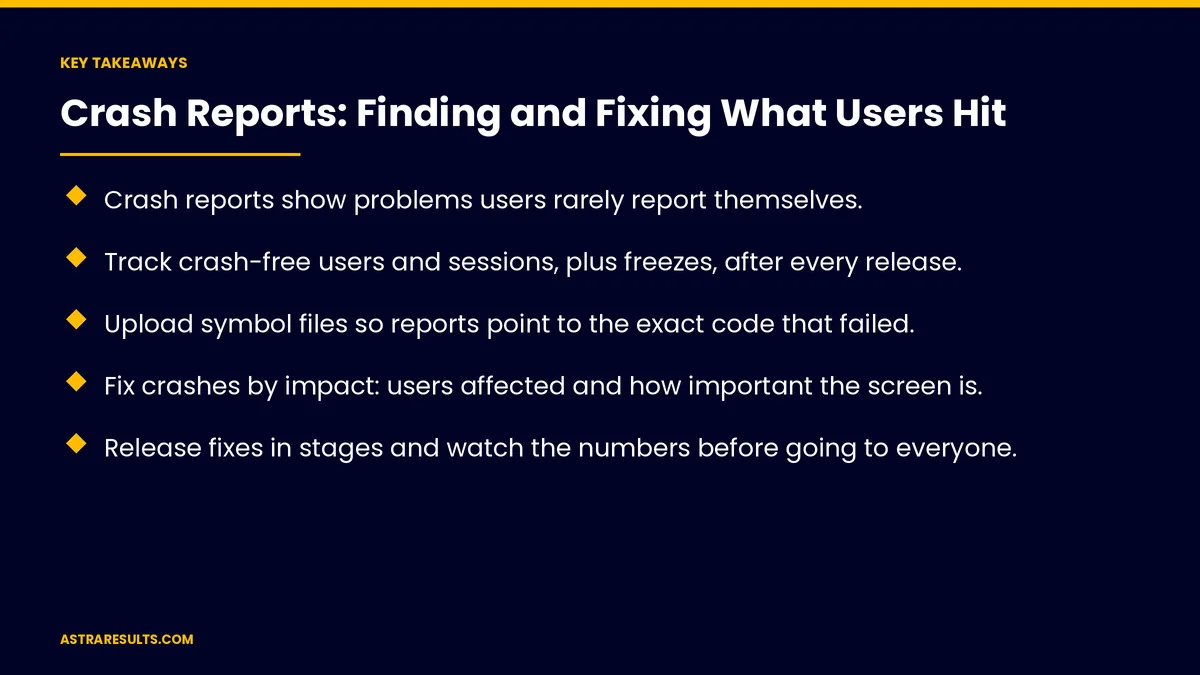
Key Takeaways
- Crash reports show problems users rarely report themselves.
- Track crash-free users and sessions, plus freezes, after every release.
- Upload symbol files so reports point to the exact code that failed.
- Fix crashes by impact: users affected and how important the screen is.
- Release fixes in stages and watch the numbers before going to everyone.
- Keep personal data out of crash reports.
Published: October 18, 2026 | Reading Time: ~8 minutes | Category: App Maintenance
This guide covers how to use crash reports: where they come from, the measures that matter, making reports readable, deciding what to fix first, reproducing and fixing crashes, releasing fixes safely, freezes and slowdowns, privacy and a weekly routine. Put plainly: read crash reports every week, fix what affects the most users first and release fixes carefully.
In This Playbook
- Where crash reports come from
- The measures that matter
- Making reports readable
- Deciding what to fix first
- Reproducing and fixing
- How should crash fixes be released safely?
- Freezes and slowdowns
- Privacy in crash reports
- A weekly routine
- Which crash metrics should we track by release?
- The first three months
Where crash reports come from
Google Play Console. Android vitals show crashes and freezes for your Android app.
Apple's tools. App Store Connect and Xcode show crash reports from iPhone users who share data.
Crash-reporting tools. Services added to the app give more detail, faster.
Use more than one view. Store dashboards show the big picture; reporting tools show details.
The measures that matter
Crash-free users. Share of users who didn't hit a crash.
Crash-free sessions. Share of app sessions without a crash.
Freezes. Android shows "app not responding" errors; iPhones report hangs.
Store visibility. Google Play can reduce how visible an app is when crash or freeze rates are too high.
Track after every release. Compare with the previous version, as covered in iOS and Android updates.
Making reports readable
Upload symbol files. They turn raw crash logs into the exact file and line of code.
Do it for every release. Missing files make reports hard to use.
Add context. The screen, user action and app version help find the cause.
Deciding what to fix first
Users affected. A crash hitting thousands beats one hitting a few.
How important the screen is. Sign-in, checkout and booking come first.
New versus old. Crashes that started with the latest release may be easy to trace.
Severity levels. Match fixes to agreed response times, as covered in app maintenance response times.
Reproducing and fixing
Collect the details. Device model, software version, app version and steps.
Reproduce on a real device. Matching the conditions in the report.
Fix the cause, not the symptom. Hiding errors makes them harder to find later.
Add a test. So the same crash doesn't return.
How should crash fixes be released safely?
Staged rollouts. Release to a small share of users first.
Watch the numbers. Crash-free users should improve before releasing widely.
Hotfix process. A fast path for urgent fixes, with testing kept in place.
Release notes. Record what was fixed.
Freezes and slowdowns
Freezes hurt like crashes. Users can't tell the difference.
Common causes. Heavy work on the main screen thread, slow network calls and large lists.
Performance matters. As covered in React Native performance questions.
Privacy in crash reports
No personal data. Crash reports shouldn't include names, emails, health details or payment information.
Review what's sent. Check the settings of your reporting tools.
Limit access. Only people who fix issues should see reports.
The details are covered in cross-platform security considerations.
A weekly routine
Review the top crashes. By users affected.
Assign owners. Each top issue has someone working on it.
Check last week's fixes. Did the numbers improve?
Watch ratings. Reviews often mention crashes before dashboards make them obvious, as covered in iPhone app analytics.
Budget for it. Crash work is part of the cost after launch, and belongs in maintenance contracts.
Which crash metrics should we track by release?
Crash-free users and sessions. By release.
Freeze rate. On Android and iPhone.
Time to fix top crashes. From first report to release.
Repeat crashes. Issues that come back.
Rating trend. Before and after fixes.
The first three months
Days 1–30: get readable reports
Confirm crash reporting in Google Play Console, Apple's tools and any reporting service. Upload symbol files for the current release, and check that reports contain no personal data.
Days 31–60: fix by impact
Rank crashes and freezes by users affected and screen importance, assign owners and fix the top issues. Add tests so they don't return.
Days 61–90: release and routine
Release fixes in stages, compare crash-free users with the baseline and set up the weekly crash review.
How Astra handles crash reports
Astra Results Marketing keeps apps stable with a weekly crash routine. We set up readable reports with symbol files, rank crashes by impact, fix the causes, add tests and release fixes in stages.
Personal data stays out of reports, and results are measured in crash-free users and ratings. Engagements begin with an app stability review through our app maintenance team.
Related reading
Frequently asked questions
Where do app crash reports come from?
Google Play Console's Android vitals, Apple's App Store Connect and Xcode, and crash-reporting tools added to the app for more detail.
What does crash-free users mean?
The share of users who didn't experience a crash in a given period. It's the clearest single measure of app stability.
Why are some crash reports unreadable?
Usually because symbol files weren't uploaded for that release. They turn raw logs into the exact file and line of code.
Which crashes should we fix first?
Those affecting the most users, and those on important screens like sign-in, checkout or booking.
Do app freezes matter as much as crashes?
To users, yes. Android "app not responding" errors and iPhone hangs feel like crashes, and Google Play also watches freeze rates.
Can crash reports include personal data?
They shouldn't. Configure reporting tools so names, emails, health details and payment information are never sent.
Ready to find and fix the crashes your users hit? Astra Results Marketing sets up readable crash reports, fixes issues by impact, releases fixes safely and runs a weekly review that keeps apps stable and ratings up. ▸ CALL (786) 321-2866 · ▸ REQUEST YOUR CONSULTATION





