 Rated 5 star on

React Native: The Performance Questions to Ask
Quick answer
React Native performance depends on how the app is built, not the framework alone. Ask vendors how they keep startup fast and long lists smooth, and whether the app uses the New Architecture. Insist on testing with budget Android phones. Images, app size, memory and network calls affect speed. Ask for measurements before each release.
React Native lets one team build for iPhone and Android, but performance depends on how the app is built. A well-built React Native app opens quickly and scrolls smoothly. A poorly built one stutters on everyday Android phones, drains batteries and earns one-star reviews. Asking the right questions before and during a project protects users and ratings.
Key Takeaways
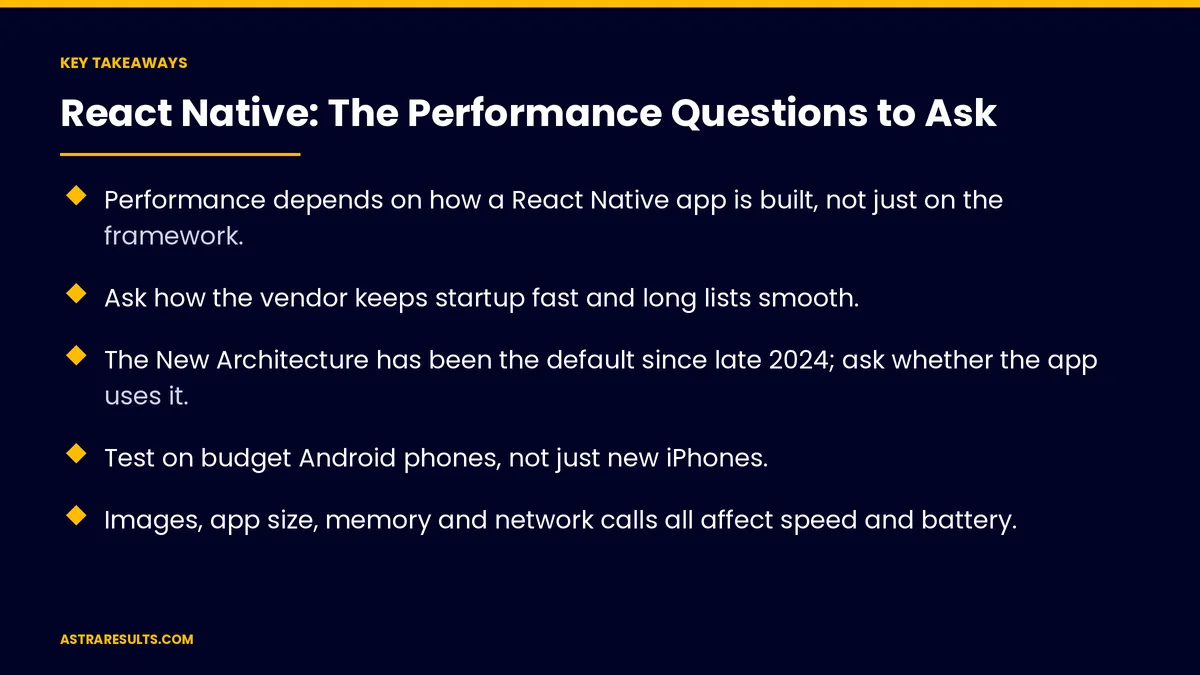
- Performance depends on how a React Native app is built, not just on the framework.
- Ask how the vendor keeps startup fast and long lists smooth.
- The New Architecture has been the default since late 2024; ask whether the app uses it.
- Test on budget Android phones, not just new iPhones.
- Images, app size, memory and network calls all affect speed and battery.
- Ask for measurements, and know when native code is worth adding.
Published: October 23, 2026 | Reading Time: ~9 minutes | Category: React Native Development
This guide covers the performance questions to ask about a React Native app: startup, scrolling, animations, the New Architecture, images and size, memory and network use, testing on budget phones, measurement and native code. Put plainly: ask how fast the app feels on the phones your customers own, and ask how they'll prove it.
In This Playbook
- Why does React Native app performance matter?
- Startup time
- Scrolling lists
- Animations
- The New Architecture and Hermes
- How should a React Native app handle images?
- Memory, battery and network
- Testing on everyday phones
- Measuring performance
- When native code makes sense
- Questions to ask a vendor
- What to measure
- The first three months
Why does React Native app performance matter?
Users judge in seconds. Slow apps get deleted.
Ratings reflect speed. Lag and crashes show up in reviews.
Android variety. Many customers use mid-range or older phones.
The trade-offs of React Native are covered in one team, two app stores.
Startup time
Ask: how long does the app take to open? On a typical phone, measured, not guessed.
Load only what's needed first. Delay heavy features until after the first screen.
The Hermes engine. React Native's default JavaScript engine helps apps start faster.
Splash screens aren't a fix. They hide slow starts rather than solving them.
Scrolling lists
Ask: how do long lists stay smooth? Menus, catalogs and feeds can hold hundreds of items.
Optimized list components. Render only the items on screen.
Simple list items. Heavy layouts in every row slow scrolling.
Test with real data. Lists of five items hide problems that appear with five hundred.
Animations
Ask: do animations run on the native side? Animations that depend on JavaScript can stutter when the app is busy.
Purposeful motion. Fewer, smoother animations beat many choppy ones.
Check on budget phones. Smooth on a new iPhone isn't enough.
The New Architecture and Hermes
The New Architecture. React Native's newer internal design, the default since late 2024, improves how apps talk to the phone.
Ask whether the app uses it. Older apps may still need to move over, as covered in React Native maintenance.
Libraries matter. Every library should support the New Architecture.
Hermes. Confirm it's in use unless there's a clear reason not to.
How should a React Native app handle images?
Right-sized images. Don't load full-size photos into small spaces.
Caching. Reuse images instead of downloading them again.
Watch app size. Large apps download slowly and take up space.
Remove unused libraries. Each one adds weight.
Memory, battery and network
Memory. Apps that use too much memory get closed by the phone.
Battery. Constant location tracking or background work drains batteries.
Network calls. Fewer, smaller requests make apps faster, especially on weak signal.
Offline data. Store what users need so screens load without waiting, as in restaurant apps with menus that load instantly.
Testing on everyday phones
Budget Android devices. The best test of real-world speed.
Older iPhones. Not just the newest models.
Weak connections. Test on slow networks, not office Wi-Fi.
Ask vendors about their device lab. As covered in evaluating Android vendors.
Measuring performance
Profiling tools. React Native's developer tools, plus Android and Apple profilers, show where time goes.
Startup and screen-load times. Tracked before each release.
Crash and lag reports. From real users after launch, as covered in iPhone app analytics.
Performance budgets. Agreed limits for startup time and app size.
When native code makes sense
Heavy processing. Video, image analysis or complex calculations.
Deep device features. Some hardware works best through native modules.
Keep it targeted. Native code for specific needs, React Native for the rest.
Compare approaches in native, cross-platform or web.
Questions to ask a vendor
How long does the app take to open on a mid-range Android phone?
How do you keep long lists and animations smooth?
Does the app use the New Architecture and Hermes?
Which devices do you test on?
How do you measure performance before each release?
When would you add native code, and why?
What to measure
Startup time. On typical phones.
Screen-load times. For key screens.
Smooth scrolling. Dropped frames on long lists.
Crash-free users. After each release.
App size. Download and installed size.
The first three months
Days 1–30: set targets
Agree on performance targets for startup, key screens and app size. Choose test devices that match your customers, including budget Android phones.
Days 31–60: build and measure
Use optimized lists, native-side animations, right-sized images and the New Architecture. Measure startup and screen times on test devices every week.
Days 61–90: release and monitor
Release in stages, watch crash and performance reports from real users and fix the slowest screens first.
How Astra builds fast React Native apps
Astra Results Marketing builds React Native apps that feel fast on the phones customers own. We set performance targets, use the New Architecture and Hermes, optimize lists, animations and images, and test on budget Android phones and older iPhones.
We measure before every release and add native code only where it helps. Engagements begin with a performance review through our React Native app development team.
Related reading
Frequently asked questions
Are React Native apps slower than native apps?
Not necessarily. Well-built React Native apps feel fast. Performance depends on how lists, animations, images and data are handled, and on testing with real phones.
What makes a React Native app start slowly?
Loading too much before the first screen, large app size and heavy libraries. Load only what's needed first and use the Hermes engine.
What is the New Architecture?
React Native's newer internal design, the default since late 2024, which improves how apps communicate with the phone. Older apps may need to upgrade to it.
Which phones should we test on?
Budget and mid-range Android phones, older iPhones and slow network connections, not just the newest devices on office Wi-Fi.
When should a React Native app use native code?
For heavy processing like video or image analysis, and for deep device features that work best natively. Keep native code targeted.
How do we know an app performs well?
Set targets for startup time, screen loads and app size, measure before each release and track crash and lag reports from real users.
Ready for a React Native app that feels fast on every phone? Astra Results Marketing builds React Native apps with performance targets, the New Architecture and Hermes, smooth lists and animations, and testing on the phones your customers own. ▸ CALL (786) 321-2866 · ▸ REQUEST YOUR CONSULTATION





