 Rated 5 star on

App Maintenance Response Times and Severity Levels
Quick answer
App support works best when severity levels sort every issue by impact, so critical problems never wait behind minor ones. Each level needs a response target for starting work and a resolution target for the fix. Clear bug reports speed repairs. Server-side fixes and remote switches can contain problems before store review approves a new version.
When an app breaks, the first question is how fast someone will fix it. Without agreed severity levels, every issue feels urgent, the support team guesses at priorities, and the payment failure waits behind a typo. Clear levels and response times fix that: everyone knows what counts as critical, who responds and how quickly.
Key Takeaways
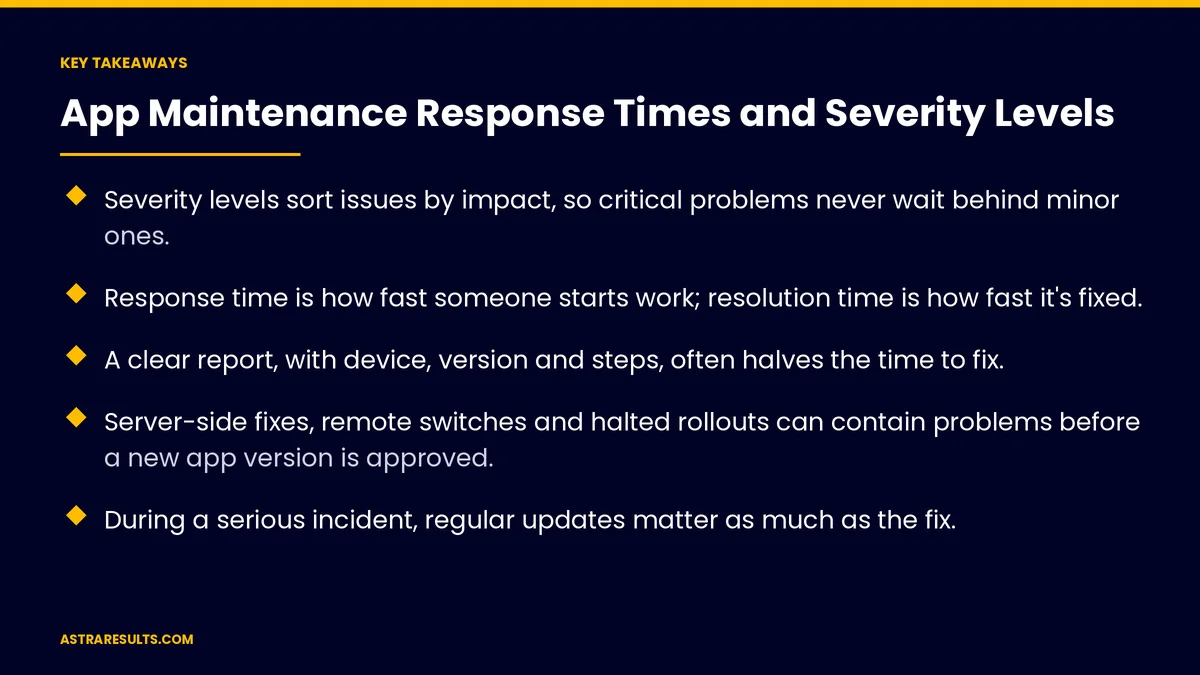
- Severity levels sort issues by impact, so critical problems never wait behind minor ones.
- Response time is how fast someone starts work; resolution time is how fast it's fixed.
- A clear report, with device, version and steps, often halves the time to fix.
- Server-side fixes, remote switches and halted rollouts can contain problems before a new app version is approved.
- During a serious incident, regular updates matter as much as the fix.
- Measure performance against each target, and review every critical incident afterward.
Published: October 1, 2026 | Reading Time: ~9 minutes | Category: App Maintenance
This guide covers how to define severity levels for app support, set response and resolution targets, report problems well, fix issues fast even when app store review stands in the way, and keep people informed during an incident. Put plainly: agree in advance what's urgent, how fast each level gets answered, and how you'll keep people updated.
In This Playbook
- Why severity levels matter
- An example set of levels
- Response and resolution targets
- Reporting problems well
- Fixing fast despite store review
- Keeping people informed
- After a critical incident
- Which app support metrics should we track?
- The first three months
Why severity levels matter
Not everything is urgent. A crash on checkout and a misaligned icon need different speeds.
Shared language. Your team, the support provider and managers all mean the same thing by "critical."
Fair expectations. Response times you can meet, written down instead of "as soon as possible."
Part of good maintenance. Severity levels belong in any support plan, as covered in app maintenance services.
An example set of levels
Critical. The app won't open, payments or bookings fail for many users, or customer data may be exposed.
High. A key feature is broken for many users with no workaround.
Medium. A feature has a problem, but there's a workaround, or it affects few users.
Low. Cosmetic issues, text changes and small improvements.
Adapt them. What counts as critical depends on your app. A booking app and an internal tool have different priorities.
Response and resolution targets
Response time. How quickly someone acknowledges the issue and starts work.
Resolution time. How quickly it's fixed or safely worked around.
An example structure, not a standard. Critical: response within an hour, at any time. High: within a few business hours. Medium: within one business day. Low: scheduled into a regular release.
Match targets to the cost. Round-the-clock coverage costs more. Decide which levels truly need it, and budget accordingly, as discussed in the cost after launch.
Put it in writing. Targets, hours and contacts in the support agreement.
Reporting problems well
One place to report. A form, email address or chat channel everyone uses.
What to include. What happened, what was expected, the device, operating system, app version and steps to repeat it.
Screenshots and recordings. Often the fastest way to show the problem.
Who's affected. One user, a group, or everyone.
Crash reports help too. Monitoring often spots problems before users report them.
Fixing fast despite store review
App updates go through review. New versions must be approved by Apple and Google before users get them, as covered in Google Play review and policy basics and building an iPhone app.
Fix on the server when possible. Many problems live in the back end and can be fixed without a new app version.
Remote switches. Features that can be turned off remotely let you hide a broken feature while a fix is prepared.
Halt a staged rollout. If a new version causes problems, stop the rollout before it reaches everyone.
Request expedited review. Apple accepts requests to speed up review of critical bug fixes.
Connections break too. Failures in payment, booking or CRM links are often fixed on the server side, as covered in API integration.
Keeping people informed
Acknowledge quickly. Confirm the issue is known and being worked on.
Regular updates. For critical issues, updates at set intervals, even if the news is "still working on it."
Tell customers when needed. An in-app message or email when an outage affects them.
Close the loop. Confirm when it's fixed and what users should do, if anything.
After a critical incident
A short review. What happened, how it was found, how long each step took and what will prevent it next time.
No blame. Focus on fixing the process, not finding a culprit.
Track the actions. Make sure the preventive steps are completed.
The same habit applies to websites, as covered in website security and maintenance.
Which app support metrics should we track?
Time to respond. By severity level, against the target.
Time to resolve. By severity level, against the target.
Share within target. The percentage of issues handled within agreed times.
Repeat incidents. Problems that come back after being fixed.
Issues found by monitoring. The share caught before users reported them.
The first three months
Days 1–30: define and agree
Write severity levels with examples for your app. Agree response and resolution targets, coverage hours and contacts. Set up one place to report issues and a template for good reports.
Days 31–60: prepare for fast fixes
Make sure crash reporting and server monitoring are in place. Add remote switches for risky features. Use staged rollouts for every release.
Days 61–90: measure and review
Track times against targets by level. Review every critical incident and complete the actions. Adjust levels and targets based on what you learn.
How Astra supports apps
Astra Results Marketing supports apps with severity levels and response times agreed in writing. We define what counts as critical for your app, set targets you can count on, give your team one place to report problems and keep you updated during incidents.
We prepare for fast fixes with monitoring, remote switches and staged rollouts, and review every critical incident afterward. Engagements begin with a support plan review through our app maintenance team.
Related reading
Frequently asked questions
What are severity levels in app support?
Categories that sort issues by impact, such as critical, high, medium and low, so the most damaging problems get the fastest response.
What's the difference between response time and resolution time?
Response time is how quickly someone acknowledges the issue and starts work. Resolution time is how quickly it's fixed or safely worked around.
What counts as a critical app issue?
Typically: the app won't open, payments or bookings fail for many users, or customer data may be exposed. Define it for your own app, with examples.
How can we fix issues fast if app updates need store review?
Fix on the server when possible, use remote switches to turn off broken features, halt staged rollouts that cause problems, and request expedited review from Apple for critical fixes.
What should a good bug report include?
What happened, what was expected, the device, operating system, app version, steps to repeat it, and a screenshot or recording.
Do we need 24/7 support?
Only for issues that truly can't wait, usually critical ones. Round-the-clock coverage costs more, so decide which levels need it and budget for that.
Ready for app support with clear priorities and promises? Astra Results Marketing defines severity levels for your app, agrees response and resolution targets in writing, prepares for fast fixes with monitoring and remote switches, and keeps you informed during every incident. ▸ CALL (786) 321-2866 · ▸ REQUEST YOUR CONSULTATION





