 Rated 5 star on

iPhone App Analytics: What to Track
Quick answer
An iPhone app should track activation, retention and repeat use, because downloads alone say little. Follow a short list of meaningful actions with consistent names. Retention at one day, one week and one month shows whether the app keeps people. Watch crash-free users and ratings, and get permission before tracking people across other companies' apps.
Download counts are the easiest app number to find and the least useful. An app with fifty thousand downloads and few weekly users is struggling; one with five thousand downloads and loyal repeat users is working. The useful questions: do people find the app, get value quickly, come back and spend, and does it run well enough to keep them?
Key Takeaways
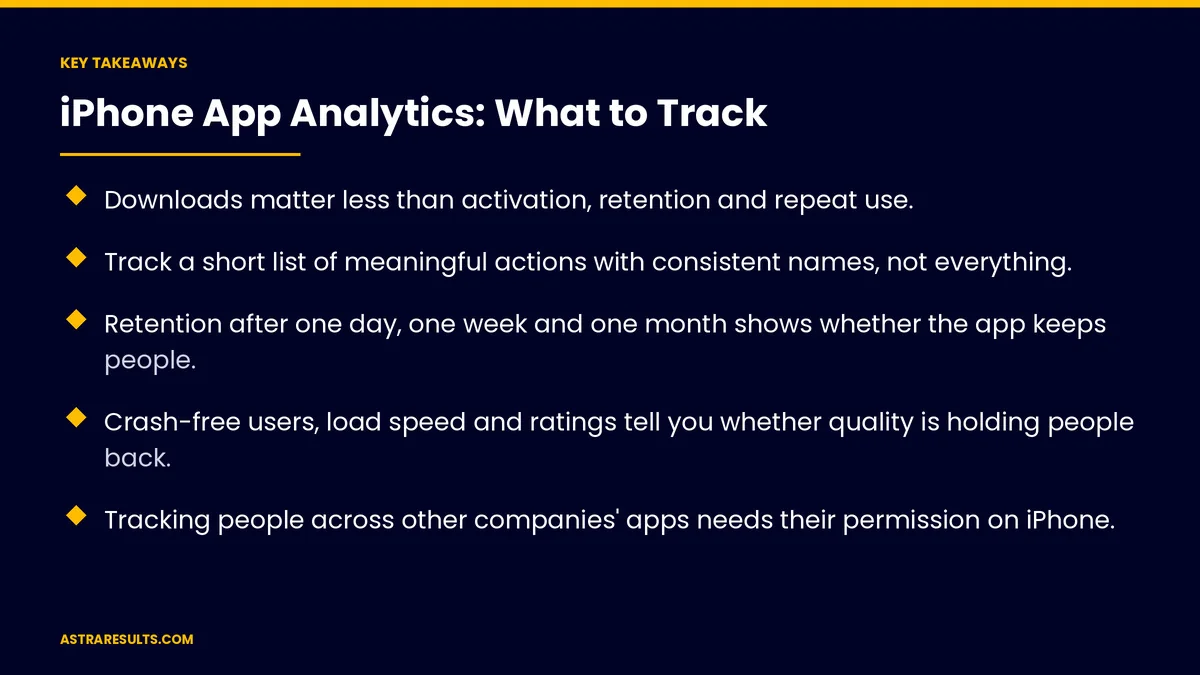
- Downloads matter less than activation, retention and repeat use.
- Track a short list of meaningful actions with consistent names, not everything.
- Retention after one day, one week and one month shows whether the app keeps people.
- Crash-free users, load speed and ratings tell you whether quality is holding people back.
- Tracking people across other companies' apps needs their permission on iPhone.
- Your App Store privacy details must match what your app and its tools collect.
Published: October 4, 2026 | Reading Time: ~9 minutes | Category: iPhone App Development
This guide covers what to track in an iPhone app, from App Store views to activation, engagement, retention, revenue and quality, how to plan the events you measure, and how Apple's privacy rules shape what you can collect. Put plainly: track the path from first view to repeat use, and collect only what helps you improve it.
In This Playbook
- The app measurement path
- Acquisition: App Store numbers
- Activation: the first session
- How do we measure iPhone app engagement?
- Revenue and loyalty
- How do we measure iPhone app quality?
- Planning your events
- Apple's privacy rules
- Connecting app data to marketing
- What to measure first
- The first three months
The app measurement path
Found. People see your App Store page and download.
Activated. New users complete setup and take a first meaningful action.
Engaged. They use the app's main features.
Retained. They come back over days, weeks and months.
Paying. They buy, book, subscribe or redeem rewards.
Satisfied. The app runs well and earns good ratings.
Acquisition: App Store numbers
Page views and downloads. How many people see your App Store page, and how many download.
Conversion rate. The share of page visitors who download, which shows whether screenshots and descriptions work.
Sources. Search, browsing, websites and campaigns that bring people to your page.
Where to find them. Apple's App Store Connect shows these basics for free.
Activation: the first session
Define the first win. The action that shows a new user got value, such as placing a first order, booking a class or saving a favorite.
Onboarding completion. How many finish signup or setup.
Time to first win. Faster is usually better.
Where people drop off. Each setup step, so you can fix the one losing people.
How do we measure iPhone app engagement?
Active users. Daily, weekly and monthly, depending on how often people should use the app.
Feature use. Which features people use, and which they ignore.
Retention. The share of new users still active after one day, one week and one month.
Groups by start date. Compare users who joined in different months to see whether changes help.
The right frequency. A food ordering app and a home services app have very different healthy patterns, as weighed in when to add a mobile app.
Revenue and loyalty
Purchases and bookings. Count and value, by user group.
Revenue per active user. Over a month or a year.
Repeat purchase rate. App users compared with website customers.
Loyalty activity. Points earned and rewards redeemed, as covered in mobile apps for loyalty.
Subscriptions. New subscribers, renewals and cancellations, if you sell them.
How do we measure iPhone app quality?
Crash-free users. The share of users who never hit a crash.
Launch time. How long the app takes to open.
Errors in key flows. Failed payments, bookings or logins.
Ratings and reviews. Trends after each release.
Fix fast. Response times for serious issues are covered in app maintenance response times.
Planning your events
Start with questions. What do you need to know to improve the app?
Keep the list short. A few dozen meaningful actions beat hundreds of clicks.
Name things consistently. "Order placed," not three different names for the same action.
Add useful details. Such as order value or location, without collecting personal details you don't need.
Write it down. A simple tracking plan your developers and marketers share.
Apple's privacy rules
Tracking needs permission. Following people across other companies' apps and websites requires their consent through Apple's tracking prompt.
Ad attribution is privacy-protected. Apple's systems report which campaigns led to installs without identifying individuals.
Privacy details must be accurate. Your App Store listing must describe what data the app collects and how it's used.
Check third-party tools. Analytics and advertising tools in your app must declare their data use too.
Collect less. Only what helps improve the app or serve customers.
Connecting app data to marketing
Customer records. Link app activity to customer profiles where customers have agreed.
Messages based on behavior. Reminders after an abandoned order, or offers for lapsed users.
One view of results. App and website numbers side by side, using the measures in website KPIs.
Industry examples. Ordering apps track reorders, as in restaurant iPhone apps; retail apps track store visits, as in retail chain apps.
What to measure first
Page-to-download conversion. Whether the App Store page works.
Activation rate. New users reaching their first win.
Retention at one week and one month. Whether people come back.
Revenue per active user. Whether the app earns its keep.
Crash-free users. Whether quality holds.
The first three months
Days 1–30: tracking plan
Write the questions you need answered, define the first win and list the key actions to track with consistent names. Check that App Store privacy details match what the app and its tools collect.
Days 31–60: build and check
Add tracking for activation, engagement, revenue and quality, and test that events fire correctly. Set up crash reporting and a simple dashboard for the five first measures.
Days 61–90: learn and improve
Review where new users drop off and which features keep people coming back. Fix the weakest step, then compare retention for users who joined before and after the change.
How Astra builds app analytics
Astra Results Marketing builds iPhone apps with analytics planned from the start. We define the first win, track a short list of meaningful actions and set up dashboards for acquisition, activation, retention, revenue and quality.
Tracking follows Apple's privacy rules, privacy details stay accurate and app data connects to your marketing where customers agree. Engagements begin with an app and analytics review through our iPhone app development team.
Related reading
Frequently asked questions
What should we track in an iPhone app?
The path from App Store views to downloads, activation, engagement, retention and revenue, plus quality measures such as crash-free users, launch time and ratings.
Why aren't downloads enough?
Downloads don't show whether people use the app. Activation, retention and repeat purchases show whether it delivers value and keeps people coming back.
What is activation?
The first meaningful action that shows a new user got value, such as placing a first order or booking a class. Track how many reach it and how quickly.
Do we need permission to track app users?
Tracking people across other companies' apps and websites requires their permission through Apple's tracking prompt. Measuring how people use your own app is different, but must still be disclosed in your privacy details.
What are App Store privacy details?
The section of your App Store listing that describes what data your app collects and how it's used. It must match what the app and its third-party tools collect.
Where should we start?
With five measures: App Store page-to-download conversion, activation rate, retention at one week and one month, revenue per active user and crash-free users.
Ready to know what's working in your iPhone app? Astra Results Marketing builds iPhone apps with analytics planned from the start: a clear first win, a short list of tracked actions, dashboards for retention and revenue, and Apple's privacy rules followed. ▸ CALL (786) 321-2866 · ▸ REQUEST YOUR CONSULTATION





