 Rated 5 star on

Custom CRM or Salesforce: How to Decide
Quick answer
Choose Salesforce or another off-the-shelf CRM when your process is common, and a custom CRM when it is truly distinctive. Off-the-shelf tools offer mature features but carry per-user licenses, add-ons and admin costs. Custom CRMs avoid per-user fees but need building and maintenance. Map your process first and compare costs over five years.
Choosing a CRM shapes how a business sells, serves and reports for years. Salesforce and other ready-made CRMs offer proven features and plenty of people who know them. A custom CRM can fit an unusual process exactly and avoid per-user fees, but it must be built and maintained. The best choice depends on your process, team and budget.
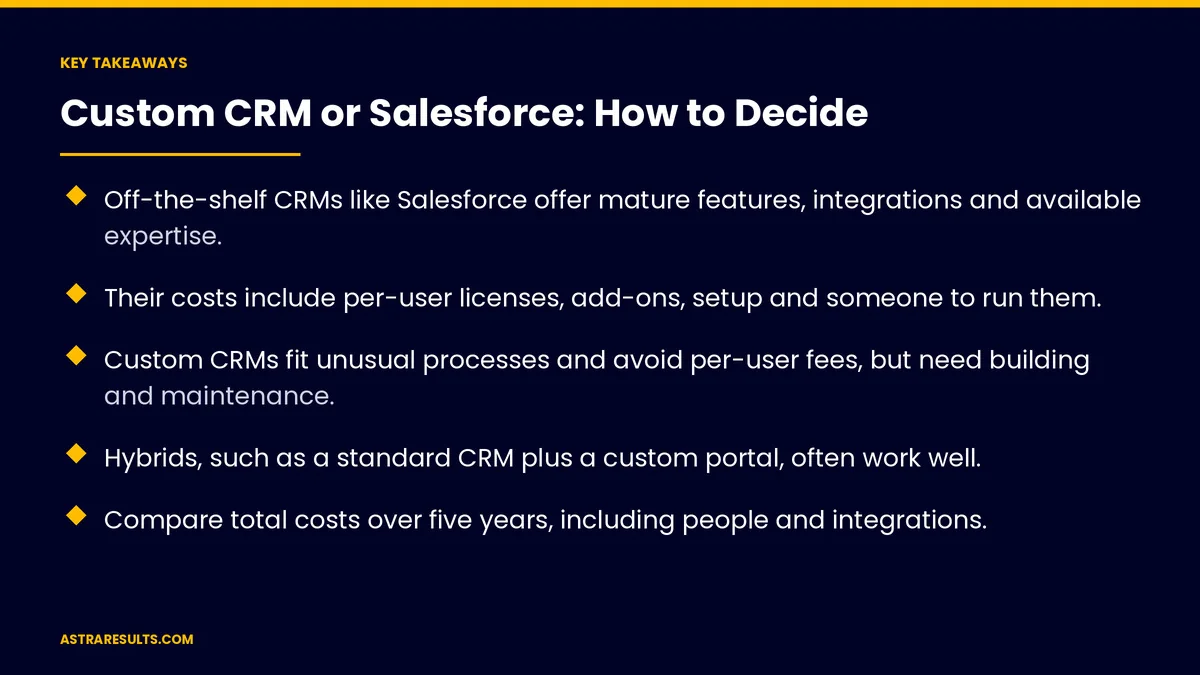
Key Takeaways
- Off-the-shelf CRMs like Salesforce offer mature features, integrations and available expertise.
- Their costs include per-user licenses, add-ons, setup and someone to run them.
- Custom CRMs fit unusual processes and avoid per-user fees, but need building and maintenance.
- Hybrids, such as a standard CRM plus a custom portal, often work well.
- Compare total costs over five years, including people and integrations.
- Map your process first, then test options against it.
Published: October 1, 2026 | Reading Time: ~9 minutes | Category: Custom Software
This guide compares Salesforce and other off-the-shelf CRMs with custom-built CRMs: the strengths and costs of each, hybrid options, the factors that should drive the decision and how to evaluate before committing. Put plainly: buy when your process is common, build when it's truly distinctive, and compare costs over five years, not one.
In This Playbook
- Strengths of Salesforce and other off-the-shelf CRMs
- Costs and challenges of off-the-shelf CRMs
- Strengths of a custom CRM
- Costs and risks of a custom CRM
- Hybrid options
- Factors that should drive the decision
- Comparing five-year costs
- Evaluating before committing
- What should we measure after choosing a CRM?
- The first three months
Strengths of Salesforce and other off-the-shelf CRMs
Proven features. Contacts, deals, pipelines, forecasting, email and reporting out of the box.
Large ecosystems. Add-ons and integrations for many common tools.
Available expertise. Admins, consultants and developers who already know the platform.
Security and compliance tools. Mature controls for permissions and auditing.
Scales with you. Handles growth in users and data.
Costs and challenges of off-the-shelf CRMs
Per-user licenses. Costs grow with every user, and advanced features cost more.
Add-ons. Extra apps and features add up.
Setup and customization. Fitting the CRM to your process takes expert time.
Someone to run it. An admin or partner to manage users, fields and reports.
Complexity creep. Heavy customization can make the system hard to change.
Strengths of a custom CRM
Fits your process exactly. Built around how your team works.
No per-user fees. Costs don't rise with every new user.
Simpler screens. Only the fields and steps your team needs.
Full ownership. You control the code, data and roadmap.
Tight integration. Built to connect with your own systems, as in replacing spreadsheets with a custom internal tool.
Costs and risks of a custom CRM
Build cost. Design, development and testing upfront.
Maintenance. Updates, security and hosting every year, as covered in what custom software costs over five years.
Feature gaps. Things off-the-shelf CRMs include must be built or skipped.
Key-person risk. Documentation and a reliable partner prevent dependence on one developer.
Hybrid options
Standard CRM plus a custom portal. Customers or partners use a custom app; sales uses the CRM.
Custom screens on a standard CRM. A simpler interface for field teams.
Custom tools around the CRM. Quoting, scheduling or approvals built separately and connected.
Connected systems. Data flows between tools, as weighed in integration platforms vs custom API work.
Factors that should drive the decision
How unusual your process is. Common sales processes fit standard CRMs; unique workflows may not.
Number of users. Many users raise license costs; few users may make licenses affordable.
Integrations. Bookings, accounting and other systems, such as QuickBooks and booking systems.
Reporting needs. Standard reports or highly specific ones.
Compliance. Industry rules for data and access.
Skills. Who will run and change the system.
Time. How soon you need it working.
Comparing five-year costs
Off-the-shelf. Licenses for every user each year, add-ons, setup, an admin and integrations.
Custom. Build cost, hosting, maintenance, improvements and integrations.
Both. Training, data migration and the time your team spends.
Use your own numbers. Users, growth and requirements change the answer.
Evaluating before committing
Map your process first. Steps, roles, data and reports, as in custom software discovery.
Test standard CRMs against it. Trial accounts and demos using your real scenarios.
List the gaps. What would need customization or separate tools.
Price both paths. Over five years, with realistic growth.
Decide with the team. The people who'll use it every day.
Know when to switch. Signs a standard tool no longer fits are covered in when off-the-shelf stops fitting.
What should we measure after choosing a CRM?
Adoption. Share of the team using the CRM daily.
Data quality. Complete and accurate records.
Time saved. On sales and service tasks.
Total cost. Against the five-year estimate.
Business results. Pipeline, win rate and customer retention.
The first three months
Days 1–30: map and list
Map your sales and service process, list must-have features, integrations, reports and compliance needs, and count users now and in five years.
Days 31–60: test and price
Test off-the-shelf CRMs with your real scenarios, list gaps and price both paths over five years, including people and integrations.
Days 61–90: decide and plan
Choose off-the-shelf, custom or hybrid with your team. Plan data migration, training and integrations, and set adoption and data quality measures.
How Astra helps choose a CRM
Astra Results Marketing helps businesses choose between off-the-shelf and custom CRMs. We map your process, test standard options against it, compare five-year costs and recommend buy, build or a hybrid.
When custom makes sense, we build it with your systems connected and full ownership in your name. Engagements begin with a CRM needs review through our custom software team.
Related reading
Frequently asked questions
Is Salesforce better than a custom CRM?
It depends. Salesforce and other off-the-shelf CRMs suit common processes and offer mature features and expertise. Custom CRMs suit distinctive processes and avoid per-user fees.
What does an off-the-shelf CRM really cost?
Per-user licenses, add-ons, setup and customization, an admin or partner to run it and integrations. Compare these over five years.
When does a custom CRM make sense?
When your process is truly distinctive, standard CRMs need heavy customization, you have many users or you need tight integration with your own systems.
Can we combine a standard CRM with custom tools?
Yes. Many businesses use a standard CRM with a custom customer portal, simpler screens for field teams or separate tools for quoting and scheduling.
How should we compare costs?
Over five years: licenses, add-ons, setup and admin for off-the-shelf; build, hosting, maintenance and improvements for custom; and training, migration and integrations for both.
How do we decide?
Map your process first, test standard CRMs with real scenarios, list gaps, price both paths and decide with the people who'll use it daily.
Ready to choose the right CRM for how you work? Astra Results Marketing maps your process, tests off-the-shelf options, compares five-year costs and builds custom or hybrid CRMs when they're the better fit. ▸ CALL (786) 321-2866 · ▸ REQUEST YOUR CONSULTATION





