 Rated 5 star on

Headless CMS for Business Sites: When It Pays Off
Quick answer
A headless CMS pays off when the same content must reach many channels, locations or languages, or when performance and design demands are high. It costs more to build and maintain, and layout changes need developers. Editing previews and search basics must be built deliberately. For a single business website, a traditional CMS often fits better.
"Headless" has become a buzzword in website projects. It promises speed, flexibility and content that flows to every channel. For some businesses it delivers all three. For many others it adds cost, slows down the marketing team and solves problems they don't have. The question isn't whether headless is better, but whether it's better for your site.
Key Takeaways
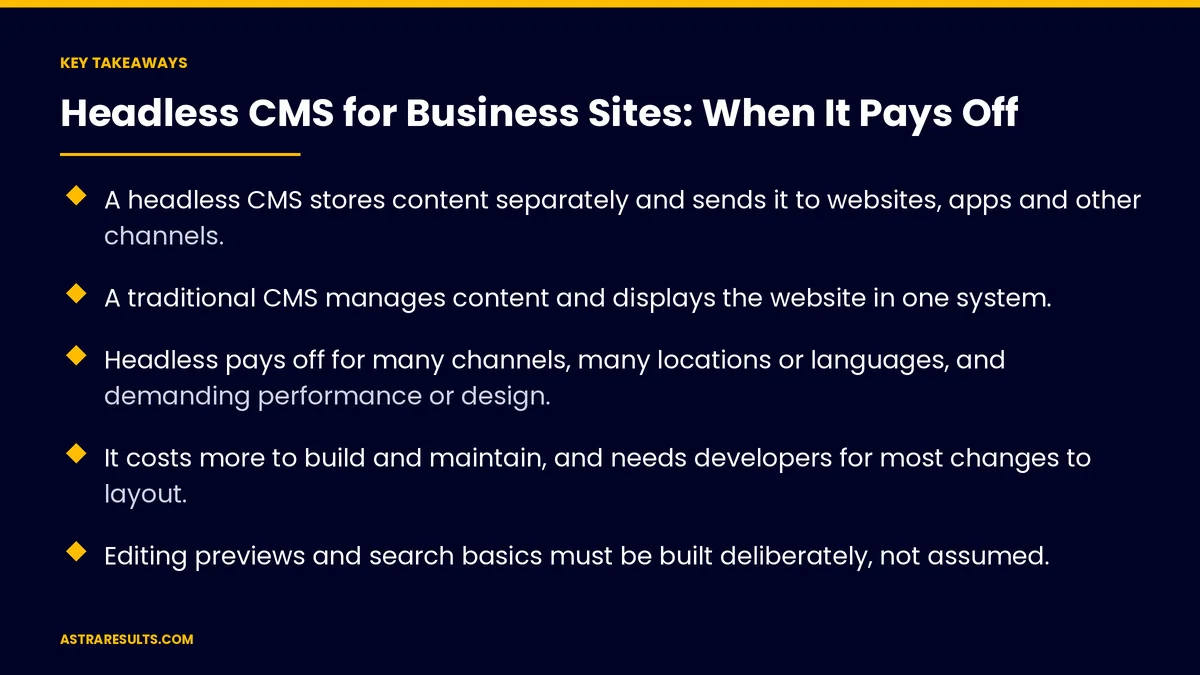
- A headless CMS stores content separately and sends it to websites, apps and other channels.
- A traditional CMS manages content and displays the website in one system.
- Headless pays off for many channels, many locations or languages, and demanding performance or design.
- It costs more to build and maintain, and needs developers for most changes to layout.
- Editing previews and search basics must be built deliberately, not assumed.
- For a single business website, a well-built traditional CMS is often the better choice.
Published: October 3, 2026 | Reading Time: ~9 minutes | Category: Website Development
This guide explains what a headless CMS is, how it differs from a traditional one, when it pays off, what it costs, how it affects editing and search, and how to decide. Put plainly: choose headless when the same content must reach many places, and stay traditional when one good website is the goal.
In This Playbook
- Traditional, headless and hybrid
- When headless pays off
- When it doesn't
- What it costs
- Editing experience
- Search and speed
- How to decide
- Which numbers show a CMS is working well?
- The first three months
Traditional, headless and hybrid
Traditional CMS. Content and website in one system. Editors change text, images and often layouts directly.
Headless CMS. Content stored in one place and delivered to any front end: a website, an app, kiosks or partner sites.
Hybrid. Systems that offer both, with visual editing for the website and content delivery to other channels.
The website is still built. With headless, developers build the front end separately, as part of the process in website development.
When headless pays off
Many channels. The same content on your website, app and other screens, like an app built in React Native using the same product or service details.
Many sites or locations. Shared content across brands or locations, each with local details, as in franchise apps.
Many languages. One structured source for English, Spanish and other versions.
Demanding performance. Very fast pages for large traffic or competitive search.
Custom design. Front ends that standard themes can't support.
Complex integrations. Content combined with data from other systems, as covered in API integration.
When it doesn't
A single business website. A traditional CMS usually does the job for less.
Marketing wants page building. Teams that build landing pages themselves may lose that ability.
No ongoing developer support. Layout changes and new page types usually need developers.
Tight budgets. Headless adds build and running costs.
What it costs
More build time. A separate front end, content models and connections.
Two systems to run. The content system and the website hosting.
Developer time for changes. New page types and layouts need code.
Fewer ready-made plugins. Features like forms or SEO tools may need building or separate services.
Plan it in the budget. Build and running costs are covered in what a business website costs, and ongoing care in care plan pricing.
Editing experience
Structured content. Editors fill in fields rather than designing pages.
Previews. Seeing changes before publishing must be set up deliberately.
Visual editing. Some systems offer it, but check before choosing.
Train editors. Structured editing feels different from page builders.
Search and speed
Pages must render for search engines. The front end should deliver full pages that search engines can read, not empty shells filled in later.
Search basics must be built. Page titles, descriptions, sitemaps, redirects and structured information don't come built in.
Speed can improve. Well-built headless sites are often very fast, but only if built that way.
Plan migrations carefully. Redirects from old addresses protect rankings, as covered in website development timelines.
How to decide
Count your channels. One website, or several places the same content must appear?
Look at your team. Do editors build pages themselves, and do you have developer support?
Check performance needs. Is the current site's speed a real problem?
Compare five-year costs. Build, hosting, tools and developer time for each option.
Consider hybrid. A system that offers visual editing and content delivery may give you both.
Which numbers show a CMS is working well?
Page speed. On key pages, before and after.
Publishing time. From draft to live for common updates.
Content reuse. How often one piece appears across channels.
Developer hours per change. For layouts and new page types.
Organic traffic. Stable or growing after launch.
The first three months
Days 1–30: assess
List every channel where your content appears or should appear. Review how editors work today and what developer support you have. Measure current speed and publishing time.
Days 31–60: compare options
Compare traditional, headless and hybrid against your channels, team and budget over five years. Check editing previews, visual editing and search features for each.
Days 61–90: decide and plan
Choose the approach, model your content if going headless, and plan the migration with redirects and search basics built in from the start.
How Astra advises on headless
Astra Results Marketing helps businesses decide whether headless is worth it. We count your channels, review how your team edits, check performance needs and compare traditional, headless and hybrid options over five years.
When headless fits, we build fast front ends with previews, search basics and redirects planned in. When it doesn't, we say so. Engagements begin with a content and channel review through our website development team.
Related reading
Frequently asked questions
What is a headless CMS?
A content system that stores content separately from how it's displayed, and delivers it to websites, apps and other channels. Developers build each front end separately.
When does a headless CMS make sense?
When the same content must reach several channels, sites, locations or languages, or when performance, design or integrations go beyond what a traditional CMS can handle.
Is headless better for SEO?
It can be fast, which helps, but page titles, sitemaps, redirects and structured information must be built deliberately, and pages must render fully for search engines.
Does headless cost more?
Usually. It needs a separate front end, two systems to run, developer time for layout changes and services for features that traditional systems include.
Can marketers still edit pages?
They can edit content in structured fields. Building new layouts usually needs developers, unless the system offers visual editing. Check before choosing.
What is a hybrid CMS?
A system that offers both visual page editing for the website and content delivery to other channels, giving some of the benefits of each approach.
Ready to know whether headless is right for your site? Astra Results Marketing counts your channels, reviews how your team edits and compares traditional, headless and hybrid over five years, then builds the option that fits, with search basics planned in. ▸ CALL (786) 321-2866 · ▸ REQUEST YOUR CONSULTATION





