 Rated 5 star on

Planning an Integration: Data Maps and Ownership
Quick answer
Plan an integration on paper before anyone builds it. Pick one system as the source of truth for each kind of data. Map every field, including its source, destination and format. Choose a reliable matching key, like a customer ID or email. Decide which change wins in a conflict, and name an owner for every connection.
Most integration problems are planning problems that show up later. Two systems disagree on a customer's phone number, and nobody decided which one wins. Duplicate contacts pile up because records were matched by name. A connection breaks on Friday night, and nobody knows who should fix it. A short planning document prevents all three.
Key Takeaways
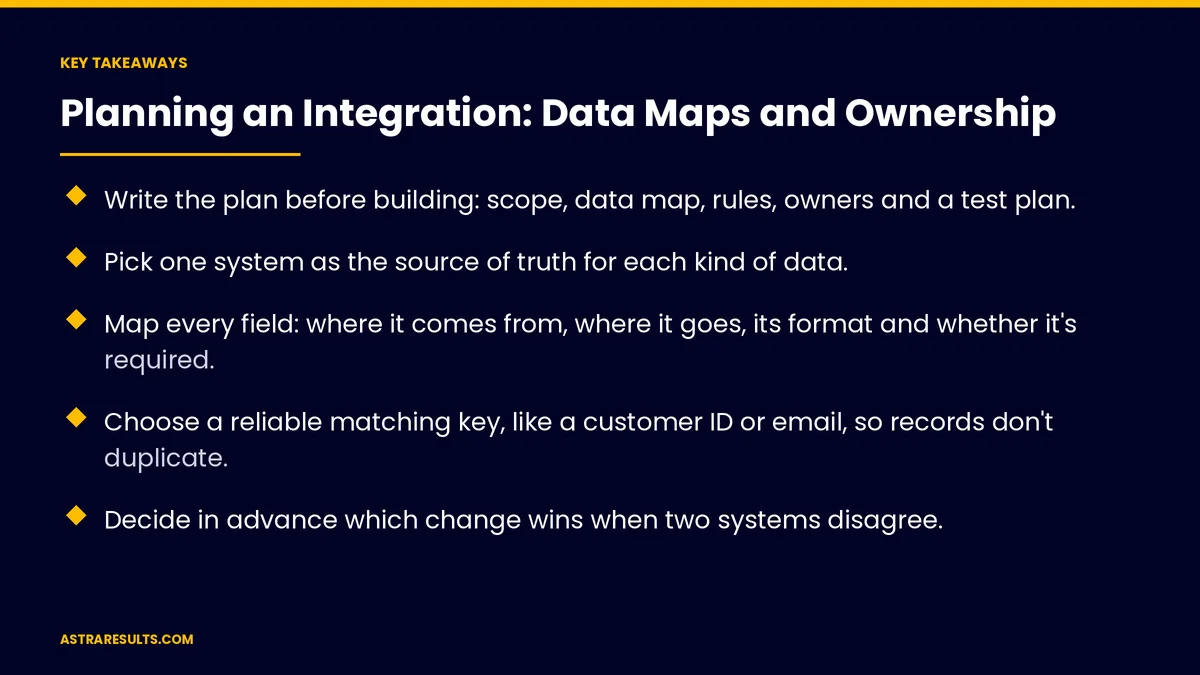
- Write the plan before building: scope, data map, rules, owners and a test plan.
- Pick one system as the source of truth for each kind of data.
- Map every field: where it comes from, where it goes, its format and whether it's required.
- Choose a reliable matching key, like a customer ID or email, so records don't duplicate.
- Decide in advance which change wins when two systems disagree.
- Name a business owner for each kind of data and a technical owner for each connection.
Published: October 18, 2026 | Reading Time: ~10 minutes | Category: API Integration
This guide walks through planning an integration before anyone builds it: the scope, the source of truth, a field-by-field data map, matching keys, conflict rules, timing and volumes, errors, testing, cutover and ownership. Put plainly: decide every field, rule and owner on paper first, and the build becomes the easy part.
In This Playbook
- Start with scope
- Choose the source of truth
- Build the data map
- Matching records across systems
- Rules for conflicts
- Should integrations sync in real time or on a schedule?
- Errors and alerts
- What access should each integration connection get?
- Testing and cutover
- Ownership
- Integration health numbers
- The first three months
Start with scope
One workflow at a time. For example, "new client in the CRM becomes an appointment and an invoice." Not "connect everything."
List the systems involved. Each one, with who manages it and how it shares data.
Define the trigger and result. What starts the flow, and what should exist when it's done.
Note what's out of scope. So the build doesn't quietly grow. The broader picture is covered in API integration.
Choose the source of truth
One owner system per kind of data. Customers in the CRM, products and prices in the store, invoices in accounting.
Others read from it. They may store a copy, but the owner system wins.
Write it down. A short list of each kind of data and its source of truth, agreed by the people who use it.
Build the data map
Every field, one line each. Name, source system and field, destination system and field.
Format. Text, number, date, yes or no, list of choices. Note differences, like dates stored in different formats.
Transformations. Changes needed on the way, like splitting a full name, converting time zones or mapping status values.
Required or optional. What happens if a required field is missing in the source.
Sensitive fields. Personal, health or payment data that needs extra protection, or shouldn't move at all.
Clean the data first. Fix duplicates and bad values before connecting, as covered in the foundation every AI project needs.
Matching records across systems
Pick a reliable key. A customer ID, account number or email address, not a name.
Store each system's ID. Keep the other system's ID on the record, so future updates find the right match.
Plan for no match. Create a new record, or send it to a person to review.
Plan for duplicates. Decide how to merge or flag them when they appear.
Rules for conflicts
One-way where possible. Data flows from the source of truth outward. It's simpler and safer.
Two-way only when needed. Then decide which change wins: the source of truth, or the most recent change for specific fields.
Protect key fields. Some fields, like prices or credit limits, should only change in their owner system.
Log every conflict. So patterns can be spotted and fixed.
Should integrations sync in real time or on a schedule?
Real time or scheduled. Real time for bookings and payments; hourly or nightly for reports.
Estimate volume. Records per day today, and at busy times.
Check system limits. Many systems limit how many requests they accept per minute. Plan around those limits.
Choose the method. Built-in connector, integration platform or custom code, based on volume and complexity, as weighed in integration platforms vs custom API work.
Errors and alerts
What happens when it fails. Retry, queue the record and alert someone.
Who gets the alert. A named person, not a shared inbox nobody reads.
Daily checks. Compare record counts between systems to catch gaps.
Write the recovery steps. How to resend failed records once the problem is fixed.
What access should each integration connection get?
Limited access. Each connection gets only the access it needs.
Sensitive data handling. Move only what each system needs, and protect it in transit and at rest.
Access follows people. When someone leaves, remove their access to the integration tools too, the same discipline described in task manager security.
Testing and cutover
Test with realistic data. Including missing fields, unusual characters, duplicates and very large records.
Test failures. Turn off a system during testing and confirm alerts and retries work.
Backfill history. Decide whether existing records need to be copied across, and how far back.
Plan the switch. Pick a quiet time, run old and new side by side if possible, and confirm counts match.
Have a rollback plan. How to turn the integration off and return to the old process if needed.
Ownership
Business owner per kind of data. The person who decides what's correct for customers, products or invoices.
Technical owner per connection. The person who gets alerts, fixes failures and approves changes.
Change process. When a field is added or renamed in any system, the owners update the data map first.
Documentation. The plan stays current, so a new team member can understand the integration. Planning work like this is part of custom software discovery.
Integration health numbers
Records synced. Daily counts per connection, matching between systems.
Failures and recovery time. How often connections fail and how fast they're fixed.
Duplicates created. Ideally close to zero after launch.
Conflicts logged. By field, to spot rules that need changing.
Hours saved. Manual entry no longer needed, measured against the baseline.
The first three months
Days 1–30: plan on paper
Define the scope, list the systems, choose sources of truth, build the field-by-field data map, choose matching keys and write conflict rules. Name the business and technical owners.
Days 31–60: build and test
Build the connection with retries, queues, alerts and logs. Test with realistic data, failures and edge cases. Plan the backfill and the switch.
Days 61–90: switch and maintain
Switch at a quiet time, run side by side where possible and confirm counts match. Track syncs, failures, duplicates and hours saved, and keep the data map current.
How Astra plans integrations
Astra Results Marketing plans every integration on paper before building it. We define the scope, choose sources of truth, map every field, choose matching keys, write conflict rules and name owners for each kind of data and each connection.
Then we build with retries, alerts and logs, test with realistic data and failures, and switch over carefully with a rollback plan. Engagements begin with a data mapping session through our API integration team.
Related reading
Frequently asked questions
What is a data map in an integration?
A field-by-field list showing where each piece of data comes from, where it goes, its format, any changes needed on the way, and whether it's required or sensitive.
What is a source of truth?
The one system that owns a kind of data, such as customers in the CRM or prices in the store. Other systems read from it, and it wins when values disagree.
How do we stop duplicate records?
Match records with a reliable key such as a customer ID or email, store each system's ID on the record, and decide in advance what happens when no match or more than one match is found.
Should data sync one way or both ways?
One way where possible, from the source of truth outward. Use two-way sync only when needed, with clear rules for which change wins and protected fields that only change in their owner system.
Who should own an integration?
A business owner for each kind of data, who decides what's correct, and a technical owner for each connection, who gets alerts and fixes failures.
How do we switch to a new integration safely?
Test with realistic data and failures, backfill history if needed, switch at a quiet time, run old and new side by side where possible, confirm counts match and keep a rollback plan.
Ready to plan an integration that works the first time? Astra Results Marketing maps every field, chooses sources of truth and matching keys, writes conflict rules and names owners before building, then tests and switches over carefully. ▸ CALL (786) 321-2866 · ▸ REQUEST YOUR CONSULTATION





