 Rated 5 star on


Moving Hosts or Domains Without Breaking the Site
Quick answer
A website can move to a new host or domain without losing email, forms or rankings if every detail is listed first. Lower DNS cache times before the switch. Copy mail records exactly to protect email. For a domain change, redirect every old page and keep those redirects for at least a year.
Moving a website sounds simple until email stops arriving, contact forms go quiet and search traffic drops. Most problems come from details nobody listed: a forgotten DNS record, redirects that weren't set up or a security certificate that didn't move. A careful move keeps visitors, email and rankings working, and most people never notice it happened.
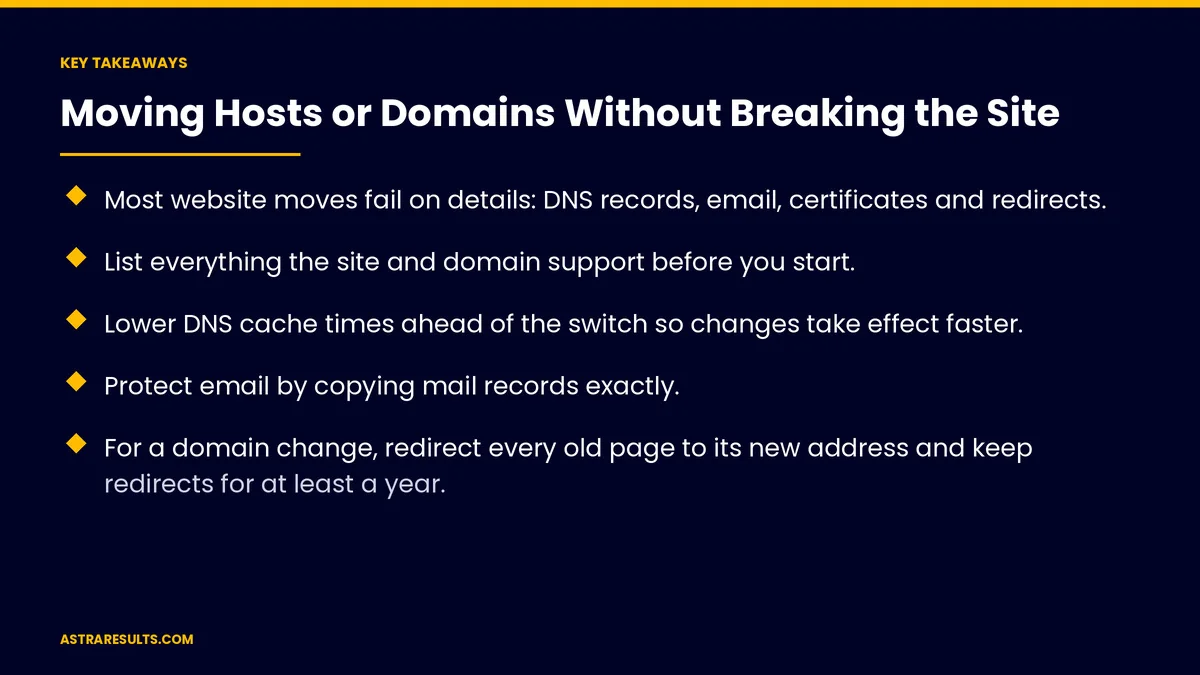
Key Takeaways
- Most website moves fail on details: DNS records, email, certificates and redirects.
- List everything the site and domain support before you start.
- Lower DNS cache times ahead of the switch so changes take effect faster.
- Protect email by copying mail records exactly.
- For a domain change, redirect every old page to its new address and keep redirects for at least a year.
- Check forms, analytics, speed and search reports right after launch.
Published: October 9, 2026 | Reading Time: ~9 minutes | Category: Website Development
This guide covers how to move a website to a new host or a new domain: taking inventory, timing DNS changes, protecting email, testing on a copy, setting up redirects for a domain change, telling search engines, updating everywhere your address appears and checking everything after launch. Put plainly: list everything first, test before switching, and redirect every old address.
In This Playbook
- Host move or domain change?
- What should we inventory before moving a website?
- Timing the DNS change
- Protecting email
- Test before switching
- Changing domains: redirects
- Telling search engines
- Updating everywhere your address appears
- Domain ownership and transfers
- After launch checks
- What to measure
- The move, step by step
Host move or domain change?
Host move. The site stays at the same address but moves to new servers. Visitors shouldn't notice.
Domain change. The site moves to a new address. Every old link needs to point to the new one.
Both at once. Possible, but riskier. Doing them separately makes problems easier to trace.
Platform changes are their own project. Moving to a new store platform, for example, is covered in migrating to Shopify without losing orders or SEO.
What should we inventory before moving a website?
Website files and databases. Everything the site needs to run.
DNS records. Where the domain points for the website, email and other services.
Email. Which provider handles it, and whether it depends on the old host.
Security certificates. The certificate that makes the site load securely.
Forms and integrations. Where form submissions go and which services connect to the site.
Tracking. Analytics, ad conversion tracking and search tools.
Accounts. Domain registrar, hosting and services, ideally all in your business's name.
Timing the DNS change
Lower cache times early. A day or two before the move, shorten how long DNS settings are cached.
Pick a quiet time. Switch when traffic and email are lowest.
Expect a short overlap. Some visitors may reach the old server for a while, so keep it running briefly.
Raise cache times afterward. Once everything works.
Protecting email
Copy mail records exactly. These tell the internet where to deliver your email.
Keep sending records. Records that prove your email is legitimate help messages avoid spam folders.
Check if email lives on the old host. If so, plan an email move too.
Test after the switch. Send and receive from inside and outside the company.
Test before switching
Build a copy. Set up the site on the new host before changing DNS.
Click through key pages. Home, services, contact, checkout and booking.
Submit every form. Confirm submissions arrive where they should.
Check speed and security. The new host should be at least as fast and secure, as covered in security and maintenance after launch.
Changing domains: redirects
Redirect page to page. Each old address points permanently to its matching new address, not just the homepage.
Keep redirects long term. Google recommends keeping them for at least a year; many businesses keep them indefinitely.
Keep the old domain. Renew it, so the redirects keep working and nobody else can take it.
Fix internal links. Update links inside the site to the new domain.
Telling search engines
Use Google's change-of-address tool. In Search Console, for domain changes.
Submit a new sitemap. So search engines find the new addresses.
Watch search reports. Look for errors and pages not found in the weeks after the move.
Expect some movement. Rankings may shift briefly during a domain change.
Updating everywhere your address appears
Google Business Profile. The website link on your listing, as covered in Google Business Profile for Miami practices.
Ads. Final URLs in every campaign.
Social profiles and directories. Wherever your website is listed.
Email signatures and printed materials. Business cards, brochures and vehicle wraps.
Domain ownership and transfers
Registrar in your name. Not a past developer's or agency's.
Auto-renew on. An expired domain can take your site and email offline.
Transfer lock. Keep your domain locked against unauthorized transfers.
Transfer timing. Domains often can't be transferred for 60 days after registration or a previous transfer, so plan ahead.
After launch checks
Crawl the site. Look for broken links and pages not found.
Test forms and checkout again. On the live site.
Confirm analytics and ad tracking. Data should keep flowing.
Monitor for a few weeks. Uptime, speed, email delivery and search reports. Ongoing care is covered in care plan or freelancer.
What to measure
Downtime. Ideally none.
Email delivery. Messages arriving in and out.
Form submissions. Before and after the move.
Search traffic. Week by week after a domain change.
Errors. Pages not found and redirect problems.
The move, step by step
Before: inventory and test
List files, databases, DNS records, email, certificates, forms, integrations and tracking. Confirm accounts are in your name. Build and test the site on the new host, and lower DNS cache times.
During: switch carefully
Switch DNS at a quiet time, copy email records exactly and keep the old server running briefly. For a domain change, turn on page-to-page redirects and use Google's change-of-address tool.
After: check and update
Test forms, checkout, email and tracking. Update your Google Business Profile, ads, profiles and printed materials. Monitor errors, email delivery and search traffic for several weeks.
How Astra moves websites
Astra Results Marketing moves websites to new hosts and domains without breaking what matters. We take a full inventory, test on the new host, time DNS changes, protect email and set up page-to-page redirects for domain changes.
We tell search engines, update your listings and ads and monitor everything after launch, with accounts kept in your name. Engagements begin with a site and domain review through our website development team.
Related reading
Frequently asked questions
Will moving hosts affect our search rankings?
A host move that keeps the same address and works properly usually has little effect. Problems come from downtime, broken pages or slower speed, so test before switching.
How do we keep email working during a move?
Copy mail records exactly, keep the records that prove your email is legitimate, check whether email depends on the old host and test sending and receiving after the switch.
What redirects do we need when changing domains?
Page-to-page permanent redirects from every old address to its matching new one. Google recommends keeping them for at least a year, and keeping the old domain renewed.
How do we tell Google about a new domain?
Use the change-of-address tool in Google Search Console, submit a new sitemap and watch search reports for errors in the weeks after the move.
Can we transfer our domain right away?
Not always. Domains often can't be transferred for 60 days after registration or a previous transfer. Keep the registrar account in your name and auto-renew on.
What should we check after the move?
Broken links, forms, checkout, email delivery, analytics and ad tracking, speed and search reports, for several weeks.
Ready to move your site without breaking anything? Astra Results Marketing moves websites to new hosts and domains with a full inventory, tested copies, careful DNS timing, protected email, page-to-page redirects and weeks of monitoring. ▸ CALL (786) 321-2866 · ▸ REQUEST YOUR CONSULTATION





