 Rated 5 star on

Website Security and Maintenance After Launch
Quick answer
Most website attacks are automated and look for old software, weak passwords and unused accounts. Keep the platform, plugins and themes updated, and remove anything unused. Protect every admin login with two-step verification. Store backups off the server and test restores. Protect the domain and email too, and write a hack response plan in advance.
Most small business websites aren't hacked because someone targeted them. They're hacked because an automated tool found an old plugin, a reused password or a forgotten admin account. Attacks are constant and automatic. The good news is that the same few habits stop most of them, and they can be done on a schedule.
Key Takeaways
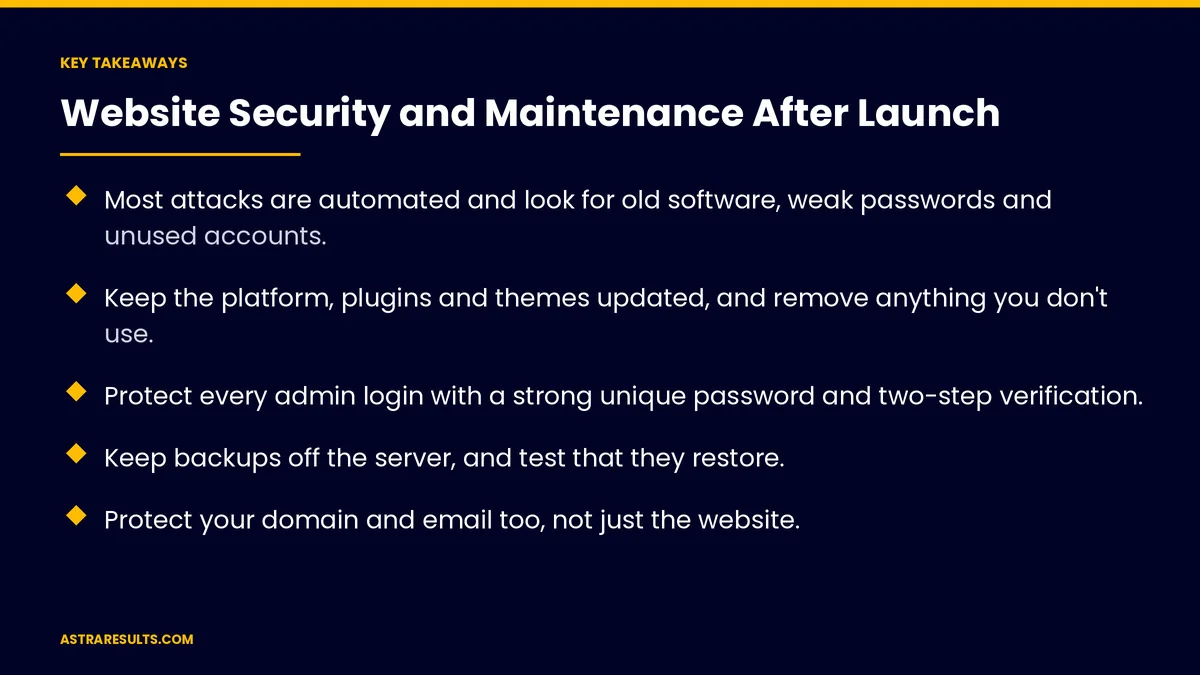
- Most attacks are automated and look for old software, weak passwords and unused accounts.
- Keep the platform, plugins and themes updated, and remove anything you don't use.
- Protect every admin login with a strong unique password and two-step verification.
- Keep backups off the server, and test that they restore.
- Protect your domain and email too, not just the website.
- Write down what to do if the site is hacked, before it happens.
Published: October 31, 2026 | Reading Time: ~10 minutes | Category: Website Care Plans
This guide covers how business websites usually get hacked, the layers of protection that stop it, a maintenance calendar from weekly to yearly, and what to do in the first hours if your site is hit. Put plainly: most website break-ins use doors left open; close them on a schedule, and have a plan for a bad day.
In This Playbook
- How business websites get hacked
- The layers that stop most attacks
- Backups you can trust
- Protect your domain and email too
- Store and payment sites
- A maintenance calendar
- If your site is hacked
- Which website security numbers should we track?
- The first three months
How business websites get hacked
Old software. Outdated platforms, plugins and themes with known security holes. This is the most common way in.
Weak or reused passwords. Passwords stolen from other sites are tried on yours automatically.
Forgotten accounts. Former staff, old contractors and test accounts that still have access.
Unsafe add-ons. Plugins from unknown sources or ones no longer maintained.
Forms without protection. Contact forms used to send spam or attack the site.
Hidden spam. Hackers often add spam pages or links quietly to boost their own sites, and you may not notice until search results show them.
The layers that stop most attacks
Updates. Keep the platform, plugins and themes current. Update promptly when a security fix is released.
Fewer plugins. Remove anything you don't use. Every add-on is something that can break or be attacked.
Strong logins. A unique, long password for every admin user, and two-step verification on all of them.
Right access for each person. Give staff the lowest role that lets them do their job, and remove accounts when people leave. The same rule applies to any system, as covered in agent security.
A firewall in front. A web application firewall or protection service blocks common attacks and bad bots before they reach the site.
Malware scanning. Regular scans for changed files, injected code and spam pages.
Secure connections. HTTPS on every page, with the certificate renewed automatically.
Form protection. Spam filters and limits on how often forms can be submitted.
Backups you can trust
Automatic and frequent. Daily for most sites; more often for stores and booking sites.
Stored off the server. If the server is hacked, backups stored on it may be lost too.
Several copies, kept for weeks. Problems are sometimes found late. Older copies let you go back further.
Restore tested. Restore a backup on a schedule to prove it works. A backup that has never been restored is only a hope.
Taken before every update. So a bad update can be undone in minutes.
Protect your domain and email too
Registrar security. The account where your domain is registered needs a strong password and two-step verification. Losing it can mean losing your website and email.
Domain lock and auto-renew. Prevent unauthorized transfers and accidental expiry.
Email authentication. Settings that prove email from your domain is really from you help stop others sending fake emails in your name.
Keep accounts in your name. Hosting, domain and site access registered to your business, with a care provider given access, not ownership.
Store and payment sites
Use an established payment processor. Card details should never pass through or sit on your own server.
Extra monitoring at checkout. Watch for unexpected changes to checkout pages and scripts.
Platform choice matters. Hosted store platforms handle much of this for you, as weighed in Shopify or custom.
A maintenance calendar
Weekly. Apply security updates, review security alerts, check uptime reports and confirm backups ran.
Monthly. Apply routine updates after a backup, test every form, scan for malware, review admin users and check page speed. Broken forms quietly cost leads, a gap tracked in website KPIs.
Quarterly. Restore a backup to test it, remove unused plugins, review who has access to hosting, domain and site, and check that integrations still work, as covered in API integration.
Yearly. Review the hosting plan, renewals and security settings, and walk through the incident plan with the people involved.
If your site is hacked
Don't panic, and don't delete evidence. Note what you see and when.
Take the site offline or into maintenance mode if it's sending visitors to harmful pages.
Change every password. Admin, hosting, domain registrar, database and email, with two-step verification on all of them.
Restore from a clean backup taken before the attack, then update everything before going live again.
Find how they got in. An old plugin, a stolen password or an unused account. Close it, or it will happen again.
Check search results. Look for spam pages under your domain and request removal once they're cleaned up.
Tell people who need to know. If customer data may have been exposed, legal notice rules may apply. Talk to counsel quickly.
Which website security numbers should we track?
Software currency. The share of platform, plugins and themes on current versions.
Admin accounts. How many exist, and whether all use two-step verification.
Backup and restore tests. Done on schedule, with results recorded.
Security events. Blocked attacks, malware found and how quickly each was handled.
Uptime. Time the site was available, and how fast outages were fixed.
The first three months
Days 1–30: close the open doors
Update everything, remove unused plugins and old accounts, and turn on two-step verification for every admin. Add a firewall, malware scanning and off-server backups. Secure the domain registrar and turn on domain lock and auto-renew.
Days 31–60: set the routine
Start the weekly and monthly maintenance calendar. Test every form, run the first backup restore test and set up email authentication for your domain.
Days 61–90: plan for a bad day
Write the incident plan with names and phone numbers. Run a short walk-through with the people involved. Review security events and software currency, and adjust the routine.
How Astra secures websites
Astra Results Marketing keeps business websites secure on a schedule, not only after something goes wrong. We update and trim plugins, lock down logins with two-step verification, add a firewall and malware scanning, keep tested backups off the server and secure your domain and email.
Every site has a written incident plan, and every account stays in your business's name. Engagements begin with a security and maintenance audit through our website care plans team.
Related reading
Frequently asked questions
Why would hackers target a small business website?
Most don't target you personally. Automated tools scan huge numbers of sites for old software, weak passwords and unused accounts, then use whatever they find to send spam, host malware or boost their own search rankings.
What's the most important security step?
Keeping the platform, plugins and themes updated, and removing what you don't use. Old software with known holes is the most common way into business websites.
Do we need two-step verification?
Yes, for every admin account on the website, hosting and domain registrar. It stops most attacks that use stolen or guessed passwords.
How often should we back up our website?
Daily for most sites, more often for stores and booking sites, with copies stored off the server and a restore tested on a schedule.
Why does the domain registrar matter?
Whoever controls the domain controls the website and email. Protect the registrar account with a strong password and two-step verification, and turn on domain lock and auto-renew.
What should we do if our website is hacked?
Take it offline if it's harming visitors, change every password, restore a clean backup, update everything, find and close the way in, check search results for spam pages and talk to counsel if customer data may be exposed.
Ready to close the doors before someone finds them? Astra Results Marketing keeps your website updated, locks down every login, adds a firewall and malware scanning, keeps tested backups off the server and secures your domain and email, with a written plan for a bad day. ▸ CALL (786) 321-2866 · ▸ REQUEST YOUR CONSULTATION





