 Rated 5 star on

Task Manager Security: Who Sees What
Quick answer
An AI task manager should show each person only the projects and tasks their role allows. Clients and contractors should see only what is shared with them. AI summaries and search must respect the same permissions. Limit what the AI can read, keep passwords out of tasks and remove access the same day someone leaves.
A task manager quietly becomes a record of everything a business does: client names, pricing, hiring plans, complaints and deadlines. Add AI that reads email and chat to create tasks, and it holds even more. That's useful, until a contractor sees a salary discussion, or an AI summary shows someone a project they were never meant to see.
Key Takeaways
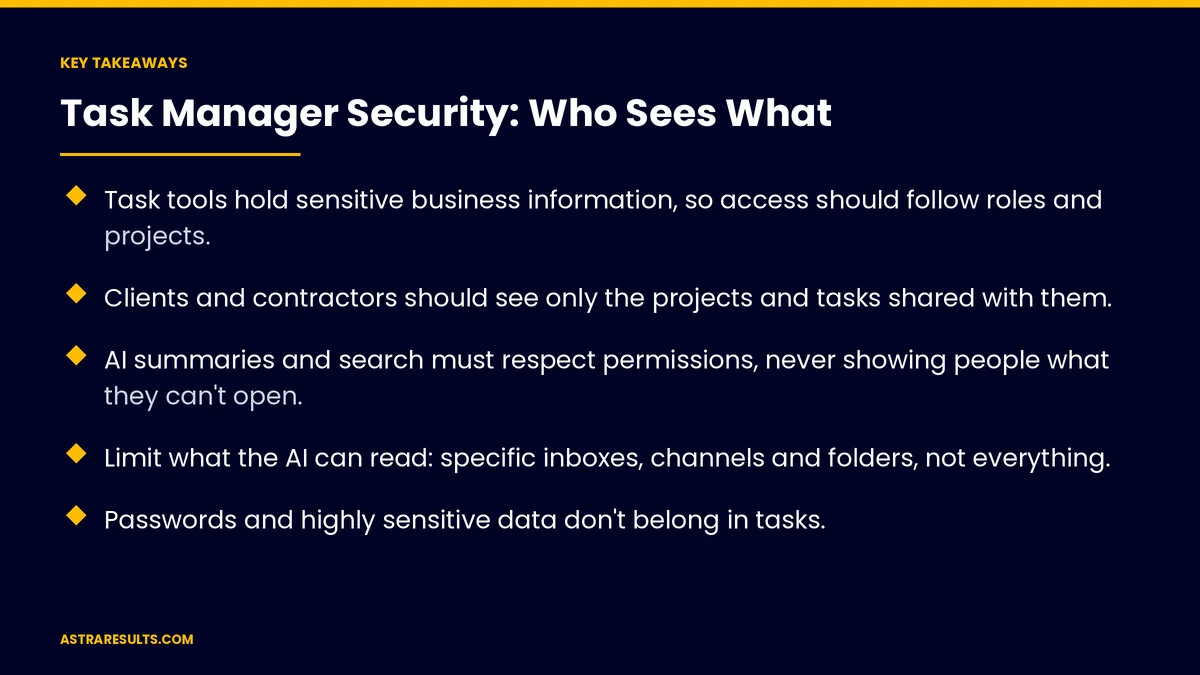
- Task tools hold sensitive business information, so access should follow roles and projects.
- Clients and contractors should see only the projects and tasks shared with them.
- AI summaries and search must respect permissions, never showing people what they can't open.
- Limit what the AI can read: specific inboxes, channels and folders, not everything.
- Passwords and highly sensitive data don't belong in tasks.
- Logs, two-step sign-in and same-day offboarding keep access under control.
Published: October 21, 2026 | Reading Time: ~9 minutes | Category: AI Task Manager
This guide covers securing an AI task manager: who sees which tasks and projects, handling clients and contractors, what the AI may read, keeping sensitive data out, and removing access when people leave. Put plainly: give everyone the access their work needs, make sure the AI respects it, and remove it the day someone leaves.
In This Playbook
- What's at stake
- Access by role and project
- Clients and contractors
- AI that respects permissions
- What the AI can read
- Keep sensitive data out
- Logs, sign-in and devices
- Clean offboarding
- Access numbers to track
- The first three months
What's at stake
Client information. Names, contacts, contracts and pricing.
Internal plans. Hiring, budgets, performance issues and strategy.
Connected sources. Email, chat and files the AI reads to create tasks.
Small leaks add up. A shared link, a forgotten guest or an old employee account can expose more than any single task.
Choosing a tool is covered in is an AI task manager right for a team of five.
Access by role and project
Projects as the boundary. People see the projects they work on, not every project in the company.
Roles inside projects. Who can view, comment, edit or manage.
Private tasks for sensitive work. HR, finance and leadership tasks visible only to the people involved.
Admins kept few. Only a small number of people can change settings and permissions.
Review access regularly. Check project membership every quarter and remove people who no longer need it.
Clients and contractors
Guest access only. Outsiders see only the projects or tasks shared with them.
Separate client spaces. Keep each client's work apart, so one client can never see another's.
Watch comments and files. Internal notes shouldn't sit in tasks that clients can see.
End dates. Contractor access expires when the engagement ends.
AI that respects permissions
Summaries follow access. When someone asks the AI "what's happening on this account," it should only use tasks and files that person can open.
Search follows access. AI search shouldn't surface private tasks in results.
Test it. Sign in as a limited user and ask the AI about restricted projects. It should refuse or return nothing.
Same rules for automation. An AI that creates or updates tasks should work within limits and logs, following the principles in agent security.
What the AI can read
Connect only what's needed. Specific inboxes, channels and folders, not every account in the company.
Review connection permissions. When connecting email or chat, check exactly what access the tool requests.
Exclude sensitive sources. Keep HR, legal and finance channels out unless there's a clear reason.
Know the vendor terms. Check how the provider stores data and whether it's used to train models, as covered in OpenAI in business.
Connections need care. Each link to another system should use limited access, as covered in API integration.
Keep sensitive data out
No passwords in tasks. Use a password manager instead.
Minimal personal data. Link to records in secure systems rather than copying health, financial or ID details into tasks.
Careful with attachments. Sensitive files belong in controlled storage, linked from the task.
Clean up old tasks. Archive or delete completed tasks with sensitive details on a schedule.
Logs, sign-in and devices
Two-step sign-in for everyone. Or single sign-on through your company accounts.
Activity logs. Who viewed, changed, shared or exported what, and when.
Public links off by default. Turn on link sharing only when needed, with expiry dates.
Mobile devices. Require a screen lock, and be able to sign out lost phones remotely.
Clean offboarding
Same-day removal. Remove access when someone leaves, not weeks later.
Reassign their tasks. So nothing is lost or left unowned.
Check guest lists. Remove former contractors and client contacts who no longer need access.
Review connected accounts. Disconnect the departing person's email or chat from the AI.
The same discipline applies to websites and other tools, as covered in website security and maintenance.
Access numbers to track
Access reviews completed. On schedule, every quarter.
Guest accounts. How many exist, and how many have expired or been removed.
Offboarding time. Hours between someone leaving and their access being removed.
Permission tests passed. Limited users unable to see restricted projects, including through AI.
Two-step sign-in coverage. The share of users with it turned on.
The first three months
Days 1–30: map access
List every user, guest, admin and connected source. Remove access people don't need. Turn on two-step sign-in for everyone and turn off public links by default.
Days 31–60: set the rules
Organize work into projects with clear roles, make sensitive work private and separate client spaces. Limit AI connections to specific inboxes, channels and folders. Test that AI summaries and search respect permissions.
Days 61–90: keep it tidy
Set a same-day offboarding checklist, schedule quarterly access reviews and clean up old sensitive tasks. Track guest accounts, offboarding time and permission tests.
How Astra secures task tools
Astra Results Marketing sets up AI task managers so useful work stays visible to the right people and nobody else. We organize access by role and project, keep clients and contractors in their own spaces, limit what the AI can read and test that its summaries respect permissions.
We turn on two-step sign-in, logs and same-day offboarding, and schedule regular access reviews. Engagements begin with an access review through our AI task manager team.
Related reading
Frequently asked questions
Who should be able to see tasks in our task manager?
People working on each project, with roles that control whether they can view, comment, edit or manage. Sensitive work like HR or finance should be private to the people involved.
How should clients and contractors use our task tool?
As guests who see only the projects or tasks shared with them, in separate spaces for each client, with access that ends when the engagement does.
Can AI summaries show people tasks they shouldn't see?
They shouldn't. AI summaries and search must only use what each person is allowed to open. Test this by signing in as a limited user and asking about restricted projects.
What should the AI be allowed to read?
Only the inboxes, channels and folders its job needs. Keep HR, legal and finance sources out unless there's a clear reason, and check the vendor's data terms.
Should passwords be stored in tasks?
No. Use a password manager, and link to sensitive records in secure systems instead of copying them into tasks.
What should happen when someone leaves?
Remove their access the same day, reassign their tasks, disconnect their accounts from the AI and check for guest access that should also end.
Ready to keep your task manager useful and private? Astra Results Marketing organizes access by role and project, keeps guests in their own spaces, limits and tests what the AI can see, and sets up two-step sign-in, logs and same-day offboarding. ▸ CALL (786) 321-2866 · ▸ REQUEST YOUR CONSULTATION





