 Rated 5 star on


Website Content Management: Who Edits What
Quick answer
Website content stays accurate when every page has a named owner and each editor gets only the access their role needs. Use a simple approval flow for offers, prices and claims. Templates with locked layouts protect the design. Version history and backups undo mistakes. Remove access the day people leave.
When only one person edits a website, content management is simple. As a business grows, marketing updates offers, HR posts jobs, location managers change hours and legal wants a say on claims. Without clear rules, pages go out of date, layouts break and nobody knows who changed what. A little structure keeps the site accurate without slowing everyone down.
Key Takeaways
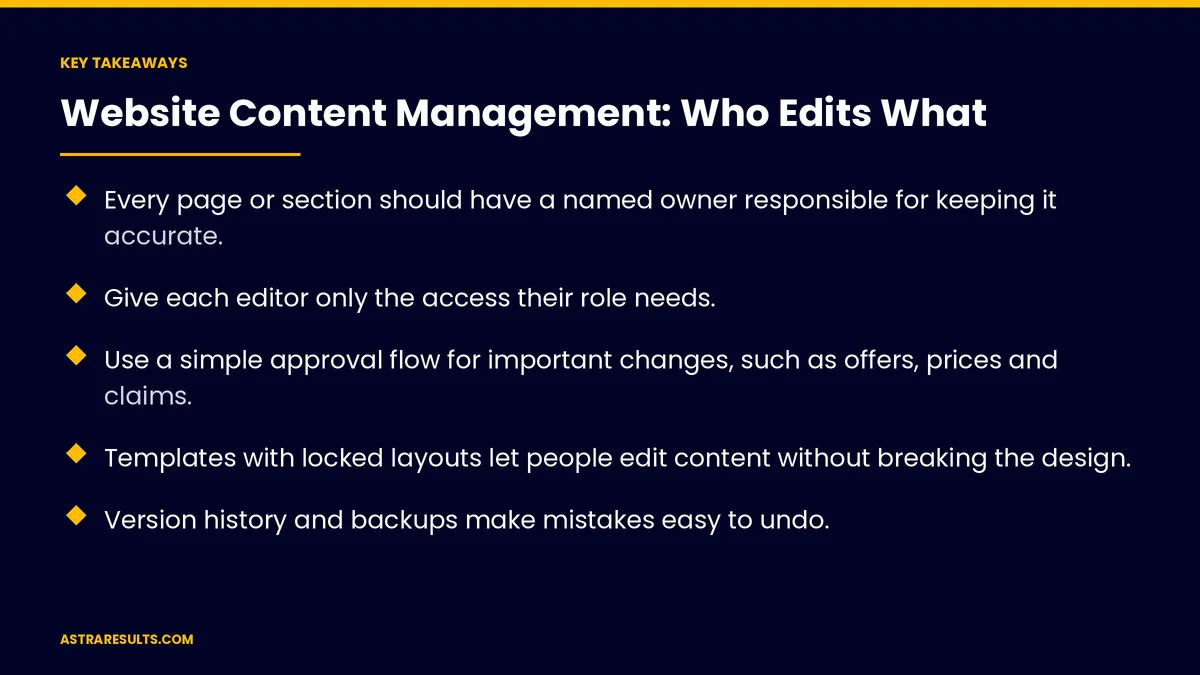
- Every page or section should have a named owner responsible for keeping it accurate.
- Give each editor only the access their role needs.
- Use a simple approval flow for important changes, such as offers, prices and claims.
- Templates with locked layouts let people edit content without breaking the design.
- Version history and backups make mistakes easy to undo.
- Review content regularly and remove access when people leave.
Published: October 15, 2026 | Reading Time: ~8 minutes | Category: Website Development
This guide covers how to manage website content with several editors: roles and permissions, page ownership, approval workflows, templates that protect the design, legal review, Spanish content, version history, regular reviews and access hygiene. Put plainly: give every page an owner, every editor the right access and every important change a quick review.
In This Playbook
- Why content needs rules
- Roles and permissions
- Who should own each page of a business website?
- Approval workflows
- Templates that protect the design
- Legal and compliance review
- Spanish and other languages
- Version history and recovery
- Everyday quality checks
- Regular content reviews
- Access hygiene
- What should website content management measure?
- The first three months
Why content needs rules
More editors, more risk. Outdated hours, broken layouts and conflicting offers.
Unclear ownership. Pages nobody updates because everyone assumes someone else will.
Slow approvals. Or no approvals, which can let mistakes go live.
Hard-to-edit sites. If every change needs a developer, a rebuild may be due, as weighed in redesign vs rebuild.
Roles and permissions
Administrators. Manage settings, users and plugins; keep this group small.
Editors. Publish and change content across sections.
Authors. Write and edit their own content, sometimes publishing directly.
Contributors. Draft content for others to review.
Least access needed. Give each person only what their job requires.
Who should own each page of a business website?
Name an owner for each page or section. Marketing for offers, HR for careers, operations for locations.
Owners keep pages accurate. They update or request changes when things change.
A simple ownership list. Pages, owners and review dates in one place.
Approval workflows
Draft, review, publish. Important pages go through a quick review.
Decide what needs approval. Offers, prices, legal claims and the homepage, not every typo fix.
Name approvers. One or two people per type of content.
Keep it fast. Approvals that take days encourage people to work around them.
Templates that protect the design
Locked layouts. Headers, footers and page structure stay fixed.
Editable blocks. Text, images and buttons people can change safely.
Built on the design system. Shared colors, fonts and components, as covered in design systems for businesses.
Flexible setups. Some sites use more modern content systems, as weighed in headless CMS for business sites.
Legal and compliance review
Claims and prices. Reviewed before publishing, as covered in creative compliance.
Regulated industries. Legal, medical and financial content may need professional review.
Privacy and terms pages. Owned by legal or counsel.
Spanish and other languages
Name owners for each language. Spanish pages need someone responsible for accuracy.
Write naturally. Not word-for-word translation, as covered in bilingual marketing beyond translation.
Keep versions in sync. When an English page changes, update the Spanish page too.
Version history and recovery
Track changes. See who changed what and when.
Roll back mistakes. Restore earlier versions quickly.
Backups too. For bigger problems, as covered in backups and restores.
Everyday quality checks
Alt text for images. For accessibility and search.
Page titles and descriptions. Filled in for every new page.
Links that work. Check links after edits.
Scheduled publishing. Offers that go live and expire on time.
Regular content reviews
Review key pages on a schedule. Quarterly for offers and locations, yearly for others.
Remove outdated content. Old promotions, events and job posts.
Update or redirect. Don't leave visitors on stale pages.
Access hygiene
Remove access when people leave. The same day.
Two-step sign-in. For everyone who edits the site.
Shared accounts are risky. Give each person their own login.
Review users regularly. Quarterly checks of who has access.
What should website content management measure?
Pages past their review date. How many and which.
Approval time. From draft to publish.
Content errors found. By visitors or staff.
Active editors. And their access levels.
Restores needed. How often changes had to be undone.
The first three months
Days 1–30: map owners and access
List key pages and sections, name an owner for each and review who has access at what level. Remove unused accounts and turn on two-step sign-in.
Days 31–60: set workflows and templates
Decide which changes need approval, name approvers and lock layouts in templates. Assign owners for Spanish pages.
Days 61–90: review and maintain
Run a first content review, remove outdated pages and schedule quarterly reviews of content and access.
How Astra sets up content management
Astra Results Marketing builds websites that many people can edit safely. We set up roles and permissions, name page owners, create simple approval flows and build templates that protect your design.
We add version history, backups and regular reviews, with access kept tidy. Engagements begin with a content and access review through our website development team.
Related reading
Frequently asked questions
Who should be able to edit our website?
Anyone who owns content, with access matched to their role. Keep administrators few, and give contributors draft-only access where appropriate.
Which changes need approval?
Offers, prices, legal claims and the homepage usually do. Small fixes like typos usually don't. Name approvers so reviews happen quickly.
How do we stop editors breaking the design?
Use templates with locked layouts and editable blocks for text, images and buttons, built on your design system.
How do we keep Spanish pages up to date?
Name an owner for Spanish content, write it naturally and update it whenever the English version changes.
What if someone publishes a mistake?
Use version history to restore an earlier version, and keep backups for bigger problems.
How do we keep access secure?
Give each person their own login, require two-step sign-in, remove access the day people leave and review users quarterly.
Ready for a website many people can edit safely? Astra Results Marketing sets up roles, page owners, approvals and protected templates, with version history, backups and regular reviews built in. ▸ CALL (786) 321-2866 · ▸ REQUEST YOUR CONSULTATION





