 Rated 5 star on

Google Play Review and Policy Basics
Quick answer
Google Play checks your account, testing, target API level, data disclosures and account deletion before an app goes live. A developer account costs a one-time $25 fee. New personal accounts must run a closed test with 12 testers for 14 days. From August 31, 2026, apps must target API level 36. Apps with accounts must offer deletion.
An Android app can be finished and tested, and still miss its launch date. A new developer account needs a two-week closed test first. The data safety form doesn't match what the app collects. A sensitive permission wasn't declared. None of these are hard to handle, but each one can cost weeks if you discover it at the end.
Key Takeaways
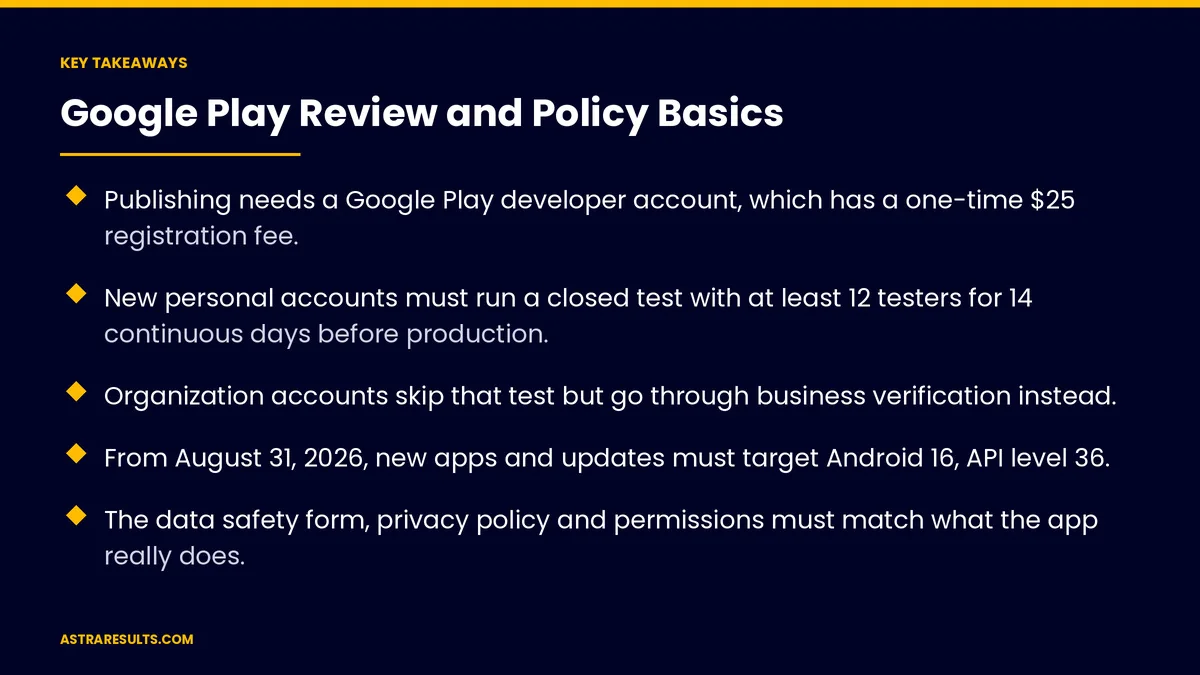
- Publishing needs a Google Play developer account, which has a one-time $25 registration fee.
- New personal accounts must run a closed test with at least 12 testers for 14 continuous days before production.
- Organization accounts skip that test but go through business verification instead.
- From August 31, 2026, new apps and updates must target Android 16, API level 36.
- The data safety form, privacy policy and permissions must match what the app really does.
- Apps that let users create accounts must also let them delete those accounts.
Published: October 15, 2026 | Reading Time: ~10 minutes | Category: Android App Development
This guide covers what Google Play checks before and after an app goes live: the account you publish from, testing requirements, target API levels, store listing and data safety, permissions, account deletion and how to plan the timeline. Put plainly: plan for Google Play's rules from the first week, not the last one.
Google Play's requirements change often. Check the current Play Console Help and policy pages before you plan a launch.
In This Playbook
- Choose the right developer account
- The closed testing requirement
- Target API level
- Store listing, ratings and data safety
- Which permissions should an Android app request?
- Account deletion
- Payments in apps
- Review and launch
- Staying compliant after launch
- What should we measure in a Google Play launch?
- The first three months
Choose the right developer account
Personal or organization. Businesses should usually register as an organization, under the business's legal name.
Organization verification. Google checks business details, which can take time. Start early.
Owned by the business. The account should belong to the company, with staff and agencies given access, never ownership.
One-time fee. Google Play charges a one-time $25 registration fee.
The closed testing requirement
Who it applies to. Personal developer accounts created after November 13, 2023.
What it requires. A closed test with at least 12 testers who have been opted in for the last 14 days continuously, before you can apply for production access.
It's per app. Each new app on such an account needs its own closed test.
Plan the time. The 14 days can't be shortened. Start the closed test early, while you finish the store listing.
Real use counts. Testers should open and use the app during the test, not just join the list.
Organization accounts. Not subject to this rule, which is one more reason businesses should publish as an organization.
Target API level
What it is. The Android version your app is built to work with.
The 2026 deadline. From August 31, 2026, new apps and app updates must target Android 16, API level 36 (Android Developers).
Existing apps. Apps that fall behind can lose visibility to new users on newer devices.
A yearly task. The target moves up every year, so it belongs in your maintenance plan, as covered in app maintenance.
Store listing, ratings and data safety
Store listing. Title, descriptions, screenshots and graphics that describe the app accurately.
Content rating. A questionnaire that sets the app's age rating.
Target audience. Apps aimed at children have extra rules.
Data safety form. A declaration of what data the app collects, why, whether it's shared and how it's protected. It must match what the app and its third-party libraries really do.
Privacy policy. A public link that explains your data practices.
Which permissions should an Android app request?
Ask only for what you need. Each permission should support a feature users can see.
Sensitive permissions need declarations. Access to things like background location, text messages or call logs requires extra explanation in Play Console, and may be refused.
Explain in the app. Tell users why you need a permission before the system asks.
Check your libraries. Third-party code can request permissions or collect data you didn't plan for. Shared code across platforms is covered in React Native strategy.
Account deletion
The rule. Apps that let users create an account must let them request deletion of that account and its data.
Inside the app and on the web. Users should be able to start deletion from the app, and from a web page you list in Play Console.
Explain what's kept. If some records must be kept for legal reasons, say so.
Payments in apps
Digital goods and subscriptions. Selling them inside the app is subject to Google Play's billing rules, which vary by country and have changed in recent years.
Physical goods and services. Usually paid through your own payment processor.
Check the current rules. Before designing checkout, confirm what applies in the countries where you sell, as noted for Latin American markets.
Review and launch
Review times vary. Many apps are reviewed within days, but some take longer. Build in buffer.
Staged rollouts. Release updates to a percentage of users first and watch for problems.
Pre-launch reports. Google tests your app on real devices and reports crashes and issues.
Respond to rejections calmly. Read the policy cited, fix the issue and resubmit with a clear note.
The iPhone side. The App Store has its own review process, covered in building an iPhone app.
Staying compliant after launch
Policy updates. Google updates policies regularly and announces deadlines in Play Console.
Yearly target API updates. Plan them like any other maintenance, as costed in app maintenance: the cost after launch.
Keep forms current. Update the data safety form whenever the app or its libraries change.
Watch your inbox. Policy notices go to the account's contact emails; make sure someone reads them.
What should we measure in a Google Play launch?
Time to production. From first upload to public release.
Review outcomes. Approvals, rejections and the policies cited.
Policy warnings. Notices received and how quickly they were resolved.
Target API compliance. Whether each app meets the current requirement before the deadline.
Crash-free sessions. After each staged rollout.
The first three months
Days 1–30: account and plan
Register as an organization and start verification. Plan target API, permissions, data collection and account deletion from the start. Write the privacy policy.
Days 31–60: test and prepare
If your account is personal, start the 12-tester, 14-day closed test early. Complete the store listing, content rating and data safety form. Declare any sensitive permissions.
Days 61–90: launch and maintain
Submit for review with buffer time, release in stages and watch pre-launch and crash reports. Put target API updates and policy checks on the yearly maintenance calendar.
How Astra launches Android apps
Astra Results Marketing plans Google Play's rules from the first week of every Android project. We set up the developer account in your business's name, build to the current target API, keep permissions minimal and complete data safety, privacy and account deletion requirements accurately.
We plan around testing and review times, release in stages and keep apps compliant as policies change. Engagements begin with a launch readiness review through our Android app development team.
Related reading
Frequently asked questions
What does it cost to publish on Google Play?
Google Play charges a one-time $25 registration fee for a developer account. Building, testing and maintaining the app are separate costs.
What is the 12-tester rule?
Personal developer accounts created after November 13, 2023 must run a closed test with at least 12 testers opted in for 14 continuous days before applying for production access. Organization accounts aren't subject to it.
Should a business publish from a personal or organization account?
An organization account, registered in the business's name. It avoids the closed testing rule for personal accounts and keeps ownership with the company, though it requires business verification.
What target API level does Google Play require?
From August 31, 2026, new apps and updates must target Android 16, API level 36. The requirement rises every year, so plan updates annually.
What is the data safety form?
A Play Console declaration of what data your app collects and shares, why, and how it's protected. It must match what the app and its third-party libraries really do.
Do apps have to offer account deletion?
Yes. Apps that let users create accounts must let them request deletion of the account and its data, both in the app and through a web page listed in Play Console.
Ready to launch on Google Play without last-minute surprises? Astra Results Marketing plans for Google Play's rules from week one: the right account, current target API, minimal permissions, accurate data safety and account deletion, with testing and review time built into the schedule. ▸ CALL (786) 321-2866 · ▸ REQUEST YOUR CONSULTATION





