 Rated 5 star on

In-App Payments: Stores, Fees and Workarounds
Quick answer
Store billing rules mainly apply to digital goods and subscriptions, while physical goods and real-world services can use regular payment methods. US court rulings now let apps link to outside web checkouts for digital purchases. Apple currently can't charge a commission on those purchases, though courts are still deciding. Google requires US fee reporting from October 2026.
App store fees can decide whether an app business works. For years, Apple and Google required their own billing for digital purchases, with commissions historically between about 15% and 30%. US court cases have changed that, and the rules are still shifting.
Key Takeaways
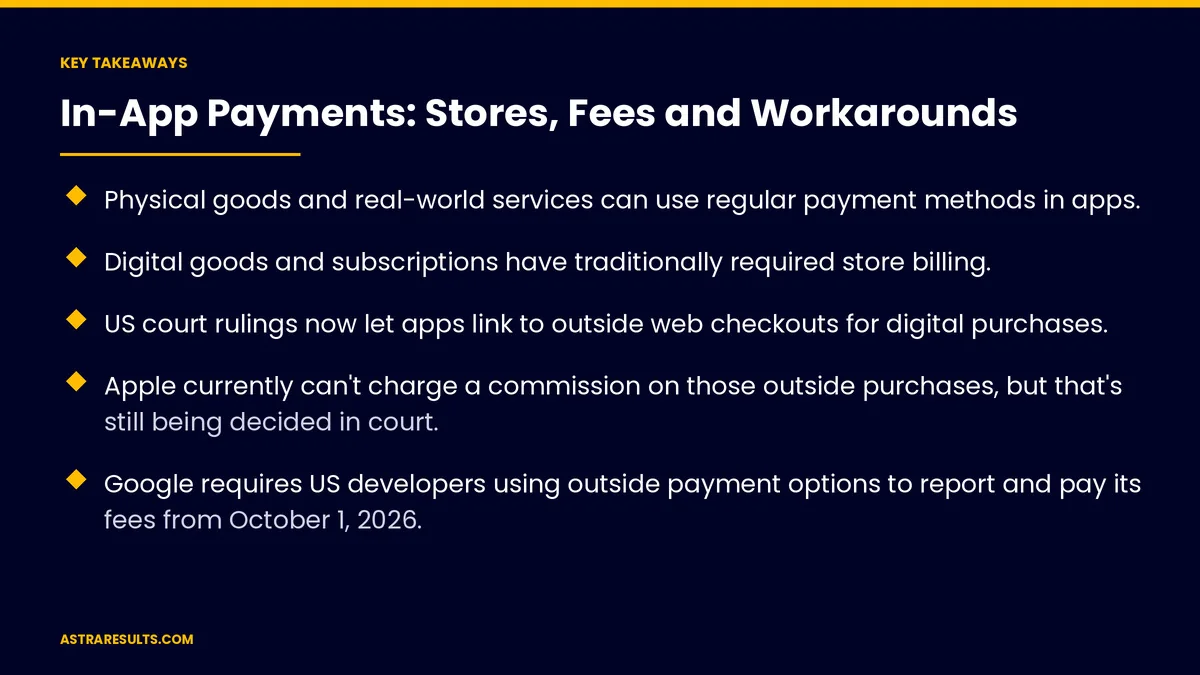
- Physical goods and real-world services can use regular payment methods in apps.
- Digital goods and subscriptions have traditionally required store billing.
- US court rulings now let apps link to outside web checkouts for digital purchases.
- Apple currently can't charge a commission on those outside purchases, but that's still being decided in court.
- Google requires US developers using outside payment options to report and pay its fees from October 1, 2026.
- Outside checkouts can save fees but may lower conversion, so test both.
Published: October 14, 2026 | Reading Time: ~9 minutes | Category: Mobile App Development
This guide covers in-app payments for US apps: physical versus digital purchases, store billing, web checkout links, recent rule changes, remaining fees, user experience and staying compliant. Put plainly: know which rules apply to what you sell, use only the options the stores allow, and check again before every pricing decision.
This is general information as of October 2026, not legal advice. These rules are changing through court cases; confirm current terms with Apple, Google and counsel.
In This Playbook
- Physical or digital: the first question
- Store billing for digital purchases
- What changed in the US
- The compliant alternatives
- User experience trade-offs
- Fees still in the picture
- Staying compliant as rules change
- What should we measure for in-app payments?
- The first three months
Physical or digital: the first question
Physical goods and services. Food orders, retail products, rides, appointments and classes can use regular payment methods, as in restaurant apps and fitness apps.
Digital goods. Premium features, in-app currency, digital content and subscriptions used in the app.
The difference matters. Store billing rules mainly apply to digital purchases.
Fast checkout for physical goods. Apple Pay and Google Pay through your payment provider, as covered in Apple Pay loyalty.
Store billing for digital purchases
How it works. Apple's in-app purchase and Google Play Billing handle payment, receipts and refunds.
Benefits. Familiar checkout, trust and easy subscription management for users.
Costs. Store commissions, which have historically ranged from about 15% to 30% depending on program and type.
Still the default. Most apps selling digital goods continue to offer store billing.
What changed in the US
Apple. Since a 2025 court ruling, US apps can link users to an outside web checkout for digital purchases, and Apple currently can't charge a commission on those outside purchases.
Still being decided. An appeals court has allowed Apple to seek a "reasonable" fee, to be set by the district court, and Apple has taken its case to the Supreme Court.
Google. US developers can use outside links and alternative billing under Google's programs, and from October 1, 2026, must report those transactions and pay Google's service fees.
Outside the US. Rules differ by country, including in Europe and Japan.
The compliant alternatives
Web checkout links. Send users to your website to pay, where store rules allow it.
Alternative billing programs. Where a store offers them, follow their enrollment and reporting rules.
Sell on your website. Customers can subscribe on your site and sign in to the app.
Never hide payment options. Breaking store rules can get an app removed.
User experience trade-offs
Leaving the app adds steps. Some users drop off when sent to a web checkout.
Store billing feels familiar. Many users trust it for subscriptions and refunds.
Test both. Compare conversion and net revenue after fees.
Make outside checkout smooth. Saved payment methods and clear return to the app.
Fees still in the picture
Payment processor fees. Outside checkouts still pay card processing.
Store fees on outside payments. Google charges fees on US outside payments from October 2026; Apple's position may change after court decisions.
Taxes and refunds. Handling sales tax, refunds and chargebacks becomes your job outside store billing.
Count everything. Net revenue after all fees, as in the business case for an app.
Staying compliant as rules change
Follow current store guidelines. They're updated as court cases progress.
Watch announcements. Apple and Google publish policy updates for developers.
Review before pricing changes. Confirm the rules before launching new offers.
Distribution rules matter too. Android distribution changes are covered in Play Store vs direct distribution.
Test prices before building. Willingness to pay can be tested early, as in validating demand.
What should we measure for in-app payments?
Checkout conversion. Store billing versus outside checkout.
Net revenue per purchase. After store and processor fees.
Refund and chargeback rates. By payment method.
Subscription retention. By where users subscribed.
Support requests. About payments and refunds, routed quickly as in support ticket routing.
The first three months
Days 1–30: map what you sell
List every purchase in your app and classify it as physical or digital. Review current Apple and Google rules for your region and confirm them with counsel.
Days 31–60: choose and set up
Decide whether to keep store billing, add a web checkout link or join an alternative billing program. Set up tracking for conversion and net revenue by payment method.
Days 61–90: test and review
Test store billing against outside checkout where allowed, compare net revenue after fees and review store policy updates before making changes permanent.
How Astra handles app payments
Astra Results Marketing helps businesses set up app payments that fit current store rules. We classify what you sell, set up store billing or regular payments, add web checkout links where allowed and track net revenue after fees.
We follow store guidelines closely and review changes as court cases progress. Engagements begin with an app payments review through our mobile app development team.
Related reading
Frequently asked questions
Do all app purchases have to use Apple or Google billing?
No. Physical goods and real-world services, such as food orders, products and appointments, can use regular payment methods. Store billing rules mainly apply to digital purchases.
Can US apps link to their own web checkout?
Yes. US court rulings now let apps link to outside web checkouts for digital purchases, subject to each store's current rules.
Does Apple charge a commission on outside web purchases?
Not currently in the US, following a 2025 court ruling. An appeals court has allowed Apple to seek a reasonable fee, and the issue is still in the courts, so check current rules.
Does Google charge fees on outside payments?
From October 1, 2026, US developers using Google's outside link and alternative billing programs must report transactions and pay Google's service fees.
Is an outside checkout always better?
Not always. It can save store fees but may lower conversion and adds tax, refund and support work. Test both and compare net revenue.
How do we keep up with changing rules?
Follow Apple's and Google's developer announcements, review policies before pricing changes and confirm with counsel.
Ready to set up app payments that fit today's rules? Astra Results Marketing classifies what your app sells, sets up store billing or regular payments, adds web checkout where allowed and tracks net revenue after every fee. ▸ CALL (786) 321-2866 · ▸ REQUEST YOUR CONSULTATION





