 Rated 5 star on


Logistics iPad Apps: Proof of Delivery
Quick answer
An iPad proof-of-delivery app cuts disputes by recording what happened at the door before the truck leaves. It combines scans, photos, signatures, time and GPS location. Exceptions such as damage and refusals need quick steps of their own. The app must work offline and sync records to dispatch and billing right away.
"We never got it" is one of the most expensive sentences in logistics. Without clear proof, disputes become arguments and credits get issued just to close them. Paper delivery slips get wet, lost or misread. An iPad proof-of-delivery app captures what happened at the door, when and where, before the truck leaves.
Key Takeaways
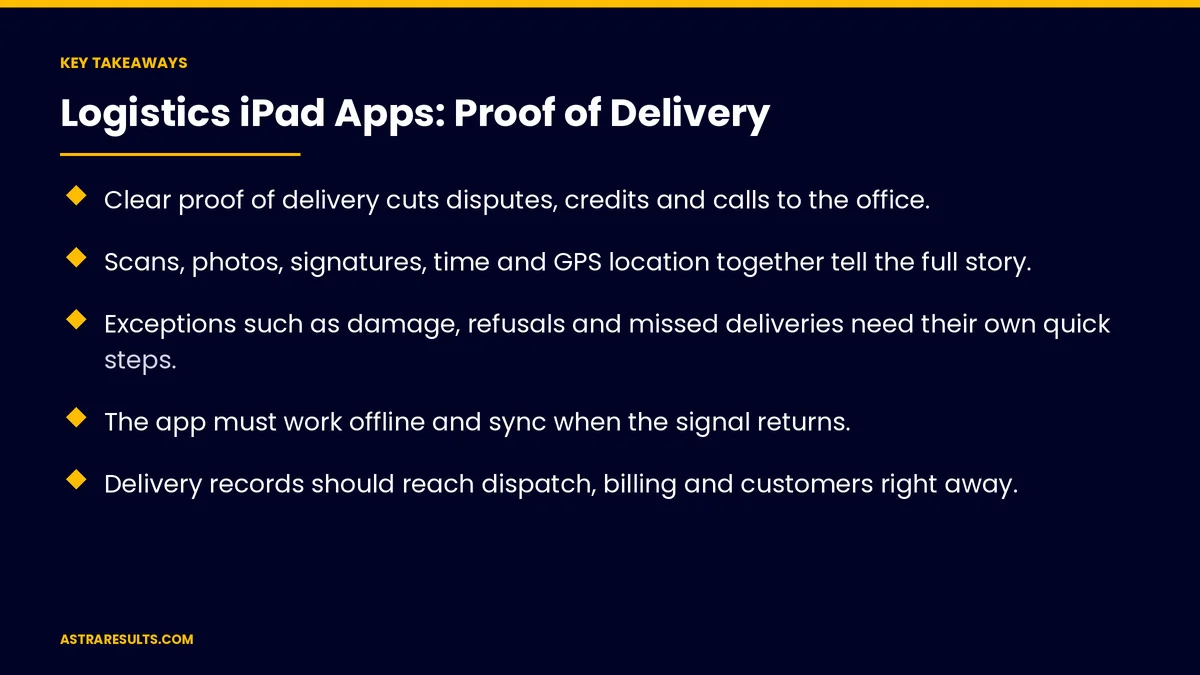
- Clear proof of delivery cuts disputes, credits and calls to the office.
- Scans, photos, signatures, time and GPS location together tell the full story.
- Exceptions such as damage, refusals and missed deliveries need their own quick steps.
- The app must work offline and sync when the signal returns.
- Delivery records should reach dispatch, billing and customers right away.
- Photograph packages, not people, and tell drivers how location data is used.
Published: October 27, 2026 | Reading Time: ~9 minutes | Category: iPad App Development
This guide covers how logistics companies use iPad apps for proof of delivery: scanning, photos, signatures and location, handling exceptions, working offline, syncing with dispatch and warehouse systems, notifying customers and protecting privacy. Put plainly: capture the moment of delivery so clearly that disputes settle themselves.
In This Playbook
- Why proof of delivery matters
- What the app captures
- Why an iPad
- Handling exceptions
- Working offline
- How does a proof-of-delivery app sync with dispatch?
- Keeping customers informed
- Privacy and driver trust
- How should we roll out a proof-of-delivery app?
- What to measure
- The first three months
Why proof of delivery matters
Disputes cost money. Without proof, many companies issue credits just to end the argument.
Paper fails. Slips get lost, damaged or misread, and reach the office days later.
Billing waits. Invoices often can't go out until delivery is confirmed.
Customers want answers. "Was it delivered, and where?" should take seconds to answer.
What the app captures
Scans. Barcodes or QR codes on each package or pallet confirm the right items reached the right stop.
Photos. The package at the door, the pallet on the dock or the condition on arrival.
Signatures. Captured on screen, with the signer's printed name.
Time and location. Automatic timestamps and GPS coordinates for each delivery.
Notes. Where it was left, who received it and any special instructions followed.
Why an iPad
Bigger screen for manifests. Multi-stop routes and multi-item deliveries are easier to review.
Better for signatures. Customers sign comfortably on a larger screen.
Clear photos and scans. Good cameras handle both.
Rugged cases. Protect devices on the road and the dock. The broader case for iPads is covered in iPad apps for business.
Is it the right device? Some fleets prefer phones; the trade-offs are covered in is an iPad app right for your operation.
Handling exceptions
Damaged goods. Photos, a damage code and notes before the driver leaves, building on damage detection at the dock.
Refused deliveries. The reason recorded, with a photo where helpful.
Nobody home. A photo of the location, the attempt time and the next step.
Wrong or missing items. Scans show exactly what was delivered and what wasn't.
Quick codes. Drivers pick from a short list of reasons instead of typing.
Working offline
Dead zones happen. Warehouses, rural roads and basements often have no signal.
Save everything on the device. The app stores scans, photos and signatures until it reconnects.
Sync automatically. Records upload when the signal returns, without driver action.
Show sync status. Drivers and dispatch can see what's waiting to upload. The same need for offline work is covered in construction iPad apps.
How does a proof-of-delivery app sync with dispatch?
Dispatch sees deliveries live. Stops update as drivers complete them.
Billing starts sooner. Confirmed deliveries can trigger invoices.
Warehouse systems stay accurate. Returns and exceptions update inventory.
Plan the connections. Decide which system owns each record, as covered in planning an integration.
Keeping customers informed
Delivery notifications. A message when the delivery is complete, with a photo if appropriate.
Self-service proof. Customers can view proof of delivery in a portal or tracking app, as covered in logistics customer apps.
Faster dispute answers. Support staff pull up the record in seconds.
Privacy and driver trust
Photograph packages, not people. Frame the delivery, not faces or home interiors.
Tell drivers about location tracking. Explain what's collected, when and why.
Track during work only. Location tracking should stop when shifts end.
Limit access and keep records sensibly. Only the people who need delivery records can see them, for a set time.
How should we roll out a proof-of-delivery app?
Start with one route or depot. Test with experienced drivers.
Keep steps short. Every extra tap slows every stop.
Train in person. A short walkthrough beats a manual.
Manage devices centrally. Updates, security settings and lost-device locks from one place.
What to measure
Disputes and credits. Before and after.
Time to invoice. From delivery to billing.
Time per stop. Making sure proof capture doesn't slow drivers.
Complete records. The share of deliveries with all required proof.
App use. Sync success and adoption, using the measures in iPhone app analytics.
The first three months
Days 1–30: plan
Record current disputes, credits and time to invoice. Define what proof each delivery type needs, the exception codes and the systems the app must sync with. Set privacy rules for photos and location.
Days 31–60: pilot
Build the core capture steps with offline mode and test on one route or depot. Train drivers in person, and check time per stop and record completeness.
Days 61–90: connect and expand
Connect to dispatch, billing and customer notifications. Compare disputes, credits and time to invoice with the baseline, then roll out to more routes.
How Astra builds proof-of-delivery apps
Astra Results Marketing builds iPad proof-of-delivery apps for logistics companies. We capture scans, photos, signatures, time and location in a few quick steps, handle exceptions with simple codes and make sure everything works offline.
Records sync to dispatch, billing and customers, with clear rules on photos and driver location. Engagements begin with a delivery and systems review through our iPad app development team.
Related reading
Frequently asked questions
What should a proof-of-delivery app capture?
Package or pallet scans, photos, signatures with printed names, automatic time and GPS location, and notes on where the delivery was left or who received it.
Why use an iPad instead of a phone?
The larger screen helps with multi-stop manifests, multi-item deliveries and customer signatures. Some fleets still prefer phones, so weigh your routes and delivery types.
What happens when there's no signal?
The app saves scans, photos and signatures on the device and syncs automatically when the signal returns, showing drivers and dispatch what's waiting to upload.
How should exceptions be handled?
With quick steps for damaged, refused, missed and wrong deliveries: a reason code, photos and notes captured before the driver leaves.
How does proof of delivery reduce disputes?
Scans, photos, signatures, time and location together show what was delivered, when and where. Support staff can share the record in seconds, so fewer disputes end in credits.
What privacy rules should we follow?
Photograph packages rather than people or home interiors, tell drivers what location data is collected and when, track only during work hours and limit who can see records.
Ready to settle delivery disputes before they start? Astra Results Marketing builds iPad proof-of-delivery apps that capture scans, photos, signatures and location, work offline, handle exceptions and sync straight to dispatch, billing and customers. ▸ CALL (786) 321-2866 · ▸ REQUEST YOUR CONSULTATION





