 Rated 5 star on

Swift App Maintenance and iOS Updates
Quick answer
A Swift app stays healthy with small, regular updates rather than large catch-up projects. Swift, Xcode and iPhone software change every year, and Apple periodically requires recent tools to submit updates. Swift 6 added stricter data race checks. Apple also requires privacy manifests for sensitive features, and third-party libraries need regular review.
A native Swift app doesn't stay finished. Apple updates the Swift language, Xcode and iPhone software every year, retires old features and adds new privacy rules. Apps that fall behind show warnings, then crashes, and eventually can't be updated. Regular maintenance keeps a Swift app working, secure and ready for new features.
Key Takeaways
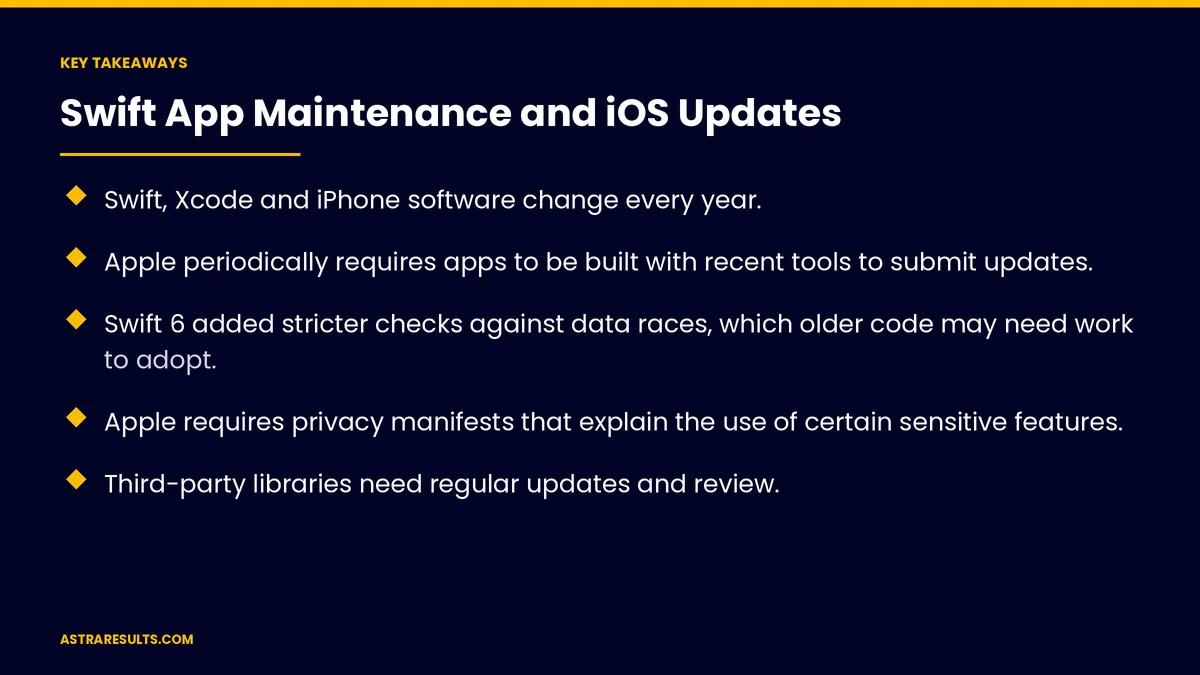
- Swift, Xcode and iPhone software change every year.
- Apple periodically requires apps to be built with recent tools to submit updates.
- Swift 6 added stricter checks against data races, which older code may need work to adopt.
- Apple requires privacy manifests that explain the use of certain sensitive features.
- Third-party libraries need regular updates and review.
- Small, regular updates cost less than large catch-up projects.
Published: October 28, 2026 | Reading Time: ~8 minutes | Category: Swift Development
This guide covers maintenance for native Swift apps: Swift language updates, new Xcode versions and Apple's build requirements, retired features, Apple's privacy manifest rules, third-party libraries, testing, crash monitoring and planning the work. Put plainly: update a little every few months, so the app never needs a painful catch-up.
In This Playbook
- Why Swift apps need ongoing care
- Swift language updates
- Xcode and Apple's build requirements
- Retired features
- Privacy manifests
- Third-party libraries
- How should a Swift app be tested and monitored?
- Planning the work
- What to measure
- The first three months
Why Swift apps need ongoing care
Apple moves every year. New iPhone software, Xcode and Swift versions.
Old features retire. Code using them shows warnings, then may break.
Store requirements rise. Falling behind can block updates.
The yearly calendar is covered in iOS and Android updates.
Swift language updates
New Swift versions. Bring improvements and new checks.
Swift 6. Added stricter checks that catch data races, where two parts of the app change the same data at once.
Adopt gradually. Turn on new checks module by module, fixing issues as you go.
Benefits. Fewer crashes and safer code over time.
Xcode and Apple's build requirements
New Xcode versions. Needed to support new iPhone software and devices.
Build requirements. Apple periodically requires apps to be built with a recent software kit before submitting updates.
Don't wait for the deadline. Update early to avoid rushed fixes.
Retired features
Watch the warnings. Xcode flags features Apple plans to retire.
Replace them steadily. Before they stop working.
Interface updates. Newer interface tools, such as SwiftUI, change each year too.
Done properly from the start is covered in Swift: native iOS done properly.
Privacy manifests
Apple's rule. Apps that use certain sensitive system features must explain why in a privacy manifest.
Third-party libraries too. Commonly used libraries need their own privacy manifests and signatures.
Keep labels accurate. App Store privacy details should match what the app collects.
Health and payment data. Extra care, as in fitness Swift apps and Apple Pay loyalty.
Third-party libraries
Update regularly. For fixes, security and new iPhone software support.
Replace abandoned ones. Before they block updates.
Fewer is better. Each library adds maintenance work.
Cross-platform apps have similar needs. As covered in React Native maintenance.
How should a Swift app be tested and monitored?
Test on real devices. Older and newer iPhones and iPads you support.
Beta testing. Try new iPhone software in summer, before the fall release.
Crash monitoring. Watch crash reports after every release.
Automated tests. Key flows checked on every build.
Planning the work
Small, regular updates. Every few months, not once every few years.
A yearly plan. Swift and Xcode updates, retired features and store requirements.
Response times. For urgent issues, as covered in app maintenance response times.
Put it in the contract. As covered in maintenance contracts.
Budget for it. Upkeep is part of owning an app, as weighed in is an iPhone app right for your business.
What to measure
Crash-free users. After each release.
Warnings outstanding. Retired features still in use.
Library age. Outdated or abandoned libraries.
Time to compatible update. After new iPhone software ships.
Store requirements met. Before deadlines.
The first three months
Days 1–30: check the app's health
Review Swift and Xcode versions, warnings for retired features, privacy manifests and library ages. Note upcoming Apple requirements.
Days 31–60: catch up
Update Xcode and libraries, replace retired features, fix privacy manifest gaps and start adopting stricter Swift checks module by module.
Days 61–90: set the rhythm
Add automated tests and crash monitoring, schedule beta testing and agree on a regular update cycle and response times.
How Astra maintains Swift apps
Astra Results Marketing keeps native Swift apps healthy. We update Swift and Xcode, replace retired features, keep privacy manifests and labels accurate, manage libraries and test on real devices.
Small, regular updates keep your app current and ready for new features. Engagements begin with an app health review through our Swift app development team.
Related reading
Frequently asked questions
How often should a Swift app be updated?
Small updates every few months work best, with extra attention each summer and fall around new iPhone software.
What happens if we don't maintain the app?
Warnings turn into crashes, retired features stop working and Apple's build requirements can block App Store updates until the code catches up.
What changed with Swift 6?
Swift 6 added stricter checks against data races. Older code can adopt them gradually, module by module, for fewer crashes over time.
What are privacy manifests?
Files that explain why an app uses certain sensitive system features. Apple requires them, and commonly used third-party libraries need their own.
Do third-party libraries need maintenance?
Yes. Update them regularly, replace abandoned ones and keep the number of libraries small.
How should Swift maintenance be planned?
With a yearly plan for Swift and Xcode updates, retired features and Apple requirements, plus agreed response times in your maintenance contract.
Ready to keep your Swift app current without painful catch-ups? Astra Results Marketing maintains native Swift apps with regular Swift and Xcode updates, privacy manifests, library care and real-device testing. ▸ CALL (786) 321-2866 · ▸ REQUEST YOUR CONSULTATION





