 Rated 5 star on


Website Forms That Reach the Right Person
Quick answer
Make every website form land with a named person who acts on it fast. Route submissions by service, location, language and urgency. Send them to the CRM with an owner and an instant alert. Escalate when nobody responds in time. Authenticate your sending domain, and test each form monthly and after site updates.
A website form only works if someone acts on what it sends. Too often, submissions land in a shared inbox nobody watches, go to someone who left the company or end up in spam. The visitor waits, hears nothing and calls a competitor. Getting every form to the right person fast stops those losses.
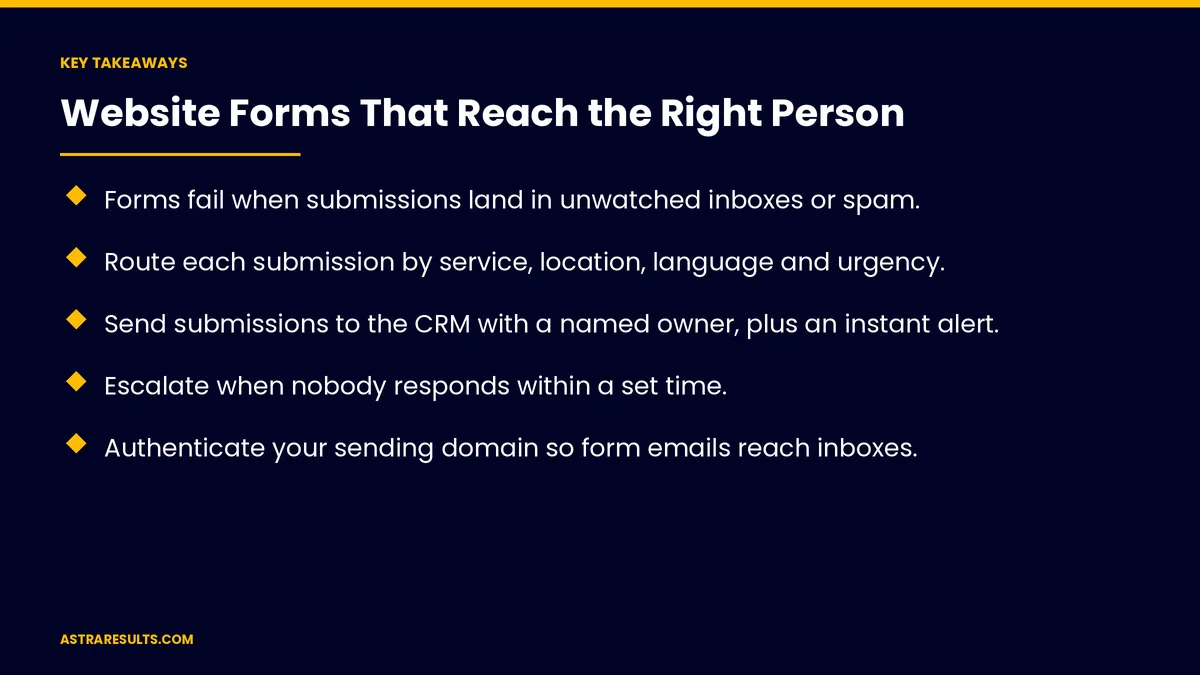
Key Takeaways
- Forms fail when submissions land in unwatched inboxes or spam.
- Route each submission by service, location, language and urgency.
- Send submissions to the CRM with a named owner, plus an instant alert.
- Escalate when nobody responds within a set time.
- Authenticate your sending domain so form emails reach inboxes.
- Test every form monthly and after website updates.
Published: October 17, 2026 | Reading Time: ~8 minutes | Category: Website Development
This guide covers website forms that reach the right person: routing rules, where submissions go, alerts and confirmations, escalation, spam protection, email delivery, testing and monitoring, privacy, accessibility and Spanish, tracking the source and what to measure. Put plainly: route every form to someone who acts, alert them instantly and check that nothing goes missing.
In This Playbook
- Routing rules
- Where should website form submissions be sent?
- Alerts and confirmations
- How fast should someone answer a form submission?
- Spam protection
- Email delivery
- Testing and monitoring
- Privacy
- Accessibility and Spanish
- Track the source
- What to measure
- The first three months
Routing rules
By service. Sales, service, billing or careers.
By location. ZIP code to the nearest office, as in franchise PPC.
By language. Spanish forms to Spanish-speaking staff, as covered in Spanish landing pages.
By urgency. Emergencies flagged and sent first.
New or existing customer. Different teams, different steps.
Where should website form submissions be sent?
The CRM. With an owner assigned and the source attached.
A shared inbox. Only if someone is responsible for it.
A team chat channel. For instant visibility.
A ticket system. For service and support requests.
Connected properly. As covered in website integrations and webhooks explained.
Alerts and confirmations
Instant alert to the owner. By text, chat or email.
Confirmation to the visitor. What happens next and when.
Business hours. Say when replies come after hours.
How fast should someone answer a form submission?
Set a response time. Such as 15 minutes during business hours.
Escalate if missed. Alert a backup or manager.
Speed matters. As covered in the intake gap.
Spam protection
Hidden fields and timing checks. Catch bots without bothering people.
Light challenges only when needed. Hard puzzles turn real visitors away.
Review spam folders. Real leads sometimes get caught.
Email delivery
Form emails can land in spam. Especially from unauthenticated domains.
Authenticate your domain. Set up SPF, DKIM and DMARC records.
Prefer direct connections. CRM and chat delivery avoid email problems.
Testing and monitoring
Test every form monthly. And after any website update, as part of care plan content updates.
Silence alerts. Warn when no submissions arrive for an unusual stretch, as covered in when integrations break.
Check routing. Each test should reach the right owner.
Privacy
Ask only what's needed. As covered in form length.
Text consent. A separate, unchecked box.
Sensitive details. Law, health and finance forms should ask for contact details first, not the full story.
Accessibility and Spanish
Clear labels. On every field, not just placeholder text.
Helpful errors. Say what's wrong and how to fix it.
Spanish forms and confirmations. For Spanish-speaking visitors.
Track the source
Campaign and page. Saved with each submission.
Compare with calls. As covered in call tracking.
What to measure
Response time. From submission to first reply.
Unanswered submissions. Should be zero.
Routing accuracy. Submissions reaching the right owner.
Spam rate. And real leads caught as spam.
Leads by source. Campaign and page.
The first three months
Days 1–30: audit
List every form, where it sends, who receives it and how fast they reply. Send test submissions and check spam folders.
Days 31–60: fix routing
Set routing rules, connect forms to the CRM with owners, add instant alerts, confirmations and escalation and authenticate your sending domain.
Days 61–90: monitor
Test monthly and after updates, add silence alerts and track response time and unanswered submissions.
How Astra builds forms that reach people
Astra Results Marketing builds website forms that reach the right person every time. We set routing rules, connect forms to your CRM with owners and alerts, add escalation, protect against spam without blocking people and test forms regularly.
Engagements begin with a forms audit through our website development team.
Related reading
Frequently asked questions
Why do website form leads get lost?
Submissions go to unwatched inboxes, people who left, the wrong team or spam folders.
How should forms be routed?
By service, location, language, urgency and whether the person is a new or existing customer.
Where should form submissions go?
Ideally into the CRM with a named owner, plus an instant alert by text, chat or email.
How do we stop form emails going to spam?
Authenticate your sending domain with SPF, DKIM and DMARC, and prefer direct CRM or chat delivery.
How often should we test forms?
Monthly and after every website update, checking that each test reaches the right owner.
Should forms ask for sensitive details?
No. For law, health and finance, collect contact details first and discuss specifics privately.
Ready for every form to reach someone who acts? Astra Results Marketing routes website forms to the right owner, adds alerts and escalation, protects against spam and tests forms so no lead goes missing. ▸ CALL (786) 321-2866 · ▸ REQUEST YOUR CONSULTATION





