 Rated 5 star on


Website Integrations: Booking, Chat and Payments
Quick answer
Booking, chat and payment tools let website visitors act without waiting, so add them with care. Connect each tool to your CRM so no lead or payment gets lost. Load scripts only on pages that need them to keep pages fast. Use a payment provider's hosted checkout so card details never touch your site.
Visitors want to act right away: book an appointment, ask a question or pay a deposit. A website that only offers a phone number and a contact form makes them wait, and many won't. Booking, chat and payment tools let visitors finish the job on the spot, but each one adds code, data and settings that need care.
Key Takeaways
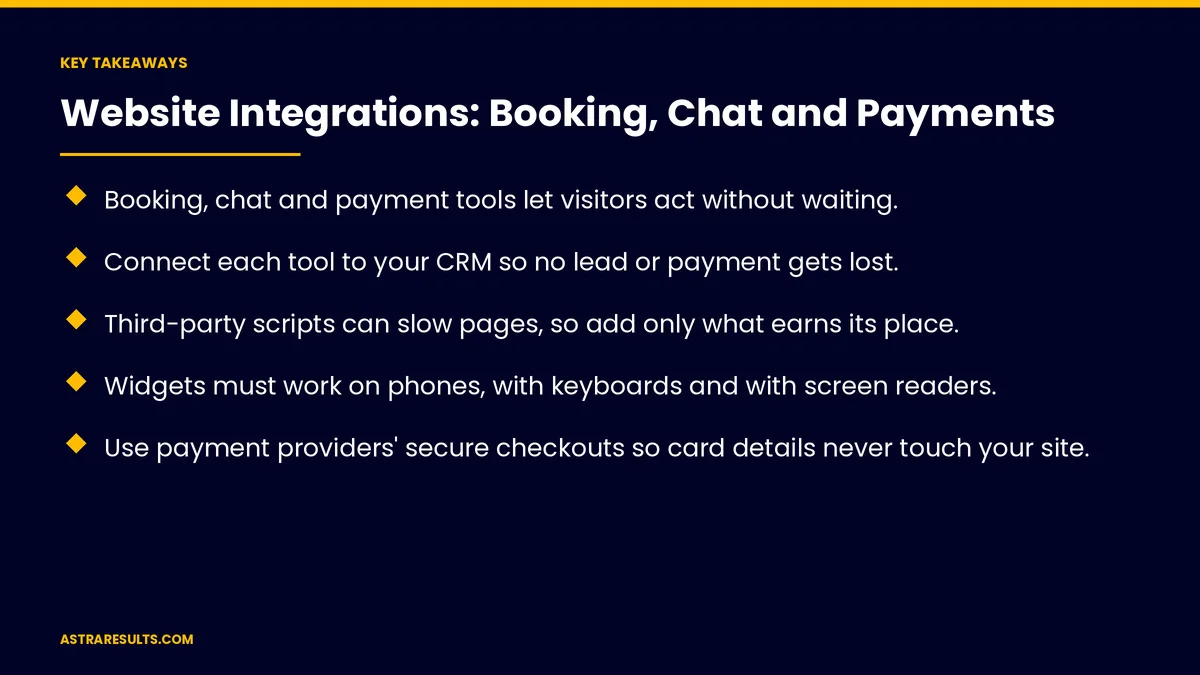
- Booking, chat and payment tools let visitors act without waiting.
- Connect each tool to your CRM so no lead or payment gets lost.
- Third-party scripts can slow pages, so add only what earns its place.
- Widgets must work on phones, with keyboards and with screen readers.
- Use payment providers' secure checkouts so card details never touch your site.
- Retest booking, chat and payments after every website update.
Published: October 31, 2026 | Reading Time: ~8 minutes | Category: Website Development
This guide covers how to add booking, chat and payments to a business website: choosing how each fits, connecting them to your CRM, keeping pages fast and accessible, Spanish versions, tracking results, security, data ownership and testing after updates. Put plainly: let visitors book, ask and pay in a few taps, and make sure every action reaches your team.
In This Playbook
- Booking
- Chat
- Payments
- Connect everything to your CRM
- Keep pages fast
- Accessibility and mobile
- Spanish versions
- Tracking results
- How do we keep website integration data secure?
- Test after every update
- How do we measure website integration results?
- The first three months
Booking
Embedded, linked or built in. An embedded calendar keeps visitors on your site; a link is simpler; a custom tool fits unusual rules.
Live availability. Show real open times, synced with staff calendars.
Reminders. Confirmations and reminders reduce no-shows.
Connected to your CRM. As covered in connecting your CRM to your booking system.
Chat
Live chat. Staff answer during set hours.
AI chat. Answers common questions and captures leads around the clock, as covered in AI inbound intake.
Clear hours and handoff. Tell visitors when a person will reply, and hand off complex questions.
Fast replies. Chat leads expect quick answers, as covered in speed to lead.
Payments
Deposits, invoices and checkout. Collect payments online for bookings, services or products.
Use secure hosted checkouts. Payment providers handle card details, so your site never stores them.
Clear totals. Show fees and terms before payment.
Receipts. Sent automatically, with records synced to accounting.
Connect everything to your CRM
Every booking, chat lead and payment recorded. With the source attached.
Instant updates. Many tools send updates as they happen, as covered in webhooks explained.
No double entry. Staff shouldn't retype details from one tool to another.
Keep pages fast
Scripts add weight. Each widget loads code that can slow pages.
Load only where needed. Booking widgets on booking pages, not every page.
Measure speed. Before and after adding tools, especially on mobile.
One job per page. As covered in conversion-focused design.
Accessibility and mobile
Usable on phones. Large buttons and readable text in every widget.
Keyboard and screen readers. Test that embedded tools work for everyone.
Clear error messages. When a time slot is taken or a payment fails.
Spanish versions
Spanish widgets. Booking, chat and payment pages in Spanish where visitors need them.
Spanish replies. Chat and confirmations in the visitor's language, as covered in Spanish landing pages.
Tracking results
Track completions. Bookings made, chats started and payments received.
Across tools. When a tool runs on another domain, set up tracking so results aren't lost.
Measure by source. Which campaigns lead to bookings and payments.
How do we keep website integration data secure?
Limit data collected. Only what each tool needs.
Review vendor access. Who can see customer data.
Own your data. Make sure you can export bookings, chats and payment records.
Security basics are covered in mobile app security basics.
Test after every update
Updates can break integrations. Website and plugin updates can stop forms and widgets working, as covered in plugin and theme updates.
Run test actions. A test booking, a test chat and a test payment.
Watch for silent failures. Leads that never reach the CRM.
How do we measure website integration results?
Bookings, chats and payments completed. Online, by month.
Leads reaching the CRM. Every one, without gaps.
Page speed. With tools added.
No-show rate. After reminders.
Revenue collected online. Deposits and payments.
The first three months
Days 1–30: choose and connect
Decide how booking, chat and payments fit your business, choose tools and connect each one to your CRM. Measure page speed as a baseline.
Days 31–60: launch carefully
Add tools only to the pages that need them, test on phones, with keyboards and in Spanish, and set up tracking for completions.
Days 61–90: measure and maintain
Track bookings, chats, payments and leads reaching the CRM, and add test actions to your update routine.
How Astra builds website integrations
Astra Results Marketing adds booking, chat and payments to business websites the right way. We choose tools that fit, connect them to your CRM, keep pages fast and accessible, use secure hosted checkouts and test after every update.
Every booking, chat and payment reaches your team. Engagements begin with a website integration review through our website development team.
Related reading
Frequently asked questions
Should booking be embedded on our website?
Often, yes, so visitors stay on your site. A simple link works too. Custom booking suits unusual rules or complex scheduling.
Is AI chat better than live chat?
They do different jobs. AI chat answers common questions and captures leads any time; live chat handles complex questions during set hours. Many sites use both, with clear handoff.
Is it safe to take payments on our website?
Yes, when you use a payment provider's secure hosted checkout, so card details never touch your site.
Do website integrations slow down pages?
They can. Load each tool only on the pages that need it and measure speed before and after.
How do we make sure leads aren't lost?
Connect every tool to your CRM, track completions and run test bookings, chats and payments after every website update.
Should integrations be available in Spanish?
Where your visitors need them, yes: Spanish booking, chat, payment pages and confirmations.
Ready to let visitors book, ask and pay on your website? Astra Results Marketing adds booking, chat and payments that connect to your CRM, keep pages fast and accessible, use secure checkouts and keep working after every update. ▸ CALL (786) 321-2866 · ▸ REQUEST YOUR CONSULTATION





