 Rated 5 star on


Webhooks Explained for Business Owners
Quick answer
A webhook is an automatic message one system sends to another the moment something happens, such as a payment or booking. It is faster than one system checking another on a schedule. Reliable webhooks retry failures, handle duplicates and alert someone. Secure webhooks verify the sender and send only the data needed.
When a customer pays, books or fills in a form, other systems often need to know right away. Webhooks are how many systems pass that news along automatically. Business owners don't need to build them, but knowing how they work helps you ask the right questions and spot problems before customers do.
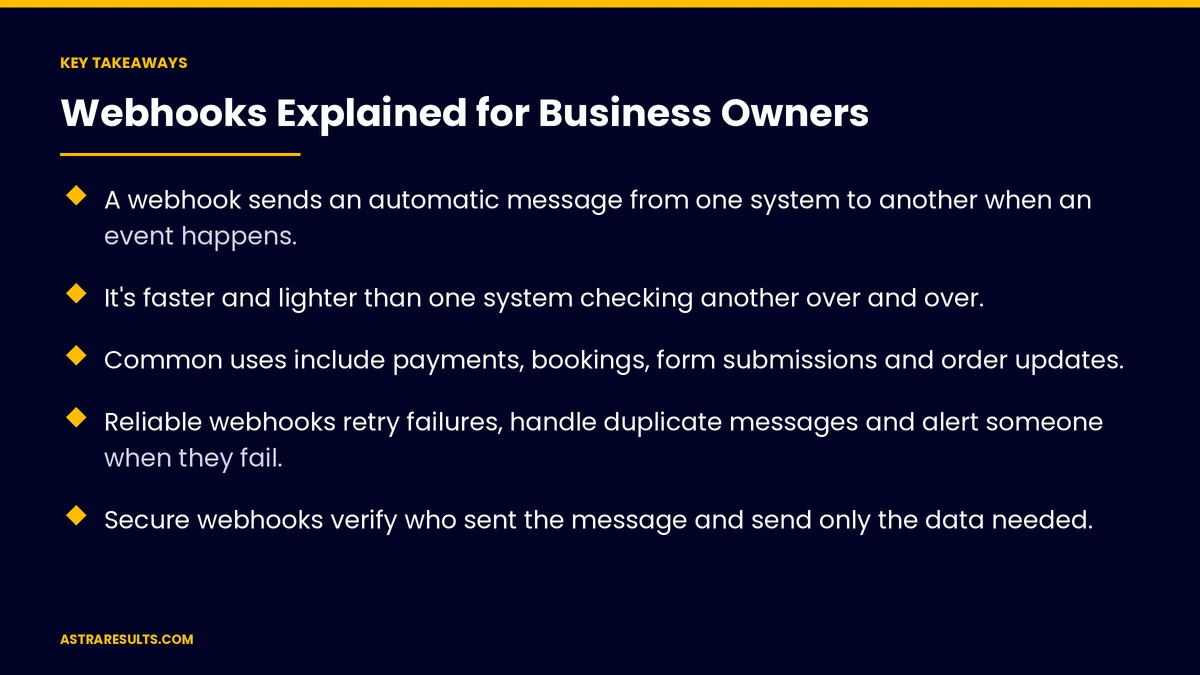
Key Takeaways
- A webhook sends an automatic message from one system to another when an event happens.
- It's faster and lighter than one system checking another over and over.
- Common uses include payments, bookings, form submissions and order updates.
- Reliable webhooks retry failures, handle duplicate messages and alert someone when they fail.
- Secure webhooks verify who sent the message and send only the data needed.
- Measure delivery success, delays and failures, not just whether it was set up.
Published: October 29, 2026 | Reading Time: ~8 minutes | Category: API Integration
This guide explains webhooks in plain terms: what they are, everyday examples, their three parts, reliability, security, tools, when not to use them and what to measure. Put plainly: a webhook is one system tapping another on the shoulder the moment something happens.
In This Playbook
- What a webhook is
- Webhooks versus checking on a schedule
- Everyday examples
- The three parts of a webhook
- Making webhooks reliable
- Keeping webhooks secure
- Tools for building webhooks
- When not to use webhooks
- What to measure
- The first three months
What a webhook is
An automatic message. When something happens in one system, it sends a short message to another system.
Triggered by an event. A payment, a booking, a new lead or a shipped order.
Instant. The receiving system learns about it within seconds.
Part of a bigger picture. Webhooks are one way systems connect, as covered in API integration.
Webhooks versus checking on a schedule
Checking on a schedule. System B asks System A every few minutes, "Anything new?"
Webhooks. System A tells System B only when something happens.
Why it matters. Faster updates, less wasted work and fewer delays for customers.
Sometimes both. A scheduled check can catch anything a webhook missed.
Everyday examples
Payments. A payment clears, and the CRM marks the invoice paid, as with QuickBooks integrations.
Bookings. A booking is made, and the calendar updates and a confirmation text goes out, as in connecting your CRM to your booking system.
Forms. A website form is submitted, and a task appears for the sales team.
Orders. An order ships, and the customer gets a tracking message.
The three parts of a webhook
The event. What happened, such as "payment completed."
The address. Where the message is sent: a web address the receiving system listens on.
The data. Details about the event, such as the order number and amount.
Making webhooks reliable
Retries. If the receiving system is down, the sender tries again later.
Duplicate messages. Retries can send the same message twice, so the receiver should handle repeats safely, without double-charging or double-booking.
Order of messages. Messages can arrive out of order; check timestamps where it matters.
Alerts. Someone is told when webhooks keep failing.
Logs. A record of every message sent and received.
Keeping webhooks secure
Verify the sender. Check the signature most services include, so fake messages are rejected.
Encrypted connections. Send webhooks only over secure web addresses.
Send only what's needed. Avoid passing sensitive data you don't use.
Protect secret keys. Store them safely, as covered in cross-platform security considerations.
Tools for building webhooks
Integration platforms. Connect common tools without custom code, as weighed in integration platforms vs custom API work.
Custom receivers. For unusual workflows, high volumes or strict security needs.
Website plugins. Many forms and stores send webhooks through plugins, which need careful updates, as covered in plugin and theme updates.
Store apps. Shopify apps often handle order and shipping webhooks, so choose them carefully, as covered in Shopify apps.
Plan the data first. Decide which system owns what, as covered in planning an integration.
When not to use webhooks
Large batch jobs. Daily reports or bulk imports suit scheduled transfers.
Systems without webhook support. Scheduled checks may be the only option.
When delays are fine. Not everything needs to happen instantly.
What to measure
Delivery success rate. Share of webhooks received and processed.
Delay. Time from event to update.
Failures and retries. How often, and why.
Duplicates handled. Repeat messages caught safely.
Business errors. Missed bookings, unpaid invoices or lost leads traced to failed webhooks.
The first three months
Days 1–30: map the events
List the events that should update other systems: payments, bookings, forms and orders. Check which tools support webhooks and where scheduled checks are used today.
Days 31–60: build reliably
Set up webhooks with signature checks, retries, duplicate handling, logs and failure alerts. Test with real events, including failures.
Days 61–90: monitor and improve
Track delivery success, delays and failures, add a scheduled check as a safety net where needed and fix recurring problems.
How Astra builds webhooks
Astra Results Marketing connects business systems with reliable, secure webhooks. We map the events that matter, verify every message, handle retries and duplicates, keep logs and alert your team when something fails.
We choose integration platforms or custom receivers based on your needs. Engagements begin with an integration review through our API integration team.
Related reading
Frequently asked questions
What is a webhook in simple terms?
An automatic message one system sends to another when something happens, such as a payment, booking or form submission.
How is a webhook different from an API?
An API lets one system ask another for information. A webhook sends information automatically when an event happens, so the receiving system doesn't have to keep asking.
What happens if a webhook fails?
Most services retry. A reliable setup also logs every message, alerts someone when failures repeat and may use a scheduled check as a backup.
Can webhooks send the same message twice?
Yes, especially during retries. The receiving system should handle repeats safely so nothing is charged or booked twice.
Are webhooks secure?
They can be, when the receiver verifies each message's signature, uses encrypted connections and receives only the data it needs.
Do we need custom development for webhooks?
Not always. Integration platforms handle many common tools. Custom receivers suit unusual workflows, high volumes or strict security needs.
Ready for systems that update each other instantly? Astra Results Marketing builds reliable, secure webhooks that connect payments, bookings, forms and orders, with retries, duplicate handling, logs and alerts. ▸ CALL (786) 321-2866 · ▸ REQUEST YOUR CONSULTATION





