 Rated 5 star on

Wholesaler NLP: Purchase Order Reading
Quick answer
NLP lets wholesalers read purchase orders from emails, PDFs and scans instead of retyping them. It extracts customers, ship-to addresses, items, quantities, prices and dates. Customer part numbers are mapped to your item codes. Orders are checked against contract prices, stock and credit. Low-confidence reads go to people for review.
For many wholesalers, the order desk is a bottleneck. Purchase orders arrive as emailed PDFs, spreadsheets, scanned faxes and plain email text, each in a different layout. Staff retype them line by line, and every typo becomes a wrong shipment. Language AI can read most of those orders, so people only handle the ones that need judgment.
Key Takeaways
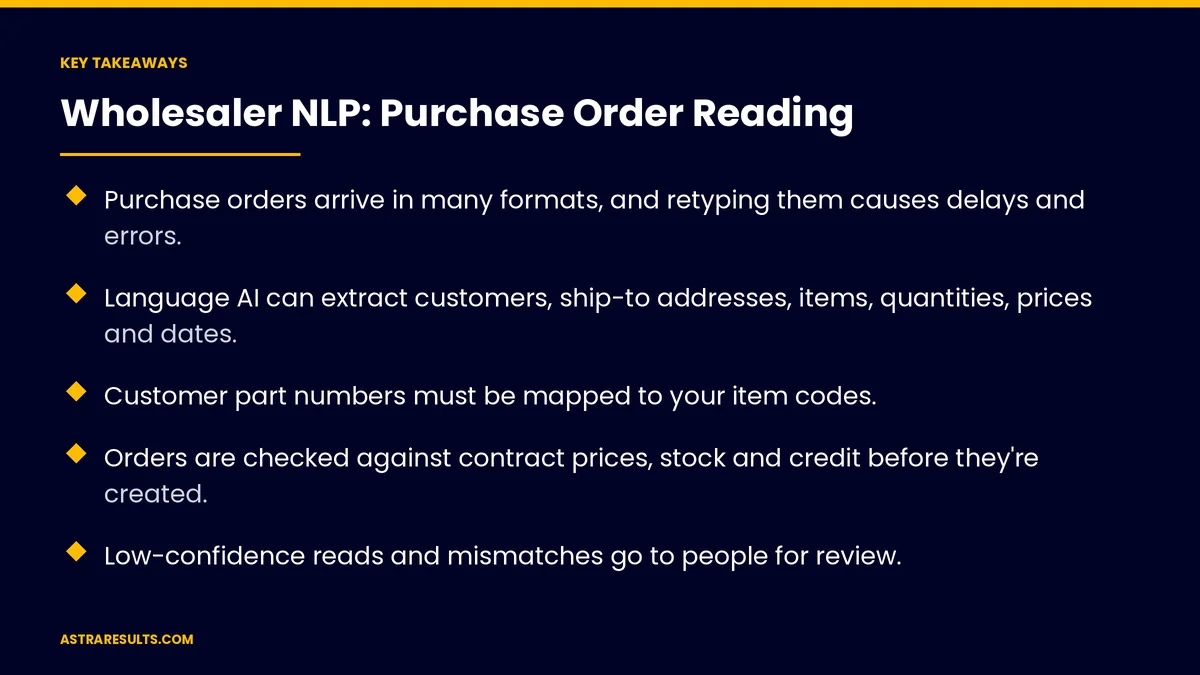
- Purchase orders arrive in many formats, and retyping them causes delays and errors.
- Language AI can extract customers, ship-to addresses, items, quantities, prices and dates.
- Customer part numbers must be mapped to your item codes.
- Orders are checked against contract prices, stock and credit before they're created.
- Low-confidence reads and mismatches go to people for review.
- Measure order entry time, errors and the share of orders processed without retyping.
Published: October 28, 2026 | Reading Time: ~9 minutes | Category: Natural Language Processing
This guide covers how wholesalers use natural language processing to read purchase orders: the formats it handles, what it extracts, mapping customer part numbers to your items, checking prices, stock and credit, routing exceptions to people, creating sales orders and confirmations, and measuring results. Put plainly: let software read the routine orders, and send people the exceptions.
In This Playbook
- Why order entry slows down
- Formats it can read
- What details does NLP extract from a purchase order?
- Mapping items and customers
- Checks before creating the order
- Exceptions go to people
- Creating orders and confirmations
- Spanish orders and Miami's export trade
- The same idea for invoices
- What should purchase order automation measure?
- The first three months
Why order entry slows down
Many formats. Every customer sends orders differently.
Retyping. Staff copy each line into the order system.
Errors. Wrong items, quantities or prices lead to returns and credits.
Delays. Orders wait in inboxes during busy periods.
Hidden questions. Unclear items or prices need follow-up calls.
Formats it can read
Emailed PDFs. Purchase order documents from customer systems.
Spreadsheets. Order sheets in different layouts.
Scanned and faxed orders. Read with text recognition first.
Email text. "Please send 20 cases of the usual."
EDI orders. Already structured, so they skip this step and go straight to the order system.
The basics of language AI are covered in NLP for business.
What details does NLP extract from a purchase order?
Customer and buyer. Who placed the order.
Ship-to and bill-to. Addresses and locations.
Items. Part numbers and descriptions.
Quantities and units. Cases, pallets, each or pounds.
Prices. As stated on the order.
Dates and instructions. Requested delivery dates and special notes.
Mapping items and customers
Customer part numbers. Many buyers use their own codes, which must be mapped to your item codes.
Descriptions to items. Match "1/2 in copper elbow" to the right product.
Unit conversions. Cases to units, or pounds to cases.
Customer matching. Link orders to the right account, a matching problem similar to one donor record across systems.
Learn from corrections. Each confirmed mapping improves the next order.
Checks before creating the order
Contract prices. Does the order price match the customer's agreed price?
Stock. Are items available at the right warehouse?
Credit. Is the account in good standing?
Rules or learning. Some checks are simple rules; others need language AI, as weighed in rules vs NLP classification.
Exceptions go to people
Low confidence. When the system isn't sure what a line says.
Price mismatches. Order price differs from contract price.
Unknown items. Part numbers with no mapping yet.
Credit holds. Accounts that need approval.
One review screen. Staff see the original order beside the extracted lines and fix only what's flagged.
Creating orders and confirmations
Sales orders in your system. Created automatically for clean orders.
Order confirmations. Sent to the customer with items, quantities, prices and dates.
Backorder notices. For items not in stock.
On to the warehouse. Orders flow to picking and shipping, where warehouse scanning apps take over.
Plan the connections. Decide which system owns each record, as covered in planning an integration.
Spanish orders and Miami's export trade
Orders in Spanish. Miami is a hub for wholesale and export to Latin America, and many orders arrive in Spanish.
Read both languages. Extraction works in English and Spanish, as covered in the future of NLP.
Confirm in the buyer's language. Confirmations sent in the language the order came in. Hotels use the same approach for guests, as in GenAI in Orlando's hospitality economy.
The same idea for invoices
Supplier invoices. The same reading and matching approach applies on the buying side, as covered in accounts payable automation.
What should purchase order automation measure?
Order entry time. Minutes from receipt to order created.
Touchless rate. Share of orders created without manual fixes.
Errors. Wrong items, quantities or prices shipped.
Exception rate. Share of orders needing review.
Same-day processing. Orders entered the day they arrive.
The first three months
Days 1–30: collect and map
Gather sample orders from your top customers in every format. Build customer part number mappings and unit conversions. Record current entry time and error rates.
Days 31–60: read and review
Start reading orders for a few customers, with staff reviewing every extracted order beside the original. Add price, stock and credit checks.
Days 61–90: automate clean orders
Let clean, high-confidence orders create sales orders automatically, with exceptions routed for review. Compare entry time, errors and touchless rate with the baseline, then add more customers.
How Astra builds order reading
Astra Results Marketing builds purchase order reading for wholesalers. We read orders from emails, PDFs, spreadsheets and scans, map customer part numbers to your items and check prices, stock and credit before creating orders.
Exceptions go to your team on one review screen, and orders in English and Spanish flow into your system with confirmations. Engagements begin with an order desk review through our natural language processing team.
Related reading
Frequently asked questions
What purchase order formats can NLP read?
Emailed PDFs, spreadsheets, scanned or faxed orders after text recognition, and plain email text. EDI orders are already structured and skip this step.
How does it handle customer part numbers?
It maps each customer's codes to your item codes, using descriptions and past orders. People confirm new mappings, and each confirmation improves the next order.
What checks happen before an order is created?
Prices are compared with contract prices, stock is checked at the right warehouse and credit status is confirmed.
What happens when the system isn't sure?
Low-confidence lines, price mismatches, unknown items and credit holds go to staff on a review screen that shows the original order beside the extracted lines.
Can it read orders in Spanish?
Yes. Extraction works in English and Spanish, and confirmations can be sent in the language the order arrived in.
Where should we start?
With a few top customers whose orders arrive in consistent formats. Review every order at first, then automate clean ones once accuracy is proven.
Ready to stop retyping purchase orders? Astra Results Marketing builds order reading that extracts, maps and checks purchase orders from any format, creates sales orders automatically and sends exceptions to your team. ▸ CALL (786) 321-2866 · ▸ REQUEST YOUR CONSULTATION





