 Rated 5 star on

Natural Language Processing for Business: The Guide
Quick answer
Natural language processing turns unstructured text into structured data a system can act on. Five jobs cover most business needs: classifying inbound messages, extracting fields from documents, summarizing long text, reading sentiment at scale, and routing work to the right person. Start with one document type, and decide what accuracy is good enough before building.
Most of what a business knows is written down in a form no system can use. Emails, contracts, reviews, tickets, invoices, meeting notes, handwritten forms. Somebody reads each one, decides what it is, and types a summary somewhere. That reading and sorting is a large share of every administrative day, and it is exactly what NLP does.
Key Takeaways
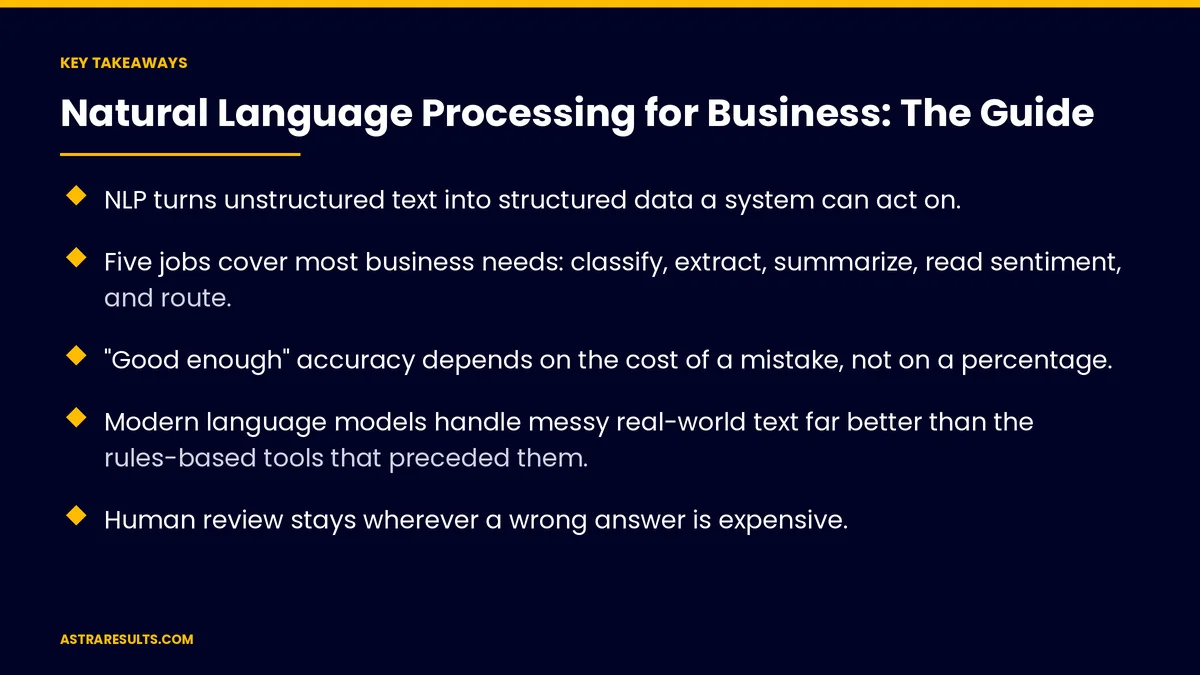
- NLP turns unstructured text into structured data a system can act on.
- Five jobs cover most business needs: classify, extract, summarize, read sentiment, and route.
- "Good enough" accuracy depends on the cost of a mistake, not on a percentage.
- Modern language models handle messy real-world text far better than the rules-based tools that preceded them.
- Human review stays wherever a wrong answer is expensive.
- Start with one high-volume document type and a measured baseline.
Published: September 18, 2026 | Reading Time: ~13 minutes | Category: NLP
This guide explains NLP in operator terms: what it does with text, the five jobs it does well for most businesses, what accuracy is good enough, where it fails, and how to start with one document type. Put plainly: text is data that nobody has structured yet.
Guidance for owners and operators. Nothing here is legal or technical advice. Processing documents that contain personal, financial, health or legal information is subject to privacy and sector rules that vary by jurisdiction and must be reviewed with counsel.
In This Playbook
- What NLP does with text
- Job one: classifying inbound text
- Job two: extracting fields from documents
- Job three: summarizing
- Job four: reading sentiment at scale
- Job five: routing and triage
- What accuracy is good enough
- Where NLP fails
- Privacy and handling
- The first 90 days
- In practice, with Astra
What NLP does with text
- Reads. Takes an email, a PDF, a scanned form, a transcript or a review, and understands what it says well enough to work with it.
- Classifies. Decides what kind of thing it is: a complaint, a quote request, an invoice, a cancellation, a compliment.
- Extracts. Pulls out the fields that matter: who, what, how much, when, which account, which product.
- Summarizes. Reduces a long thing to the short version a person needs.
- Reads tone. Detects whether the customer is happy, frustrated, urgent or indifferent, across thousands of messages at once.
- What changed recently. Older NLP relied on keywords and rules and broke on anything unexpected. Modern language models read the way a person does — understanding context, typos, slang and mixed languages — which is why the same tasks that failed five years ago work now, detailed in the AI layer in automation.
Job one: classifying inbound text
Every business receives text it has to sort before anyone can act.
- The inbound inbox. Hundreds of emails a day into a shared address: orders, questions, complaints, vendor invoices, spam. Someone triages. NLP classifies each one and routes it, so the person who handles complaints sees only complaints.
- Support tickets. Categorized by issue type and urgency on arrival, before a human reads them.
- Web forms and messages. Sorted into the right queue with the right priority, in seconds.
- Reviews. Tagged by what they are about — service, price, wait time, a specific location or employee — so patterns show up without reading every one.
- The result. Nothing sits in the wrong queue. Urgent things surface first. The sorter's hours go elsewhere.
Job two: extracting fields from documents
The highest-return NLP work for most companies, because it removes rekeying.
- Invoices. Vendor, date, line items, totals, due date, pulled from PDFs and photos into accounts payable, with mismatches flagged.
- Purchase orders and quotes. Customer, items, quantities, prices, into the order system.
- Contracts. Parties, dates, renewal terms, obligations, notice periods, into a register someone can search.
- Forms and applications. Handwritten or typed, into structured records.
- Shipping and customs documents. Fields into the logistics system without manual entry.
- One caveat. Extraction accuracy depends heavily on document quality. Clean PDFs are excellent. Photos of crumpled receipts are good. Faded handwriting is a human job with NLP assistance, not the reverse.
Job three: summarizing
Getting the short version to the person who needs it.
- Calls into CRM notes. A twelve-minute intake call becomes a five-line summary with the customer's need, the outcome and the next step, in the record before the call ends.
- Meetings into action items. Who agreed to do what by when.
- Long email threads. The state of a fourteen-message thread in three sentences for the person just added to it.
- Documents for review. A forty-page contract's key terms on one page, for the person deciding whether to read the forty pages.
- Reviews and feedback. A month of feedback reduced to the five things customers keep saying.
- The guardrail. A summary is a starting point, not a substitute, wherever the detail has consequences.
Job four: reading sentiment at scale
Knowing how thousands of customers feel without reading thousands of messages.
- What it produces. For each message, a reading: positive, negative, neutral, and the specific emotion — frustrated, confused, satisfied, urgent. Aggregated by time, location, product or employee.
- Reviews. Which location's tone shifted this month. Which product mention turned negative. Which employee is named with gratitude.
- Support and intake. Frustration detected in a message triggers a faster human response, the case for which sits in escalation rules.
- Surveys and open-text feedback. Free-text answers grouped into themes instead of skimmed and forgotten.
- The limit. Sentiment is a signal, not a verdict. Sarcasm, cultural differences in expression and mixed messages confuse it. It points a human toward what to read; it does not replace reading the important ones.
Job five: routing and triage
Getting each piece of text to the right person, with the right urgency, without a dispatcher.
- Rules plus reading. Classification and sentiment together decide the queue and the priority. An angry message about a billing error from a top account goes to the account owner, marked urgent, in seconds.
- Language detection. Spanish messages to Spanish speakers, according to Spanish as a channel.
- Duplicate detection. The same customer writing three times about one issue becomes one case, not three.
- The escalation. Anything the system cannot classify confidently goes to a person, flagged as uncertain rather than guessed.
- The effect. Response time falls for the messages that matter most, and nothing gets lost in a general inbox.
What accuracy is good enough
Nobody should buy NLP on a percentage. The right question is what a mistake costs.
- Low-cost mistakes. Tagging a review with the wrong topic. Routing a general question to the wrong queue. Here, ninety percent accuracy with easy correction is excellent, because the alternative was nobody doing it at all.
- Medium-cost mistakes. Extracting an invoice total wrong. Missing an urgent message. Here, the system flags low-confidence cases for a human, and the human reviews those rather than everything.
- High-cost mistakes. Misreading a contract obligation. Misclassifying a legal notice. Here, NLP prepares and a person decides, every time.
- The design. Confidence thresholds set per document type. Above the threshold, the system acts. Below it, a person looks. The threshold moves as trust is earned.
- The measurement. Accuracy on a sample checked by a person, monthly, per document type. And the error rate of the manual process it replaced, which was never zero either.
Where NLP fails
- Documents it has never seen. A new form layout, a new vendor's invoice format. It learns, but the first ones go to a person.
- Ambiguity that needs context it does not have. "Cancel the order" when the customer has three open orders.
- Sarcasm and irony. Still hard.
- Poor inputs. Illegible scans, audio with heavy background noise, text in a language the system was not set up for.
- Anything requiring judgment about consequences. NLP reads that a message is a legal threat. Deciding what to do about it is a human's job.
- The pattern. NLP fails at the edges, and the edges go to people. The center — the eighty percent of routine text — is where the hours were.
Privacy and handling
Text often contains the most sensitive information a business holds.
- What to know before starting. Which documents contain personal, financial, health or legal information. Where the text is processed and stored. Who can see the outputs. How long anything is retained.
- The rules. Vary by jurisdiction and sector, and counsel maps them before any document type is processed.
- The design choices. Redacting sensitive fields before processing where possible. Processing within controlled environments. Logging every access. Deleting what does not need to be kept.
- Consent. For recordings, for messages, for any processing the customer would not expect. Confirmed, not assumed.
The first 90 days
Days 1–30: pick the document type
The text the business handles by volume and by hours: inbox triage, invoices, reviews, call notes. The one with the highest volume and the lowest cost per mistake chosen first. The current process measured: hours, error rate, response time. Privacy rules for that document type confirmed.
Days 31–60: build and run in parallel
The classification or extraction set up for that document type. Confidence thresholds set. A person checks every output for two weeks while the manual process continues. Accuracy measured against the manual baseline.
Days 61–90: launch and expand
The system handles the high-confidence cases; a person handles the flagged ones. Hours returned, errors and response time compared to Day 1. The second document type chosen.
In practice, with Astra
Astra Results Marketing starts with the document type, not the model: the text the business handles by volume and hours, the cost of a mistake for each, and the privacy rules that apply. The first deployment is the highest-volume, lowest-risk type, run in parallel with confidence thresholds set per type, and measured against the manual baseline.
Because the same team runs intake and automation, the classified and extracted text flows into the workflows that act on it rather than into another inbox. Engagements begin with a document-volume audit through our business consulting team.
Related reading
Frequently asked questions
What does natural language processing do for a business?
It turns unstructured text — emails, contracts, reviews, tickets, invoices, call transcripts, forms — into structured data a system can act on. Five jobs cover most needs: classifying what a piece of text is, extracting the fields that matter, summarizing the long version, reading sentiment across thousands of messages, and routing each item to the right person with the right urgency.
How is modern NLP different from older text tools?
Older tools relied on keywords and rules and broke on anything unexpected. Modern language models read the way a person does, handling context, typos, slang and mixed languages, which is why tasks that failed five years ago work now. The discipline around them — confidence thresholds, human review at the edges, measured accuracy — is what makes them dependable in a business.
Which NLP use case pays back first?
Usually document extraction, because it removes rekeying: invoice fields into accounts payable, purchase orders into the order system, contract terms into a searchable register, forms into records. Inbox classification and routing is a close second for any business with a shared address receiving hundreds of messages a day. Accuracy depends on document quality — clean PDFs are excellent, faded handwriting stays a human job.
What accuracy is good enough?
It depends on what a mistake costs, not on a percentage. For low-cost mistakes like a mis-tagged review, ninety percent with easy correction is excellent because the alternative was nobody doing it. For medium-cost mistakes like a wrong invoice total, the system flags low-confidence cases for a person. For high-cost mistakes like a contract obligation, NLP prepares and a person decides every time.
Where does NLP fail?
At the edges: documents it has never seen, ambiguity that needs context it lacks, sarcasm, illegible scans and noisy audio, and anything requiring judgment about consequences. It can read that a message is a legal threat; deciding what to do is a human's job. The edges go to people. The center — the eighty percent of routine text — is where the hours were.
What about privacy?
Text holds the most sensitive information a business has. Before any document type is processed, counsel maps which rules apply by jurisdiction and sector, and the design follows: redacting sensitive fields where possible, processing in controlled environments, logging every access, deleting what need not be kept, and confirming consent for recordings and messages rather than assuming it.
READY TO TURN THE READING AND SORTING INTO STRUCTURED WORK? Astra Results Marketing audits the text your business handles by volume and hours, starts with the highest-volume, lowest-risk document type, and measures accuracy against the manual baseline before anything runs alone. Astra Results Marketing · 1101 Brickell Ave, Miami, FL 33131 · +1 (786) 321-2866 · sales@astraresults.com Find us on Google · Yelp ▸ CALL (786) 321-2866 · ▸ REQUEST YOUR CONSULTATION





