 Rated 5 star on

App Store Ratings: Recovering From a Bad Release
Quick answer
Recover app ratings after a bad release by stopping, fixing, replying and rebuilding. Pause the staged rollout or pull it back. Find the cause in crash reports and review themes. Ship a fix fast and tell reviewers what changed. Then ask for ratings after successful moments, and never pay or reward anyone for reviews.
One buggy update can undo months of good ratings. Users who hit a crash or a broken login leave one-star reviews fast, and new customers see those reviews before they download. Recovery is often quicker than owners expect, with a clear sequence: stop, fix, reply and rebuild.
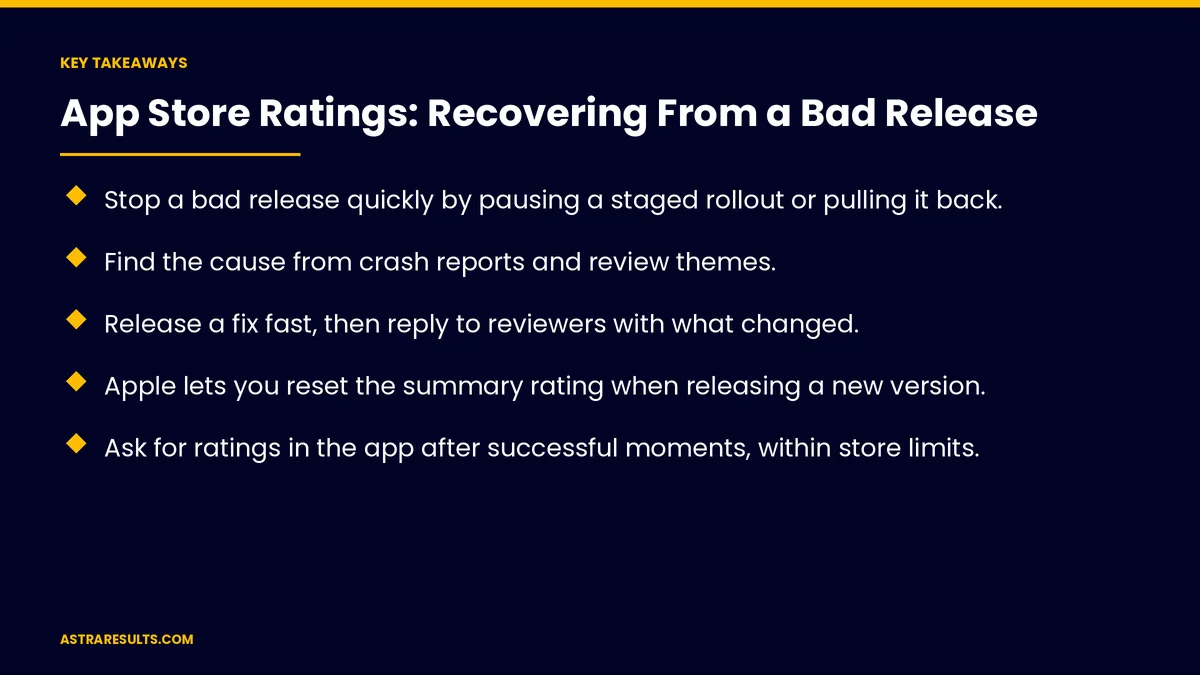
Key Takeaways
- Stop a bad release quickly by pausing a staged rollout or pulling it back.
- Find the cause from crash reports and review themes.
- Release a fix fast, then reply to reviewers with what changed.
- Apple lets you reset the summary rating when releasing a new version.
- Ask for ratings in the app after successful moments, within store limits.
- Never pay for reviews or offer rewards for ratings; both stores prohibit it.
Published: October 4, 2026 | Reading Time: ~8 minutes | Category: App Maintenance
This guide covers stopping the damage, finding the cause, fixing fast, replying to reviews, the rating reset, asking for ratings the right way and preventing repeats. Put plainly: fix fast, reply to every unhappy reviewer and ask happy users at the right moment.
For finding crashes, see crash reports.
In This Playbook
- How do you stop a bad release from spreading?
- Find the cause
- Fix fast
- Reply to reviews
- The rating reset option
- Ask for ratings the right way
- What not to do
- Tell users
- Prevent repeats
- What to measure
- The first three months after a bad release
How do you stop a bad release from spreading?
Pause the rollout. Staged releases let you stop before everyone updates.
Roll back where possible. Restore the last working version on your servers.
Turn off the broken feature. If it's behind a switch.
Severity first. As covered in app maintenance response times.
Find the cause
Crash reports. Which devices and versions are affected.
Review themes. What users say is broken.
Support messages. Patterns from emails and chats.
Fix fast
A focused fix. Only what's broken, nothing new.
Test on affected devices. Before release.
Expedited review. Apple accepts requests for urgent fixes.
Watch library updates. A common cause, as covered in dependency updates.
Reply to reviews
Every negative review about the issue. Acknowledge it and explain the fix.
Specific, not scripted. Name the problem and the version that fixes it.
Both stores allow replies. Users are notified and may update their rating.
Treat replies like customer conversations, as in community management.
The rating reset option
Apple's summary reset. When releasing a new version, you can reset the rating summary shown in the App Store.
Reviews stay. Written reviews remain visible.
Use it carefully. Best after a real fix, not to hide ongoing problems.
Google Play weighs recent ratings. Improvements show up as new ratings come in.
Ask for ratings the right way
In-app prompts. Use the stores' built-in rating prompts.
After success. When a user completes an order or task, not at launch.
Within limits. Apple shows its prompt up to three times a year per user; Google sets its own limits.
Never block use. Ratings are optional.
What not to do
No paid or rewarded reviews. Both stores prohibit them.
No asking only happy users through tricks. Prompts go to users by moment, not by mood.
No fake reviews. They risk removal and penalties.
Tell users
In-app message. "We fixed the login issue in version 4.2."
Release notes. Clear and specific.
Email or social. For widely felt problems.
Prevent repeats
Staged rollouts. Release to a small share first.
Beta testing. With real users, as covered in beta testing.
Release checklists. Login, payments and key flows tested every time.
Retire old versions carefully. As in retiring old app versions.
Watch the numbers. As covered in iPhone app analytics.
What to measure
Average rating. Recent ratings, week by week.
Crash-free users. Before and after the fix.
Reviews replied to. Share of negative reviews.
Updated ratings. Reviewers who raise their score.
Time to fix. From first report to release.
The first three months after a bad release
The first week
Pause the rollout, find the cause, release a focused fix and reply to every negative review about the issue.
Weeks two to six
Tell users about the fix, consider Apple's rating reset and add rating prompts after successful moments.
Weeks seven to twelve
Add staged rollouts, beta testing and release checklists, and track recent ratings and crash-free users.
How Astra helps apps recover
Astra Results Marketing helps apps recover from bad releases. We stop the damage, find and fix the cause, reply to reviewers, ask for ratings the right way and set up staged releases and testing to prevent repeats.
Engagements begin with an app health review through our app maintenance team.
Related reading
Frequently asked questions
How fast can app ratings recover?
Often within weeks, once a fix is out, reviewers get replies and happy users are asked to rate at the right moments.
Should we reply to negative reviews?
Yes. Acknowledge the problem, name the fix and version, and users may update their rating.
Can we reset our App Store rating?
Apple lets you reset the summary rating when releasing a new version. Written reviews remain visible.
When should we ask users for ratings?
After a successful moment, such as a completed order, using the stores' built-in prompts and within their limits.
Can we offer rewards for reviews?
No. Both Apple and Google prohibit paid or rewarded reviews.
How do we prevent bad releases?
Use staged rollouts, beta testing and release checklists that test login, payments and key flows every time.
Ready to recover your app's ratings? Astra Results Marketing stops the damage, fixes the cause, replies to reviewers and rebuilds ratings the right way, then sets up releases that prevent repeats. ▸ CALL (786) 321-2866 · ▸ REQUEST YOUR CONSULTATION





