 Rated 5 star on


Bilingual Websites: Structure, Hreflang and Content
Quick answer
Build a bilingual website by giving each language its own pages, such as a Spanish folder. Use hreflang tags so search engines know which pages are translations. Point each version's canonical tag to itself. Let visitors choose their language instead of redirecting them. Have fluent people review translations before publishing.
In South Florida and many other markets, a business website often needs English and Spanish. Doing it well takes more than a translate button. Search engines must find each version, visitors must land on the right one and Spanish pages must read naturally. Small mistakes can hide the Spanish site from search.
Key Takeaways
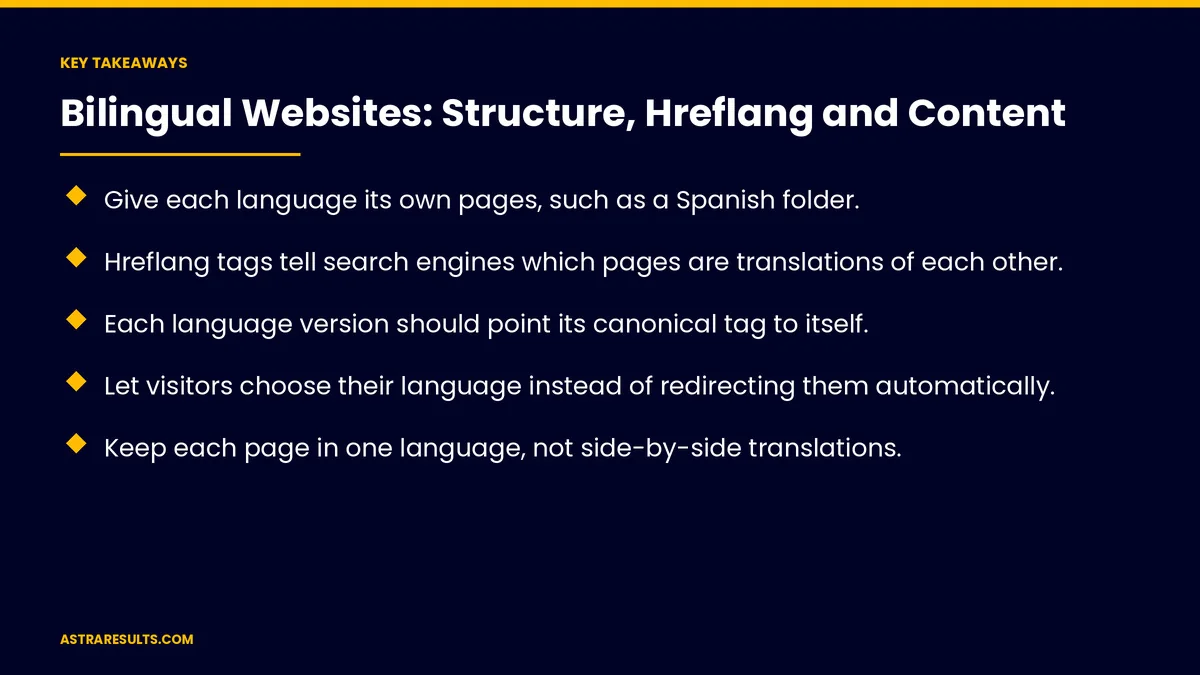
- Give each language its own pages, such as a Spanish folder.
- Hreflang tags tell search engines which pages are translations of each other.
- Each language version should point its canonical tag to itself.
- Let visitors choose their language instead of redirecting them automatically.
- Keep each page in one language, not side-by-side translations.
- Have fluent people review translations before publishing.
Published: October 6, 2026 | Reading Time: ~9 minutes | Category: Website Development
This guide covers structure, hreflang and canonical tags, language switchers, redirects, one language per page, translation quality, forms, content management and launch checks. Put plainly: give each language its own pages, tell search engines how they connect and have a fluent person review every page.
In This Playbook
- Site structure
- Hreflang tags
- Canonical tags
- Where should a bilingual site's language switcher go?
- Avoid automatic redirects
- Why should each page use only one language?
- Translation quality
- Navigation, forms and tools
- Managing content
- Launch checks
- What to measure
- The first three months
Site structure
Separate pages for each language. Not one page that changes by cookie or browser setting.
Folders are simplest. For example, a Spanish folder alongside the English site.
Subdomains or separate domains. Work too, but are harder to manage.
Matching pages. Each English page has a Spanish match where it matters.
Hreflang tags
What they do. Tell search engines which pages are versions of each other in different languages.
Each page lists all versions. Including itself.
Return links. If the English page points to the Spanish page, the Spanish page must point back.
A default. An "x-default" version for visitors whose language isn't covered.
Where to put them. In the page code, server headers or the sitemap.
Canonical tags
Each version points to itself. The Spanish page's canonical tag points to the Spanish page.
A common mistake. Pointing Spanish pages to the English version tells search engines to ignore them.
Where should a bilingual site's language switcher go?
Easy to find. Usually at the top of every page.
Go to the matching page. Not back to the Spanish home page.
Name languages in their own language. "English" and "Español."
Avoid automatic redirects
Don't redirect by guessed language. Browser settings and locations often guess wrong.
Search engines need access. Automatic redirects can stop them from seeing every version.
Suggest instead. A small banner offering the other language is fine.
Why should each page use only one language?
Search engines read the visible text. Google decides a page's language from its content.
Avoid side-by-side translations. Mixed pages confuse visitors and search engines.
Translate everything visible. Menus, buttons, forms and image text.
Translation quality
Write natively. As covered in bilingual marketing beyond translation.
Review machine translation. Google's spam policies flag automatically translated pages published without human review.
Keep facts identical. Prices, hours, terms and claims match across languages.
Spanish as a channel. As covered in what changes when Spanish is a channel.
Navigation, forms and tools
Translated menus and footers. Not English menus on Spanish pages.
Spanish forms and confirmations. As covered in Spanish landing pages.
Booking, chat and payments. In Spanish too, as covered in website integrations.
Event pages. Both languages where your audience needs them, as in event landing pages.
Stores selling abroad. The same care applies, as in selling to Latin America.
Managing content
Link versions in your editing system. So editors see which pages match.
Update both. A price change in English means a change in Spanish.
Clear owners. Who writes and reviews each language, as covered in website content management.
Launch checks
Hreflang tags valid. Every page lists all versions and links back.
Canonical tags correct. Each version points to itself.
No automatic redirects. Search engines can reach every version.
Spanish pages in the sitemap. And reachable through links.
Moving or rebuilding later. As covered in moving hosts or domains.
What to measure
Spanish pages in search results. For Spanish searches.
Traffic by language. And where it comes from.
Conversions by language. Forms, calls and bookings.
Wrong-language visits. Visitors switching right away.
Hreflang errors. In search tools.
The first three months
Days 1–30: plan structure
Choose folders or another structure, map English pages to Spanish matches and decide who writes and reviews each language.
Days 31–60: build and tag
Build Spanish pages with native writing, add hreflang and self-canonical tags, translate menus, forms and tools and add a language switcher.
Days 61–90: check and measure
Run launch checks, fix hreflang errors and track Spanish search visibility and conversions by language.
How Astra builds bilingual websites
Astra Results Marketing builds English and Spanish websites that search engines and visitors understand. We give each language its own pages, set hreflang and canonical tags correctly, avoid automatic redirects and have fluent writers create and review every page.
Engagements begin with a bilingual site review through our website development team.
Related reading
Frequently asked questions
How should a bilingual website be structured?
Give each language its own pages, such as a Spanish folder, rather than one page that changes by cookie or browser setting.
What are hreflang tags?
Tags that tell search engines which pages are translations of each other. Each page lists all versions, including itself, and every version links back.
Where should the canonical tag point on Spanish pages?
To the Spanish page itself. Pointing it to the English version tells search engines to ignore the Spanish page.
Should we redirect Spanish speakers automatically?
No. Guesses are often wrong and can block search engines. Offer a clear language switcher or a small suggestion banner instead.
Can we use machine translation?
As a draft only. Google's spam policies flag automatically translated pages published without human review, so have fluent people review every page.
How do we know the Spanish site is working?
Check Spanish search visibility, traffic and conversions by language, and fix hreflang errors reported in search tools.
Ready for a bilingual website that works in both languages? Astra Results Marketing builds English and Spanish websites with separate pages, correct hreflang and canonical tags, clear language switchers and human-reviewed content. ▸ CALL (786) 321-2866 · ▸ REQUEST YOUR CONSULTATION





