 Rated 5 star on

Hotel iPhone Apps: Keys, Requests, Upsells
Quick answer
Hotel iPhone apps work best when they use Apple's built-in features where they help. Room keys can live in Apple Wallet if your lock provider supports it. Make common requests one tap. Sell late checkout and upgrades with Apple Pay. Ask for notification and location permission only when it helps guests.
Many hotel guests carry iPhones, and Apple's built-in features can make a stay noticeably smoother. A room key in Apple Wallet, a one-tap towel request and a late checkout paid with Apple Pay save time for guests and staff. Use them where they help.
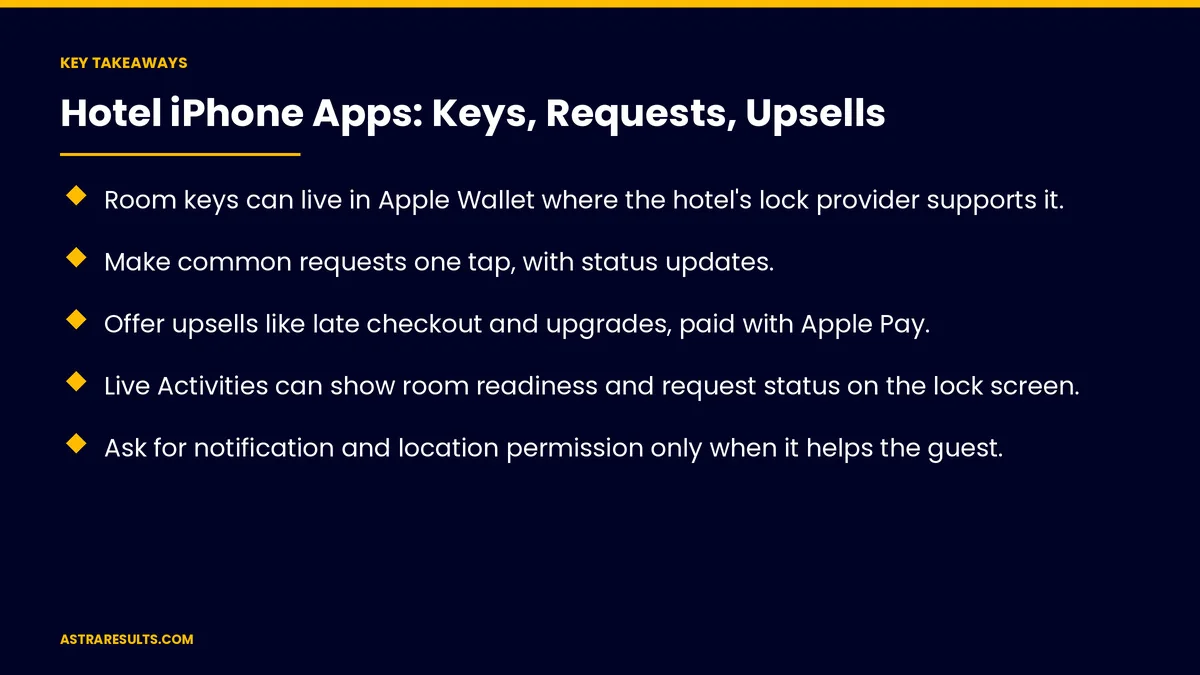
Key Takeaways
- Room keys can live in Apple Wallet where the hotel's lock provider supports it.
- Make common requests one tap, with status updates.
- Offer upsells like late checkout and upgrades, paid with Apple Pay.
- Live Activities can show room readiness and request status on the lock screen.
- Ask for notification and location permission only when it helps the guest.
- Measure key use, requests, upsell revenue and ratings.
Published: October 4, 2026 | Reading Time: ~8 minutes | Category: iPhone App Development
This guide covers hotel iPhone apps: room keys in Wallet, requests in a tap, upsells with Apple Pay, Live Activities and notifications, Siri and widgets, accessibility, privacy, App Store details and what to measure. Put plainly: put the key in Wallet, make requests one tap and offer upsells at the right moment.
For reaching guests on every platform, see hotel guest apps across iOS and Android.
In This Playbook
- Room keys in Wallet
- Which guest requests should take a single tap?
- Upsells with Apple Pay
- Live Activities and notifications
- Siri and widgets
- Accessibility
- Privacy
- App Store details
- What to measure
- The first three months
Room keys in Wallet
Tap to unlock. The room key lives in Apple Wallet.
Lock provider support. Works where the hotel's locks support Wallet keys.
Easy to add. After check-in, from the app.
Backup keys. Always available at the front desk.
Wallet basics are covered in Apple ecosystem integration.
Which guest requests should take a single tap?
Common requests. Towels, pillows, housekeeping and maintenance.
Status updates. Received, on the way, done.
Chat for anything else. With the front desk, as in AI support inside the app.
Upsells with Apple Pay
Late checkout and early check-in. Offered when it's useful.
Room upgrades. With photos of the room, as in hotel creative.
Dining, spa and parking. Booked and paid in seconds.
Payment rules. Hotel services use Apple Pay or cards, not in-app purchase, as covered in in-app payments.
Live Activities and notifications
Room ready. Shown on the lock screen.
Request status. Updated live.
Checkout reminders. With an easy late-checkout option.
Opt-in only. Guests choose what they receive.
Siri and widgets
Siri shortcuts. "Request towels" by voice.
Home screen widgets. Room number, Wi-Fi and checkout time.
Accessibility
VoiceOver. Every screen readable.
Larger text. Layouts that adapt.
Accessible room requests. Mobility and hearing needs noted.
Privacy
Minimal data. Only what the stay needs.
Permissions when needed. Location for arrival, notifications for room ready.
Accurate App Store privacy details. Updated with each release.
App Store details
Clear screenshots. Keys, requests and upsells shown.
Direct booking links. Encourage booking with you, as in hotel direct bookings.
Choosing the builder, as covered in what to ask before hiring an iOS partner.
What to measure
Wallet key use. Share of stays.
Requests through the app. Versus phone calls.
Upsell revenue. Per stay.
Notification opt-in. And actions taken.
App ratings. And guest reviews, as tracked in iPhone app analytics.
The first three months
Days 1–30: check support
Confirm Wallet key support with your lock provider, list common requests and choose upsell offers.
Days 31–60: build
Add Wallet keys, one-tap requests, Apple Pay upsells and opt-in Live Activities, with accessibility and privacy built in.
Days 61–90: launch and measure
Launch with front desk support, track key use, requests and upsell revenue and refine offers.
How Astra builds hotel iPhone apps
Astra Results Marketing builds iPhone apps for hotels. We add Wallet room keys where your locks support them, one-tap requests, Apple Pay upsells and Live Activities, with accessibility and privacy built in.
Engagements begin with an app planning session through our iPhone app development team.
Related reading
Frequently asked questions
Can hotel room keys go in Apple Wallet?
Yes, where the hotel's lock provider supports Wallet keys. Front desk keys remain available as a backup.
How should guest requests work?
One tap for common requests, with status updates and chat for anything else.
Can guests pay for upsells with Apple Pay?
Yes. Hotel services like late checkout, upgrades and dining use Apple Pay or cards, not in-app purchase.
What are Live Activities?
Lock screen updates that show room readiness or request status as it changes.
What permissions should the app ask for?
Only what helps the guest, when it helps: notifications for room ready, location for arrival.
What should we measure?
Wallet key use, requests through the app, upsell revenue, notification opt-in and ratings.
Ready for a hotel app that feels native on iPhone? Astra Results Marketing builds hotel iPhone apps with Wallet keys, one-tap requests, Apple Pay upsells and Live Activities, with privacy and accessibility built in. ▸ CALL (786) 321-2866 · ▸ REQUEST YOUR CONSULTATION





