 Rated 5 star on


API Security: Keys, Permissions and Audit Trails
Quick answer
Treat every API key like a password to everything it reaches. Store keys in a secrets manager or on your server, never in apps, code or email. Give each integration its own key with the least access it needs. Rotate keys on a schedule and after staff changes. Keep audit trails and revoke leaked keys fast.
Every integration between your systems runs on keys: secret codes that let one system access another. A CRM key might read every customer record; a payment key might issue refunds. When keys sit in code or never expire, one leak exposes everything they unlock. A few habits keep integrations useful without leaving the doors open.
Key Takeaways
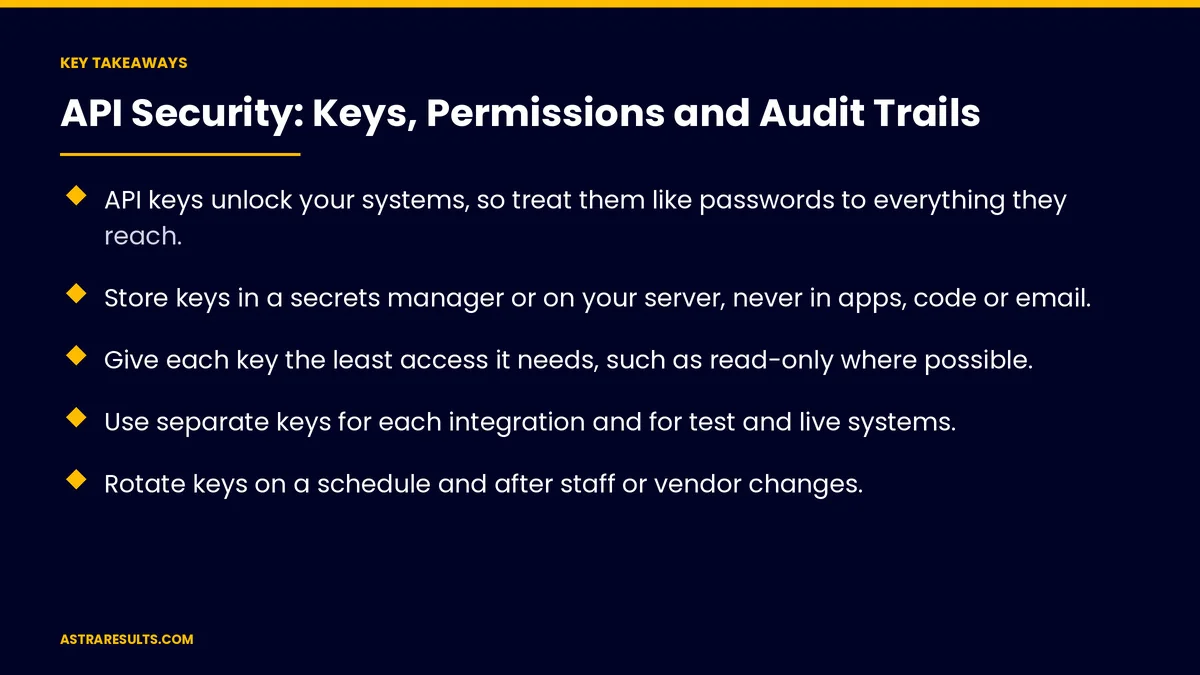
- API keys unlock your systems, so treat them like passwords to everything they reach.
- Store keys in a secrets manager or on your server, never in apps, code or email.
- Give each key the least access it needs, such as read-only where possible.
- Use separate keys for each integration and for test and live systems.
- Rotate keys on a schedule and after staff or vendor changes.
- Keep audit trails, alert on unusual activity and revoke leaked keys fast.
Published: October 5, 2026 | Reading Time: ~9 minutes | Category: API Integration
This guide covers how keys get exposed, where they belong, least access, separate keys, expiring tokens, rotation, request checks, audit trails, alerts and leak response. Put plainly: keep keys out of sight, give each one only what it needs and record every use.
In This Playbook
- How do API keys usually get exposed?
- Where keys belong
- Least access
- Why should each integration have its own API key?
- Expiring tokens
- Rotation
- Check access on every request
- Audit trails
- Alerts
- Vendor access
- Responding to a leak
- What to measure
- The first three months
How do API keys usually get exposed?
In code. Saved in files that end up in shared code repositories.
In apps. Built into mobile or web apps where anyone can extract them, as covered in integrating AI into a mobile app.
In email and chat. Shared once and forgotten.
With too much access. One key that can do everything.
Never expiring. Old keys still working years later.
Where keys belong
A secrets manager. A secure vault for keys and passwords.
On your server. Loaded at runtime, never written into code.
Never in apps, code or messages. If a key was shared that way, replace it.
Least access
Only what's needed. A reporting integration reads data; it doesn't delete it.
Limit by record type. Orders, not customers, if that's all it needs.
Review access regularly. Remove what's no longer used.
Why should each integration have its own API key?
One key per integration. So you can revoke one without breaking others.
Test and live keys. Never use live keys while testing.
Per vendor. Each outside partner gets its own key.
Expiring tokens
Short-lived tokens. Some systems issue tokens that expire and renew automatically.
User-approved access. Standard sign-in flows let users grant limited access without sharing passwords.
Plan for renewals. Expired tokens are a common cause of quiet failures, as covered in when integrations break.
Rotation
On a schedule. Replace keys regularly.
After changes. When staff leave or vendors change, as in taking over an app.
Without downtime. Add the new key, switch, then remove the old one.
Check access on every request
The server decides. Each request is checked for the right user and record.
A common serious flaw. Returning another customer's data when an ID is changed, as covered in mobile app security basics.
Verify incoming messages. Check signatures, as covered in webhooks explained.
Audit trails
Record every use. Which key, what action, when and from where.
Admin actions too. Who created, changed or deleted keys.
Keep logs long enough. For investigations and audits.
The same for AI agents. As covered in agent security.
Alerts
Unusual volume. Sudden spikes in requests.
New locations. Requests from unexpected places.
Failed attempts. Repeated rejected requests.
IP limits. Where supported, allow requests only from known addresses.
Vendor access
List every vendor with a key. And what it can reach.
Review yearly. Remove vendors you no longer use.
Plan the access up front. As covered in planning an integration.
Responding to a leak
Revoke first. Disable the key immediately.
Replace and reconnect. Issue a new key to the right systems.
Check the logs. What was accessed, and when.
Tell who needs to know. Customers or partners, with counsel.
What to measure
Keys in secure storage. Share of all keys.
Keys with least access. Reviewed and limited.
Key age. Time since last rotation.
Alerts reviewed. And response time.
Unused keys removed. Each quarter.
The first three months
Days 1–30: find every key
List every key, where it's stored, what it can reach and who uses it. Replace any keys found in code, apps or messages.
Days 31–60: tighten access
Move keys into a secrets manager, limit access, split shared keys and set up rotation without downtime.
Days 61–90: watch and respond
Turn on audit trails and alerts, review vendor access and write the steps for responding to a leak.
How Astra secures integrations
Astra Results Marketing secures the integrations businesses depend on. We find and store every key safely, limit access, separate keys by integration and environment, rotate them on schedule and set up audit trails and alerts.
Engagements begin with an integration security review through our API integration team.
Related reading
Frequently asked questions
What is an API key?
A secret code that lets one system access another, such as reading CRM records or creating orders.
Where should API keys be stored?
In a secrets manager or on your server, never in apps, code repositories, email or chat.
How much access should a key have?
Only what the integration needs, such as read-only access to specific records.
How often should keys be rotated?
On a regular schedule, and whenever staff leave or vendors change.
What is an audit trail?
A record of every key use and admin action: which key, what happened, when and from where.
What should we do if a key leaks?
Revoke it immediately, issue a new one, check the logs for what was accessed and inform those affected, with counsel.
Ready to lock down your integrations? Astra Results Marketing finds every key, stores them safely, limits access, rotates keys on schedule and sets up audit trails and alerts for every integration. ▸ CALL (786) 321-2866 · ▸ REQUEST YOUR CONSULTATION





