 Rated 5 star on

Logistics Android Apps for Drivers and Dispatch
Quick answer
A logistics Android app should give drivers stop lists, navigation handoff, scanning and proof of delivery, all working offline. Design it for use only when stopped, since federal rules bar commercial drivers from texting or holding a phone while driving. Track location only on duty. Give dispatch a live map and alerts.
Drivers need an app that shows the next stop, records proof of delivery and works where the signal drops. Dispatchers need to see where every driver is and react when plans change. Many fleets run on Android phones and rugged scanners. A well-built Android app connects both sides while keeping drivers safe on the road.
Key Takeaways
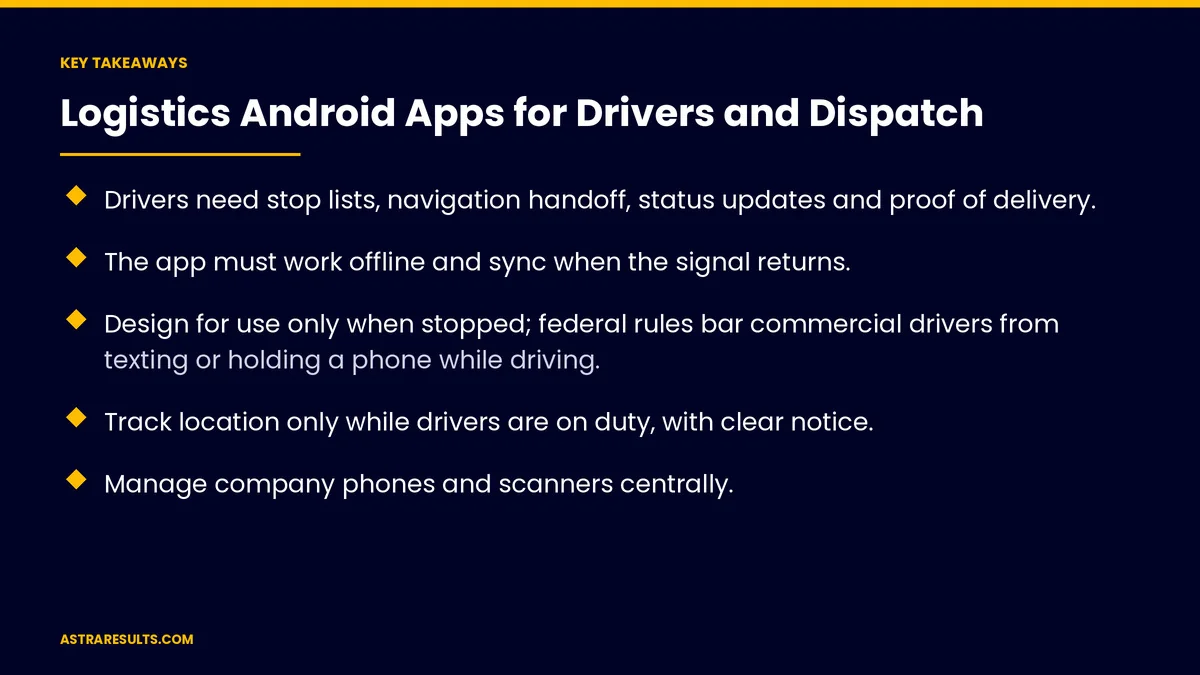
- Drivers need stop lists, navigation handoff, status updates and proof of delivery.
- The app must work offline and sync when the signal returns.
- Design for use only when stopped; federal rules bar commercial drivers from texting or holding a phone while driving.
- Track location only while drivers are on duty, with clear notice.
- Manage company phones and scanners centrally.
- Give dispatch a live map, assignments, messaging and exception alerts.
Published: October 14, 2026 | Reading Time: ~9 minutes | Category: Android App Development
This guide covers logistics Android apps for drivers and dispatch: driver features, proof of delivery, offline mode, driver safety, commercial driver rules, location on duty, managed devices, the dispatch side, customer updates and what to measure. Put plainly: give drivers a simple, safe app that works offline, and give dispatch a live view of every stop.
In This Playbook
- Driver features
- How does the app capture proof of delivery?
- Does a driver app work without a signal?
- Driver safety
- Commercial driver rules
- Location on duty
- Managed devices
- The dispatch side
- Customer updates
- What to measure
- The first three months
Driver features
Stop list. The day's stops in order, with details and notes.
Navigation handoff. Open the route in the driver's map app.
Status updates. Arrived, delivered, attempted or exception.
Barcode scanning. Packages scanned at pickup and delivery, as with warehouse scanning apps.
How does the app capture proof of delivery?
Photos and signatures. Captured at the door or dock.
Timestamps and location. Recorded with each delivery.
Available to customers and billing. As in proof of delivery apps.
Does a driver app work without a signal?
Work without signal. Deliveries saved on the phone.
Sync later. Uploaded when the connection returns.
No lost records. Even in garages, basements and rural areas.
Driver safety
Use only when stopped. Large buttons and simple steps.
No texting while driving. Federal rules bar commercial truck and bus drivers from texting or holding a phone while driving.
Hiring drivers. As in driver recruiting on social.
Hands-free where needed. Voice prompts and mounted devices.
Commercial driver rules
Hours and logs. Many commercial drivers must log hours with an electronic logging device registered with the FMCSA.
Inspection reports. Many carriers require vehicle inspection reports.
Integrate, don't duplicate. Connect to your logging provider rather than rebuilding it.
Check your obligations. Rules depend on vehicle type and operation.
Location on duty
Live location during shifts. For dispatch and customer arrival estimates.
Clear notice. Drivers know when and why location is tracked.
Off duty means off. No tracking outside shifts.
Google Play rules. Background location needs a declared reason, as covered in Google Play review and policy basics.
Managed devices
Company phones and scanners. Fully managed, with apps pushed centrally.
Dedicated-device mode. Locks a device to work apps.
Staff rules, not customer rules. As covered in customer apps vs staff apps.
Lost devices. Locked or wiped remotely, as covered in enterprise mobile apps.
Personal phones. Work profiles keep data separate, as in staffing agency Android apps.
The dispatch side
Live map. Every driver and stop.
Assignments. Add, move or reassign stops.
Messaging. Short messages read when drivers are stopped.
Exception alerts. Failed deliveries and delays, as covered in logistics AI.
Customer updates
Arrival estimates. Shared automatically.
Tracking pages. As in logistics customer apps and logistics websites.
What to measure
On-time deliveries. By route and driver.
Proof of delivery captured. Share of stops with photos or signatures.
Failed deliveries. And reasons.
Sync delays. Time from delivery to upload.
Dispatch response time. To exceptions.
The first three months
Days 1–30: driver basics
Build stop lists, status updates, scanning and proof of delivery with offline mode, designed for use only when stopped.
Days 31–60: devices and dispatch
Set up managed devices, add on-duty location with clear notice and build the dispatch map, assignments and exception alerts.
Days 61–90: customers and measure
Add arrival estimates and tracking, connect to your logging provider and track on-time and failed deliveries.
How Astra builds logistics Android apps
Astra Results Marketing builds Android apps for logistics drivers and dispatch. We design simple, safe driver screens that work offline, capture proof of delivery, track location only on duty and give dispatch a live view of every stop.
Engagements begin with an operations review through our Android app development team.
Related reading
Frequently asked questions
What should a driver app include?
A stop list, navigation handoff, status updates, barcode scanning, proof of delivery and offline mode.
How do we keep drivers safe?
Design the app for use only when stopped, with large buttons and voice prompts. Federal rules bar commercial drivers from texting or holding a phone while driving.
Should we track drivers' location?
Only while they're on duty, with clear notice. Google Play requires a declared reason for background location.
Can the app replace electronic logging devices?
Usually it should connect to your registered logging provider rather than rebuild it. Rules depend on vehicle type and operation.
Should drivers use company or personal phones?
Either can work. Company devices are managed centrally; personal phones use work profiles to keep data separate.
What does dispatch need?
A live map, assignments, messaging and alerts for failed deliveries and delays.
Ready for a driver app that works on every route? Astra Results Marketing builds logistics Android apps with simple, safe driver screens, offline proof of delivery, on-duty location and a live dispatch view. ▸ CALL (786) 321-2866 · ▸ REQUEST YOUR CONSULTATION





